
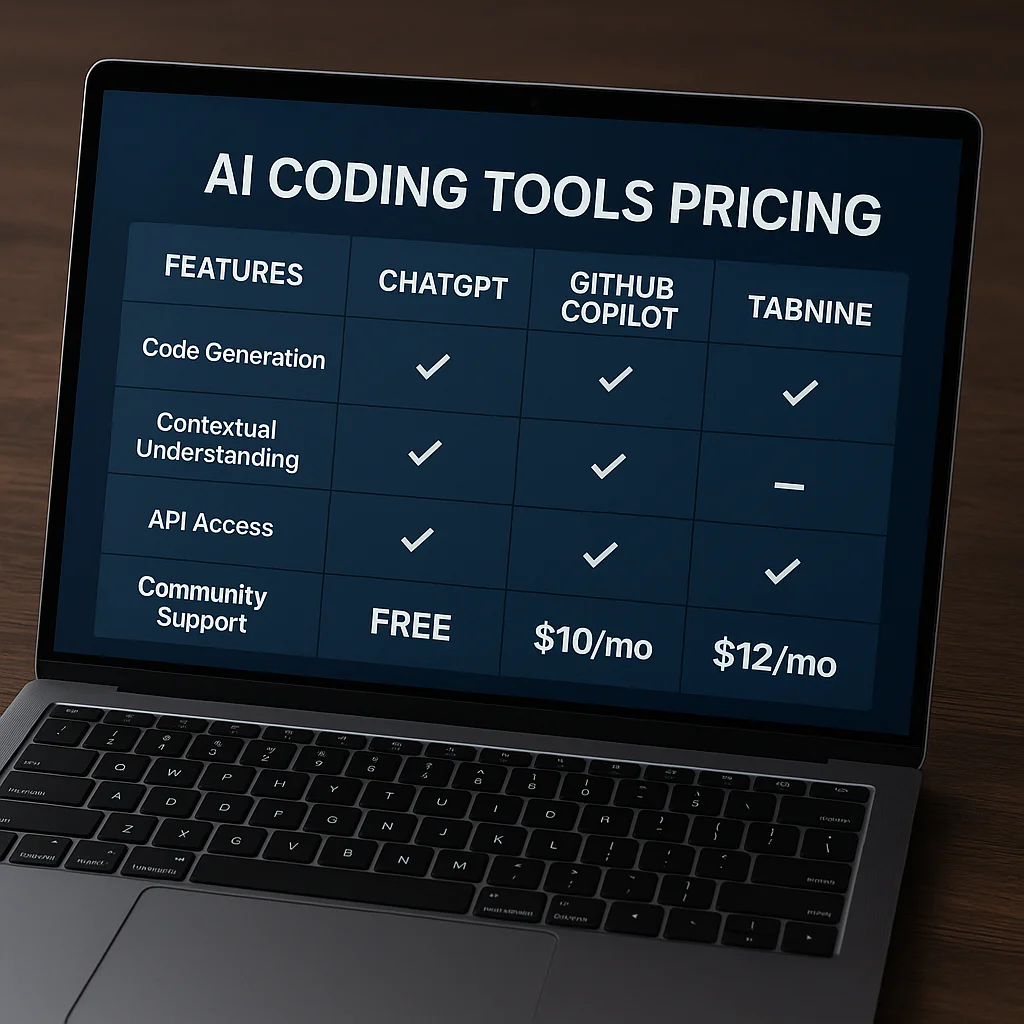
What are the pricing models for popular AI code generation apps? Most use free tiers, recurring subscriptions, per-seat team plans, or usage-based billing—and some combine several. Our recommendation: compare what each plan includes, especially premium model and agent limits, rather than choosing by its headline tier alone.
The wrinkle is that “AI coding app” can mean a code-completion tool, an AI-first editor, an app builder, or a model API. A subscription may cover the assistant but not the hosting, cloud compute, or API usage behind a larger project.
At App 9™, we’ve found that the most revealing test isn’t a flashy one-line code suggestion. Try a real change across several files, then check how much editing, model usage, and follow-up work it takes. That’s where a tidy flat subscription can look like a bargain—or where usage limits start tapping you on the shoulder.
Key Takeaways
- Popular AI coding apps use subscriptions, per-seat plans, usage-based billing, free tiers, or a mix.
- Compare allowances and features, not plan names. Premium models and agent workflows may have separate limits.
- Separate app fees from API, hosting, compute, storage, and deployment costs.
- Free plans and previews are useful for testing, but their limits and terms can change.
- For teams, check per-seat billing, administration, privacy controls, and overage rules before rolling a tool out widely.
- Run the same real coding task in each shortlisted app to judge output quality, workflow fit, and usage—not just the marketing demo.
Explore the tools: GitHub Copilot · Cursor · Windsurf · Amazon Q Developer · Gemini Code Assist · Claude Code · JetBrains AI Assistant · Tabnine · Replit · Continue
Table of Contents
- ⚡️ Quick Tips and Facts
- 🧭 AI Code Generation Pricing: Background and How It Works
- 💳 The Main Pricing Models for AI Coding Apps
- Free tiers and usage limits
- Monthly and annual subscriptions
- Per-seat and team pricing
- Usage-based pricing: tokens, requests, and credits
- Enterprise plans and custom contracts
- Open-source and self-hosted options
- 🧰 Popular AI Code Generation Apps Compared
- 1. GitHub Copilot pricing
- 2. Cursor pricing
- 3. Windsurf pricing
- 4. Amazon Q Developer pricing
- 5. Google Gemini Code Assist pricing
- 6. Claude Code pricing
- 7. JetBrains AI Assistant pricing
- 8. Tabnine pricing
- 9. Replit pricing
- 10. Continue and other open-source coding assistants
- 📊 AI Coding App Pricing Comparison Table
- 🔍 What You Get for Your Money
- Code completion, chat, and agent features
- Model access and premium usage
- IDE, editor, and repository integrations
- Privacy, security, and data controls
- 🧮 How to Calculate the Real Cost of an AI Coding Assistant
- Individual developer cost
- Team and business cost
- Hidden limits, overages, and add-ons
- 👩 💻 Which Pricing Model Is Best for You?
- Best for students and hobbyists
- Best for professional developers
- Best for startups and small teams
- Best for enterprises and regulated teams
- Best for open-source and self-hosted workflows
- 🛒 How to Choose an AI Code Generation App
- Questions to ask before subscribing
- How to compare free trials and plan limits
- When to switch, downgrade, or cancel
- 🔐 Privacy, Licensing, and Security Considerations
- ❓ Frequently Asked Questions
- Are AI code generation apps free?
- Do AI coding tools charge per user or by usage?
- Which AI coding app offers the best value?
- Can I use an AI coding assistant without a subscription?
- Can businesses get volume discounts or custom pricing?
- Do AI coding tools bill separately for premium models?
- ✅ Conclusion
- 🔗 Recommended Links
- 📚 Reference Links
⚡️ Quick Tips and Facts
The short version: AI code generation apps don’t all charge the same way. Some sell a predictable subscription, some meter premium model use with requests or credits, and others bill separately for the cloud infrastructure behind your app.
For a broader look at how these tools differ, start with our guide to AI code generation apps.
| Pricing model | What you pay for | Best fit | Watch out for |
|---|---|---|---|
| Free tier | A limited feature set, usage allowance, or preview access | Learning and occasional coding | “Free” may mean restricted models, requests, or speed |
| Subscription | Access to an app or a bundle of features | Regular individual use | Premium-model limits may still apply |
| Per-seat plan | A subscription for each team member | Teams needing central billing and admin controls | Seat costs grow with team size |
| Usage-based billing | Tokens, requests, credits, or compute | Variable workloads and API-driven coding agents | Costs can be harder to predict |
| Enterprise contract | Organization-wide controls, support, and negotiated terms | Large or regulated organizations | Public pricing may be unavailable |
| Self-hosted/open source | Software may be free; inference and operations are not necessarily free | Teams with technical capacity and infrastructure control | Hardware, maintenance, security, and model-hosting costs |
A few useful rules of thumb:
- ✅ Compare the allowance, not just the plan label. “Pro” can mean different usage caps and model access across products.
- ✅ Check whether billing is person or per organization. A team plan may charge by seat even if usage is pooled.
- ✅ Separate app subscriptions from model/API costs. A coding interface and the AI model powering it may be billed independently.
- ❌ Don’t assume a free IDE extension means free cloud services. Google says Cloud Code itself is free, while underlying Google Cloud services you use can incur charges.
- ✅ Treat “unlimited” carefully. It may refer to a particular feature, subject to fair-use rules, rate limits, or slower service.
- ✅ Check current terms before buying. Product limits, model availability, and billing structures change; the provider’s pricing page is the source of truth.
One distinction clears up a surprising amount of confusion: standalone coding apps and AI model APIs are different products. Microsoft’s Azure OpenAI pricing is for model/API workloads—not a direct comparison with a GitHub Copilot or Cursor subscription.
🧭 AI Code Generation Pricing: Background and How It Works
AI coding products can look similar in a demo—type a request, get code—but their costs depend on what the product actually does. A code-completion extension, an AI-first editor, a web-based app builder, and a cloud-hosted coding agent can have very different billing behind the curtain.
Google Cloud describes AI code generation as creating code “based on a natural language description of the desired code.” In practice, many tools also help with autocomplete, debugging, refactoring, tests, code search, and agent-driven changes. See Google Cloud’s overview of AI code generation.
The four layers that can affect what you pay
| Cost layer | Example | Why it matters |
|---|---|---|
| The app | GitHub Copilot, Cursor, Windsurf | May charge for access to the editor integration, chat, or agent |
| The model | Gemini, Claude, OpenAI models | May be bundled, limited, or billed separately through an API |
| Usage allowance | Requests, credits, tokens, or rate limits | Determines how much high-intensity work fits in a plan |
| Infrastructure | Cloud compute, storage, deployment, databases | Can add costs when the tool builds or hosts software |
A subscription can bundle several layers, but don’t assume it bundles everything. A tool that generates code and a service that deploys or runs that code may have separate billing.
Why app pricing and API pricing get confused
A developer using a coding assistant may pay a flat subscription. A company building its own coding agent may instead pay for model input and output, compute, tools, and storage.
Microsoft’s Azure pages describe this second category:
- Azure OpenAI Service lists model usage and capacity pricing, including pay-as-you-go token billing and provisioned throughput.
- Microsoft Foundry Models pricing covers hosted models and managed compute—not the subscription price of an end-user coding app.
- Google’s Gemini API pricing likewise relates to using Gemini through the API, rather than automatically telling you what a separately packaged coding product costs.
Trust the pricing page for the exact product you plan to buy. A model’s token rate is not a shortcut for calculating a coding app’s subscription value.
Why prices and limits change
AI tools evolve quickly. Providers may add models, change request allowances, revise credit systems, or separate premium usage from everyday completions. That means older comparison videos and articles can be useful for workflow impressions, but are not reliable sources for current billing terms.
At App 9™, we compare pricing alongside practical factors—editor fit, agent behavior, export options, and usage restrictions. Those are the details that determine whether a plan feels like a helpful assistant or a meter running in the passenger seat.
💳 The Main Pricing Models for AI Coding Apps
Free tiers and usage limits
Free access is useful for testing an editor, learning a workflow, or handling occasional coding questions. It may also be a public preview rather than a permanent free tier.
For example, Google’s AI code generation overview describes individual access to Antigravity during public preview, alongside higher-limit paid options. Google also describes Google AI Studio as a place to experiment with Gemini models, with API usage and limits governed separately.
Before relying on free access, check:
- Which models are included?
- Is the allowance a daily, monthly, or rolling limit?
- Are agent actions and premium requests counted differently from autocomplete?
- Does the free tier include commercial use?
- What happens when you hit the limit: wait, upgrade, or pay for overage?
- Is access a preview that could change or end?
Best use: Evaluate the product on a real task before committing.
Main drawback: Free access may not reflect paid-plan limits or performance.
Monthly and annual subscriptions
Subscription plans are popular because they make budgeting relatively straightforward. You pay for access on a recurring basis, often with a different set of features or usage allowances at each tier.
The subscription may include:
- Code completion and chat
- A limited amount of premium-model use
- Agent features
- Access to a dedicated editor or IDE extension
- Higher usage limits or faster service
- Additional settings, integrations, or support
Annual billing may be offered, but compare the total commitment and cancellation rules—not just the per-month equivalent shown on a plan page.
Best use: Developers who use the assistant regularly and prefer predictable billing.
Main drawback: A subscription doesn’t always mean unlimited access to every model or agent feature.
Per-seat and team pricing
Team subscriptions are usually calculated per user, per month, or through a negotiated organization contract. They may add centralized administration, user management, policy controls, and team-level billing.
For instance, GitHub publishes separate plan information for individuals and business use. The exact features and billing rules should be checked on the current plan page.
A team’s rough subscription cost can be thought of as:
Number of paid seats × the applicable per-seat rate + any separate usage or service charges
That equation is simple. The exception list is where budgeting gets spicy: some products may bill model usage separately, require a minimum number of seats, or reserve certain administrative features for higher tiers.
Best use: Teams that need consistent access and centralized controls.
Main drawback: Costs can rise as headcount grows, even if some people use the assistant only occasionally.
Usage-based pricing: tokens, requests, and credits
Usage-based systems charge according to the work performed. Common meters include:
- Tokens: Units of text processed by a model, often split into input and output.
- Requests: A count of calls or prompts.
- Credits: A product-defined unit that may be consumed differently by different actions.
- Compute time: Time or capacity used to run a model or workflow.
- Tool calls: Charges for tools such as search, code execution, or file retrieval.
In a coding app, you may not see tokens directly. Instead, a provider may set a monthly premium-request allowance or deduct credits for agent actions. A “request” can represent very different amounts of work, so compare the provider’s definitions rather than assuming one prompt equals one unit everywhere.
For API-based model use, Google explains billing and token categories in its Gemini API pricing documentation. Microsoft’s Azure OpenAI pricing page also separates input, cached input, and output for eligible models.
Best use: Variable or programatic workloads where actual consumption matters.
Main drawback: Heavy usage can be harder to forecast than a fixed subscription.
Enterprise plans and custom contracts
Enterprise offerings typically focus on governance and deployment needs, not merely bigger usage limits. Depending on the vendor and plan, they may include:
- Organization-wide user and access management
- Security, privacy, and data controls
- Compliance documentation
- Audit or administration features
- Centralized billing and support
- Custom deployment or contractual terms
Public pricing may be limited or absent. Ask for the specific scope in writing: included seats, model access, usage allowances, overages, renewal terms, and whether support or onboarding costs extra.
Best use: Larger organizations with procurement, security, compliance, or support requirements.
Main drawback: “Contact sales” makes casual price comparisons difficult, and a custom offer can conceal differences included services.
Open-source and self-hosted options
Open-source coding assistants can reduce dependence on a vendor’s hosted app, but open source does not automatically mean zero operating cost. You may still pay for model API calls, cloud GPUs, storage, maintenance, and engineering time.
Products such as Continue let developers configure AI assistance in their coding environments. The overall cost depends on the models and infrastructure selected, as well as who maintains the setup.
Consider:
- Do you have hardware suitable for local inference?
- Is the chosen model licensed for your intended use?
- Who will update dependencies and secure the deployment?
- Will the team host a model, use a paid API, or combine both?
- Does your organization need audit, privacy, or access controls?
Best use: Technical teams that value configuration flexibility or control over where code and prompts go.
Main drawback: Infrastructure and maintenance can outweigh the apparent savings.
🧰 Popular AI Code Generation Apps Compared
Important: The following explains each product’s pricing structure, not a live price quote. Plan names, usage allowances, and eligibility can change. Use the linked official plan pages to verify current terms.
1. GitHub Copilot pricing
GitHub Copilot integrates AI coding assistance into supported development environments and GitHub workflows. Its plan structure includes individual and organization options; the exact model access and usage rules depend on the current plan.
What to check:
- Whether the plan is for an individual or billed per organization member
- Which premium models or features are included
- Whether agent and chat usage have separate limits
- Which IDEs and development workflows are supported
- What business or enterprise controls are available
✅ Potential advantage: Developers can add AI assistance to familiar tools rather than adopting a new editor.
❌ Potential drawback: The plan’s limits and feature set may differ by account type, and hosting or other GitHub services can remain separate.
2. Cursor pricing
Cursor is an AI-focused code editor built around an editor workflow familiar to many VS Code users. Its pricing page is the place to confirm current tiers, included model usage, and the treatment of premium requests.
A key purchasing question is whether your typical work is mostly autocomplete and chat—or agent tasks that involve broader codebase analysis and repeated tool use. Those patterns can consume allowances differently.
✅ Potential advantage: A dedicated AI editor can make codebase-aware chat and edits feel integrated.
❌ Potential drawback: Model access and usage allowances may be more important than the headline plan name.
3. Windsurf pricing
Windsurf offers an AI-centered development environment with agent-oriented capabilities. Review its current plan page for the latest credit or usage system, model access, and team options.
Before subscribing, test one ordinary task and one demanding task—for example, a small refactor and a multi-file feature change. That reveals whether the allowance matches your actual working style.
✅ Potential advantage: Agent features can help handle related edits across a project.
❌ Potential drawback: If advanced actions draw down credits quickly, frequent users may find the effective cost less predictable.
4. Amazon Q Developer pricing
Amazon Q Developer provides AI assistance for development, with offerings that can be relevant to both individual developers and AWS-connected teams. Check the official page for the distinction between free access, paid plans, and AWS-specific capabilities.
Ask whether you need general coding support, AWS service knowledge, organizational controls, or all three. Buying a broader cloud-oriented capability for occasional autocomplete can be like renting a workshop to tighten one screw.
✅ Potential advantage: A natural fit for developers working extensively with AWS.
❌ Potential drawback: The best-value plan depends heavily on whether you use its cloud-oriented features.
5. Google Gemini Code Assist pricing
Gemini Code Assist is Google’s coding-assistance offering, with individual and organizational options described on Google’s product and pricing pages. Keep it distinct from the Gemini API: using an API to build your own coding application is not necessarily priced like using a packaged code-assistance product.
Google’s code-generation overview also describes related services such as Antigravity, Google AI Studio, and Cloud Code. Their billing models differ: a free extension, a public preview, an API, and cloud compute are not interchangeable products.
✅ Potential advantage: Useful for developers already working in Google Cloud or Google development environments.
❌ Potential drawback: It’s easy to confuse free tooling with potentially billable underlying cloud services.
6. Claude Code pricing
Claude Code is an agentic coding tool from Anthropic. Its cost depends on the access route and current terms, so verify whether you are using an eligible subscription, API billing, or an organization plan.
If using API access, understand that model usage and any associated tools may be billed according to API terms rather than a flat coding-app subscription. Anthropic’s pricing information and developer documentation should be checked together when relevant.
✅ Potential advantage: Can suit workflows involving repository analysis and multi-step coding tasks.
❌ Potential drawback: Agent-heavy work can involve more model interactions than a quick autocomplete prompt.
7. JetBrains AI Assistant pricing
JetBrains AI Assistant brings AI features into JetBrains IDEs. Its current offerings and plan details are published by JetBrains; verify which features are included for your IDE, account, and team.
This product is especially worth comparing if you already rely on IntelliJ IDEA, PyCharm, WebStorm, or another JetBrains IDE. Tool fit matters: a cheaper assistant that disrupts your established workflow may be a false economy.
✅ Potential advantage: Integrates with a familiar JetBrains development environment.
❌ Potential drawback: Feature access and entitlements may vary across products and plan types.
8. Tabnine pricing
Tabnine offers AI coding assistance with plans aimed at individual and organizational use. Its pricing details should be reviewed alongside its privacy, deployment, and governance information, especially for company code.
When comparing Tabnine with an editor-bundled assistant, look at where code and prompts are processed, how administrators manage access, and whether the plan supports the deployment model your organization requires.
✅ Potential advantage: Its organization-oriented controls can matter to teams assessing code privacy and administration.
❌ Potential drawback: A privacy feature is only valuable if the exact plan and deployment terms satisfy your requirements.
9. Replit pricing
Replit combines online development tools with AI-assisted building and, depending on the workflow, hosting or deployment services. This creates a different cost question from a traditional editor plugin: you may be paying for a combination of AI usage, workspace features, and cloud resources.
Check what the plan includes for:
- AI interactions or agent work
- Compute and deployment
- Storage and databases
- Collaboration
- Usage beyond included allowances
✅ Potential advantage: A browser-based environment can reduce setup friction and bundle parts of the build-and-run workflow.
❌ Potential drawback: Hosting and compute needs can complicate comparisons with editor-only subscriptions.
10. Continue and other open-source coding assistants
Continue and similar tools can connect coding workflows to a choice of models and providers. The software itself may be open source, while inference can still require paid APIs or locally managed hardware.
This model is flexible, but the “price” includes developer time: installing, configuring, securing, updating, and monitoring the setup.
✅ Potential advantage: More choice over models, configuration, and deployment.
❌ Potential drawback: You’re taking on more operational responsibility than with a managed subscription.
📊 AI Coding App Pricing Comparison Table
| Product | Typical pricing shape | Best comparison question | Official pricing or product link |
|---|---|---|---|
| GitHub Copilot | Individual and organization plans | Which features and premium usage are included? | Plans |
| Cursor | Tiered editor subscription options | How are premium models and agent usage handled? | Pricing |
| Windsurf | Tiered plans with plan-specific allowances | How quickly do your regular workflows use credits or limits? | Pricing |
| Amazon Q Developer | Free and paid options | Do you need AWS-specific capabilities or team controls? | Pricing |
| Gemini Code Assist | Individual and business-oriented access | Are you comparing the app or separate Google Cloud/API usage? | Product page |
| Claude Code | Subscription or API access, depending on route | Is usage covered by a plan, or billed through the API? | Claude Code |
| JetBrains AI Assistant | JetBrains plan options | Which IDE and AI features are included? | AI Assistant |
| Tabnine | Individual and team/enterprise options | Which privacy and deployment features are included? | Pricing |
| Replit | Plans combining development features and usage | Are AI, compute, hosting, or storage billed separately? | Pricing |
| Continue | Open-source software; model/infrastructure costs vary | Who pays for and maintains the model and hosting? | Continue |
How to read this table: It compares pricing structures, not total cost. A good comparison requires the same number of users, similar coding tasks, equivalent model quality, and the same assumptions about cloud hosting.
A simple pricing visualization
| Your usage pattern | Subscription value | Usage-based value |
|---|---|---|
| Occasional questions and autocomplete | 🟡 Depends on free limits | ✅ Can avoid paying for unused capacity |
| Daily individual coding | ✅ Often easier to budget | 🟡 May work if usage remains modest |
| Heavy agent workflows | 🟡 Check premium limits carefully | 🟡 Track consumption and set controls |
| Team with stable headcount | ✅ Per-seat budgeting can be clear | 🟡 Requires usage forecasting |
| Experimental API product | ❌ A fixed app plan may not fit | ✅ Pay for actual model activity |
| Predictable, high-volume production workload | 🟡 Compare enterprise terms | ✅ Can fit when carefully monitored |
These are not universal ratings. They’re a starting point for asking the right question: Is your work steady enough for a subscription, or variable enough that metered use makes more sense?
🔍 What You Get for Your Money
Code completion, chat, and agent features
Not all “AI coding” features consume resources in the same way. A short autocomplete suggestion is generally a different workload from an agent that reads multiple files, proposes a plan, edits code, runs tests, and tries again.
| Feature | Typical task | Cost questions to ask |
|---|---|---|
| Inline completion | Suggest a line or block while typing | Is it included, and does it have a separate cap? |
| Chat | Explain code, write snippets, or answer questions | Are model choices restricted by plan? |
| Codebase context | Search or reason across project files | Are there limits on context, indexing, or repositories? |
| Agent mode | Plan and execute multi-step changes | Are agent requests metered separately? |
| Test and tool execution | Run commands or inspect results | Is execution included, or billed as a separate service? |
Practical tip: Test the feature you’ll actually use. A product can be excellent at autocomplete yet less economical for long agent sessions.
Model access and premium usage
Some apps offer several models with different capabilities or usage rules. A plan may include a default model but limit access to premium models, or it may use a credit system for selected requests.
Ask:
- Which models are included?
- Can you select a model, or does the app choose automatically?
- Are premium requests capped?
- Are limits shared across chat and agent features?
- Can you bring your own API key, and if so, who bills the model usage?
A model’s published API rate does not necessarily equal your app’s cost. The app may bundle usage, set its own allowance, or apply a separate billing arrangement.
IDE, editor, and repository integrations
A coding assistant’s value depends partly on how much friction it removes. Check support for the IDE you actually use, not merely the IDE mentioned in a product’s headline.
- Does it integrate with your editor and language?
- Can it use repository context?
- Does it work with your version control and issue workflow?
- Is deployment included, connected, or entirely separate?
- Can your team manage settings and access centrally?
This is one reason web-based app builders deserve a separate comparison from code completion tools. A builder may bundle preview, database, and deployment features; an IDE assistant may focus on writing code inside an existing development setup. For more on that distinction, browse App 9’s AI App Builders and app builder comparisons.
Privacy, security, and data controls
For personal experiments, a generous free limit may be enough. For company repositories, the relevant question is also what happens to your code and prompts.
Review each vendor’s current documentation for:
- Data retention and training policies
- Business-plan privacy commitments
- Access control and account administration
- Audit logs or compliance support
- Data residency options
- Self-hosted or private deployment choices
Don’t treat “enterprise-grade” as a complete answer. Ask which plan includes which control, and get the terms reviewed by the right security or procurement team.
🧮 How to Calculate the Real Cost of an AI Coding Assistant
Individual developer cost
Use this checklist before subscribing:
- List your real use cases. For example: autocomplete every day, occasional debugging chat, or frequent agent-driven refactors.
- Identify the applicable plan. Confirm whether your account is individual, educational, business, or API-based.
- Check feature limits. Look for model restrictions, request allowances, rate limits, and fair-use rules.
- Add any separate costs. Consider model APIs, cloud hosting, deployment, storage, or paid integrations.
- Test a representative week. Don’t evaluate a plan only with a quick “write a function” prompt.
- Review renewal and cancellation terms. Make sure you know how billing changes after a trial or annual term.
The useful question is not “Which app has the lowest advertised cost?” It’s which app handles your normal work within a limit you can live with.
Team and business cost
For organizations, create a comparison sheet with:
| Cost item | Questions to answer |
|---|---|
| Seats | Is billing per user, and are there minimum seats? |
| Usage | Are limits individual, pooled, organization-wide? |
| Admin | Are policy, access, and reporting tools included? |
| Security | Which data controls are available on your actual plan? |
| Support | Is support included, or tied to a higher tier? |
| Integrations | Are repository, IDE, and cloud services included? |
| Contract | What are the renewal, cancellation, and overage terms? |
Run a small pilot before a broad rollout. Ask developers to test the same set of tasks across shortlisted tools and record both successful outputs and the time spent correcting them. Faster code generation is helpful only if the generated code is usable.
Hidden limits, overages, and add-ons
“Hidden” does not always mean deliberately concealed. It often means a cost lives on a different product page or appears only after a workflow expands.
Potential extras include:
- Separate API usage
- Cloud compute or hosting
- Storage and database usage
- Premium model requests
- Team administration features
- Extra seats
- Additional usage or credits
- Support or private deployment
- Data-transfer or tool-call charges
Microsoft’s Azure OpenAI pricing illustrates why model infrastructure needs a separate cost check: it distinguishes pay-as-you-go model usage from provisioned capacity and other billing options. Those are platform costs for building or operating an AI workload, not a price list for an off-the-shelf coding assistant.
👩 💻 Which Pricing Model Is Best for You?
Best for students and hobbyists
Start with a free plan or preview when available. It’s a low-risk way to test editor compatibility and find out whether AI suggestions improve your learning rather than simply handing you unfamiliar code.
✅ Choose free access if you code occasionally or are still comparing tools.
❌ Avoid making a long-term project depend on a preview’s undocumented future limits.
Best for professional developers
A subscription can work well if you use the assistant daily and value predictable access. Compare it against your actual workflow: autocomplete, codebase chat, agent edits, or a mix.
✅ Favor tools that integrate cleanly with your existing IDE.
❌ Don’t pay for an agent-heavy tier if you only need occasional explanations.
If you’re exploring AI-assisted development beyond coding tools, see App 9’s vibe coding coverage.
Best for startups and small teams
A per-seat team plan is often easiest to administer when the group needs shared policies and one bill. A flexible individual plan can be more practical for a tiny team that is still testing workflows.
Before rollout, decide:
- Who receives a paid seat?
- Are allowances pooled or personal?
- Can developers use separate API accounts?
- Does the team need shared settings or audit controls?
- Who reviews usage and renewals?
Best for enterprises and regulated teams
Prioritize documented privacy and security terms, administrative controls, compliance needs, and contractual clarity. A lower-cost individual plan may not include the protections your organization requires.
✅ Ask vendors for plan-specific data-handling terms.
✅ Pilot with representative code and security review.
❌ Don’t infer enterprise controls from a product’s general marketing page.
Best for open-source and self-hosted workflows
Self-hosting can offer control, but compare the total operating effort with a managed tool. Include model hosting, hardware, maintenance, monitoring, and security review in your calculation.
A hybrid approach—local or self-hosted use for sensitive work, hosted models for other tasks—may be worth exploring if your team can manage the complexity.
🛒 How to Choose an AI Code Generation App
Questions to ask before subscribing
Use this shortlist:
- What problem should it solve? Completion, debugging, repository understanding, agent work, or app building?
- Which editor do you use? Confirm actual integrations.
- How is usage counted? Tokens, credits, requests, or an allowance you don’t see directly?
- What does the free tier exclude? Models, speed, context, collaboration, or commercial use?
- Can the product export usable code? Especially relevant to app builders.
- Are cloud services billed separately?
- What are the data and privacy terms?
- Can you cancel or downgrade easily?
For product research, App 9’s comparisons and costs coverage can help frame the trade-offs.
How to compare free trials and plan limits
Run the same test in each app:
- Ask for a small, well-defined code change.
- Ask for a change involving several related files.
- Request tests or an explanation of how to validate the change.
- Review the output for correctness, style, and unintended edits.
- Track whether premium features or credits were used.
- Repeat the task after a revision to test consistency.
- Check export, version-control, and deployment steps.
This is much more revealing than comparing a handful of impressive screenshots. A feature that looks brilliant in a demo can become less appealing after the third revision—or when the free allowance runs out.
When to switch, downgrade, or cancel
Reassess a plan if:
- You regularly hit usage limits.
- You rarely use the paid features.
- Your preferred IDE or workflow has changed.
- A separate API bill has appeared.
- The tool creates enough corrections to erase its time savings.
- A new plan changes model access or billing.
The fairest test is to compare time saved and output quality against total cost and review effort. AI-generated code still needs human verification; no subscription removes that responsibility.
🔐 Privacy, Licensing, and Security Considerations
Price is only one side of the purchase. Before using an AI coding app with personal or company code, review the provider’s current documentation for:
- Training and retention: Whether prompts or code may be stored or used to improve services.
- Business protections: Whether your plan has different data terms from a personal account.
- Access controls: How your organization manages users, repositories, and permissions.
- Model and code licensing: What terms apply to generated output and selected models.
- Deployment location: Whether data residency requirements can be met.
- Human review: How developers check generated changes, dependencies, and security-sensitive code.
For API and cloud deployments, provider pricing can include more than model tokens. Microsoft’s Foundry Models pricing distinguishes hosted model options from managed compute, while Google warns in its AI code-generation overview that using Cloud Code does not make underlying Google Cloud services free.
A sensible purchasing rule: have your security and legal teams assess the actual product, plan, and data terms—not a generic claim about AI privacy.
❓ Frequently Asked Questions
Which AI code generation apps offer free plans or trials?
Several providers offer some form of free access, a limited plan, or a preview, but availability and limits change. Check the current pages for GitHub Copilot, Cursor, Windsurf, Amazon Q Developer, Gemini Code Assist, and Replit.
Google’s overview also discusses free or preview access across certain Google AI development products, including Antigravity and Google AI Studio. A free extension or preview does not necessarily include free cloud compute, model API usage, hosting, or storage.
What should I check before choosing a free plan?
Confirm the allowance period, model access, commercial-use terms, rate limits, and what happens when usage runs out. Test the tool on your own editor and project rather than judging it only by its marketing demo.
How do AI coding app subscription prices compare?
Compare what is included, not just the subscription label. Products differ in model access, agent limits, IDE support, business controls, and whether hosting or API usage is separate. Current plan details are available from each vendor’s official pricing or product pages linked above.
A useful comparison records:
- Individual or team billing
- Included models and features
- Usage limits and overage rules
- Separate cloud or API charges
- Cancellation and renewal terms
That gives you a more accurate comparison than lining up plan names and assuming they provide equivalent service.
Do popular AI coding assistants charge per user or by usage?
Both models are common. Standalone coding apps often offer subscriptions, with team plans that may bill per user. Model APIs and cloud platforms commonly use consumption-based billing, such as tokens, requests, compute, or tool calls. Some products combine a subscription with limits on premium usage.
For example, Microsoft’s Azure OpenAI pricing covers model/API usage and provisioned capacity. That is not the same billing model as an end-user app subscription.
Can a team plan also have usage limits?
Yes. A per-seat subscription may include a finite allowance or separate restrictions for premium models and agent features. Verify whether limits apply person or across the organization.
What features are included in paid plans for AI code generation apps?
Depending on the provider and plan, paid features may include higher usage limits, additional models, chat, codebase context, agent workflows, collaboration, administration, privacy controls, support, or deployment features.
There is no universal paid-plan bundle. Compare the features on the official page for the exact product and account type you need. In particular, confirm whether premium model use, cloud hosting, and API calls are included or billed separately.
Are AI model API costs included in a coding app subscription?
Sometimes a coding app bundles model access into its subscription or usage allowance. Other workflows require a separate API key and bill model use independently. Never assume the API price is included—or that a model’s API rate predicts the app subscription cost.
Check the app’s billing documentation for bring-your-own-key options, premium usage limits, and overage rules. If you build your own coding agent, review the model provider’s API pricing separately.
Is self-hosted AI code generation really free?
Not necessarily. Open-source software can be free to download, but running it may require hardware, cloud compute, storage, model hosting, engineering time, and ongoing security work.
Self-hosting can still be the right choice for teams that need control or have suitable infrastructure. Compare total operating cost and responsibility, not just the software license.
How do I avoid surprise costs when using an AI coding agent?
Before enabling extensive agent use:
- Find the usage meter and alert settings.
- Check whether model calls, tools, and compute are billed separately.
- Set API budgets or spending limits where available.
- Test a representative task and review consumption.
- Monitor usage during the first billing cycle.
- Confirm whether limits stop usage or allow overages.
Agent workflows can involve multiple model calls and tool actions for one request, so a prompt count alone may not tell the whole story.
Does a free AI coding extension make cloud deployment free?
No. The extension and the cloud resources it connects to can be billed independently. Google specifically notes in its AI code-generation overview that Cloud Code is free while underlying services such as Cloud Run or Google Kubernetes Engine may incur charges.
Always check the pricing page for hosting, compute, databases, and storage separately from the coding assistant itself.