
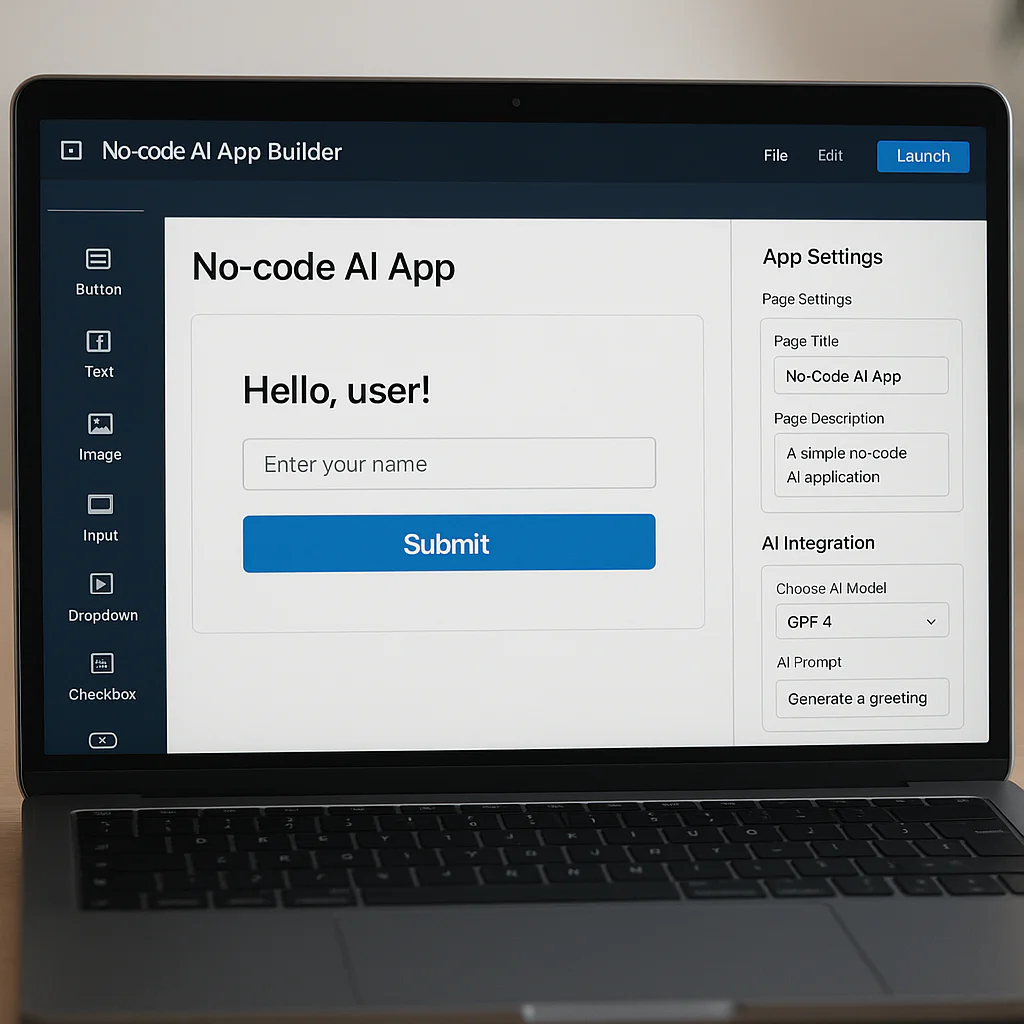

Generative AI app creation no code is easiest when you match the builder to your app, start with one small workflow, and test permissions before launch. For custom business tools, Zite is a strong place to start; for mobile apps, FlutterFlow stands out; and for complex web products, Bubble offers deeper control.
At App 9™, we’ve seen the same pattern in app experiments: the first prompt produces an impressive screen, then someone asks, “Wait—can every customer see everyone else’s information?” That’s why a fast prototype is only the beginning. Your app also needs reliable data, thoughtful access rules, and a plan for what happens when something fails.
The good news: you don’t need to be a developer to build a useful first version. You do need to choose the right platform and test it like a real user—not just admire it like a freshly painted dashboard.
Key Takeaways
- Choose based on what you’re building: Zite for business tools, FlutterFlow for mobile apps, Bubble for complex web apps, and Glide for spreadsheet-powered workflows.
- A prompt is a starting point, not a launch checklist. Check user roles, data access, integrations, and error handling before publishing.
- No-code doesn’t mean no decisions. Define your users, core workflow, and data model before adding features.
- Check portability early. Verify whether you can export your code and data or move your app elsewhere.
- Build small, test with real users, then expand. A focused app that works beats an ambitious prototype that only looks finished.
- Review the full comparison: Zite | Emergent | Bubble | FlutterFlow | Figma Make | Base44 | Softr | Appy Pie | ToolJet | Glide | Replit | Lovable
Table of Contents
- ⚡️ Quick Tips and Facts
- 🧠 What Does “Generative AI App Creation No Code” Actually Mean?
- How AI app builders turn prompts into working software
- No-code, low-code, and AI-assisted coding compared
- 📜 From Drag-and-Drop Tools to Prompt-to-App Platforms
- 🛠️ What You Can Build with a No-Code Generative AI App Builder
- AI chatbots, copilots, and knowledge assistants
- Business apps, dashboards, and internal tools
- Mobile apps, marketplaces, and customer portals
- 🔍 How We Evaluated No-Code AI App Builders
- Prompt accuracy, editing, and iteration
- Data, integrations, deployment, and ownership
- Security, accessibility, and scalability
- 🏆 12 Best Generative AI App Builders for No-Code Creation
- 1. Zite: Best for Custom Business Software
- 2. Emergent: Best for Prompt-to-Production Apps You Own
- 3. Bubble: Best for Complex Web Applications
- 4. FlutterFlow: Best for Cross-Platform Mobile Apps
- 5. Figma Make: Best for Design-to-App Workflows
- 6. Base44: Best for Rapid Web App Prototyping
- 7. Softr: Best for Client Portals and Membership Apps
- 8. Appy Pie: Best for Simple Small-Business Apps
- 9. ToolJet: Best for Self-Hosted Internal Tools
- 10. Glide: Best for Spreadsheet-Powered Apps
- 11. Replit: Best for AI-Assisted App Building with Code Access
- 12. Lovable: Best for Fast Full-Stack Web App Prototypes
- 📊 No-Code AI App Builders Compared at a Glance
- Best platform by app type, skill level, and deployment needs
- Which builders generate code, and who owns the result?
- ✅ How to Choose the Right AI App Creation Platform
- Match the builder to your users and use case
- Check integrations, databases, and export options
- Plan for growth, maintenance, and platform lock-in
- 🏢 The Best No-Code AI App Builder for Business Apps
- Internal workflows and employee tools
- Customer-facing apps and revenue-generating products
- 🚀 Build Your First Generative AI App Without Code
- 1. Define the problem, users, and essential features
- 2. Write a clear prompt and generate your app
- 3. Connect data, AI models, and third-party services
- 4. Test the app, fix errors, and improve the interface
- 5. Publish, monitor, and maintain your app
- ✍️ Prompt Templates for No-Code AI App Creation
- A reusable prompt for generating a business app
- Prompts for AI chat, document search, and workflow automation
- 🔌 AI Models, APIs, Databases, and Integrations
- Using OpenAI, Anthropic, and Google AI models
- Connecting databases, authentication, payments, and automation
- 🔐 Privacy, Security, and Responsible AI App Design
- Protect user data and API keys
- Reduce hallucinations, bias, and unsafe outputs
- ⚠️ Common No-Code AI App Building Mistakes
- 💡 Practical Tips for Better AI-Generated Apps
- 🔮 The Future of Generative AI and No-Code App Development
- 🎯 Which No-Code AI App Builder Should You Choose?
- Conclusion
- Recommended Links
- FAQ
- Reference Links
⚡️ Quick Tips and Facts
Generative AI app creation with no code means using plain-language prompts, visual editors, and prebuilt components to make software without manually writing the application’s code. Some tools generate a working app from a prompt; others use AI to speed up a visual building process. Those are useful—but not identical—approaches.
Our team at App 9™ evaluates app-making tools from a practical perspective: Can you build something useful, understand what it does, test it safely, and keep it working after the first exciting demo? For a companion walkthrough, see our guide to no-code AI app development.
| Quick fact | What it means for you |
|---|---|
| Most apps combine a user interface, data, and logic | A polished screen is only one piece of the app. |
| “Built with AI” can mean different things | It could mean prompt-to-app generation, AI features inside an app, or AI-assisted visual editing. |
| No-code still involves decisions | You’ll need to define users, permissions, workflows, data, and testing. |
| Prototype speed is not production readiness | Test authentication, data access, failure cases, and costs before launch. |
| Platform choice depends on the outcome | Web apps, mobile apps, internal tools, and AI assistants have different best-fit builders. |
| Code ownership varies | Some tools export source code; others keep the app inside their hosted platform. |
✅ Best first move: Describe one user problem and the smallest useful solution.
❌ Common mistep: Asking an AI builder to create an entire “all-in-one business platform” in one prompt, then trusting the result without testing.
A Zapier survey cited in its app-builder comparison found that 34% of surveyed AI software builders had no formal programming background, while 30% had created a working tool in under a day. That’s encouraging—but a quick build is not the same thing as a secure, reliable app. We’ll get into the difference shortly.
🧠 What Does “Generative AI App Creation No Code” Actually Mean?
It’s a mouthful of a search phrase, but the idea is straightforward: you explain what you want, and an AI-powered platform helps create the app without requiring you to hand-write its code.
You may type:
“Create a staff equipment tracker with employee sign-in, an inventory list, checkout forms, and an admin dashboard.”
Depending on the tool, it may generate screens, a database, workflows, and even a deployed web app. In another builder, the same prompt might produce only a visual prototype that still needs a database, authentication, and manual configuration.
That distinction matters. A prompt can make an app look finished long before it behaves like one.
How AI app builders turn prompts into working software
Most AI app-building tools combine some of these capabilities:
- Natural-language generation: You describe the app or a feature in everyday language.
- Visual editing: You adjust layouts, fields, forms, and workflows using menus, blocks, or drag-and-drop controls.
- Data modeling: You define records and the relationships between them, such as customers and orders.
- Workflow automation: You specify what happens when a user submits a form or changes a record.
- AI features: You add chat, text generation, summarization, image analysis, or document search.
- Hosting and deployment: You publish a web app or prepare a mobile app for distribution.
A useful mental model is a restaurant: the interface is the dining room, the database is the pantry, and app logic is the kitchen staff. A prompt that designs a beautiful dining room hasn’t guaranteed that the kitchen knows what to serve.
The U.S. National Institute of Standards and Technology’s AI Risk Management Framework emphasizes managing AI risks across an AI system’s life cycle, not just at launch. That’s a good rule for app creation, too: plan, test, monitor, and improve—not simply generate and wave goodbye.
No-code, low-code, and AI-assisted coding compared
These terms overlap, but they describe different ways of working.
| Approach | How you build | Coding required? | Typical fit |
|---|---|---|---|
| No-code | Visual editors, templates, blocks, forms, and prompts | Usually no | Portals, workflows, internal tools, simple apps |
| Low-code | Visual tools with optional custom scripts or code | Sometimes | More customized business software |
| AI-assisted coding | AI generates or edits code that a person reviews | Often eventually | Flexible prototypes and custom products |
| Vibe coding | You guide an AI conversationaly as it generates and revises code | Not necessarily at first | Rapid experiments where code access matters |
A builder that exports code may offer more freedom, but that doesn’t mean you’ll never need technical help. Conversely, a closed no-code platform can be easier to operate because it handles hosting and infrastructure for you.
If you’re deciding between these approaches, browse our AI app builders and vibe-coding tools coverage. The right answer depends on how much control you need versus how much technical work you want to manage.
📜 From Drag-and-Drop Tools to Prompt-to-App Platforms
No-code app builders existed long before generative AI. Traditional platforms let people assemble apps using templates, visual workflows, and configurable data sources. Generative AI added a new interface: instead of starting by choosing blocks, you can often start by explaining the desired result.
That changes the first five minutes of app building. It does not eliminate the decisions underneath.
A prompt-to-app tool still has to interpret what “admin,” “private,” “approved,” or “available” means in your business. If you don’t specify who can see a record, the app may make assumptions. Those assumptions might be harmless in a demo and serious in production.
The competition illustrates two distinct directions:
- Prompt-first builders aim to produce an app from a natural-language description.
- Visual app builders provide a structured editor, with AI assisting on screens, workflows, or components.
- Design-first tools translate layouts or prototypes into interactive applications.
- AI-agent builders let you add model-powered chat or task automation to an app.
The Zapier no-code app-builder comparison stresses that visual tools can give newcomers guardrails and make apps easier to troubleshoot. Meanwhile, the Zite comparison focuses on how much prompt-based platforms can generate and how much control they provide over data, logic, and interface. These views aren’t contradictory: AI can accelerate the build, while visual structure can make the result easier to inspect and maintain.
🛠️ What You Can Build with a No-Code Generative AI App Builder
A no-code AI app builder can be a fit for more than chatbots. The best use cases usually have clear users, repeatable tasks, and data that can be organized into records.
AI chatbots, copilots, and knowledge assistants
You can create apps that:
- Answer questions using an approved collection of documents.
- Draft messages, summaries, or reports.
- Help staff find information in policies or product catalogs.
- Collect user input and recommend a next step.
- Route requests to a person when the AI is uncertain.
For a support assistant, connect a trusted knowledge source and define what the AI should do when it cannot find answer. “Make a smart support bot” is too vague; “answer only from these help articles and direct account-specific questions to support” is much safer.
Business apps, dashboards, and internal tools
Common business applications include:
- Inventory trackers
- Customer relationship management (CRM) tools
- Booking and request forms
- Employee onboarding portals
- Approval workflows
- Sales dashboards
- Field-service reporting apps
- Client or vendor portals
These are often strong no-code use cases because a business can describe the workflow in plain terms and check the result against familiar processes.
Mobile apps, marketplaces, and customer portals
Mobile-first builders can help with field inspections, service bookings, and customer-facing applications. Marketplaces and SaaS products are possible, too, but typically require more careful work on user roles, payments, data access, edge cases, and scaling.
Ask yourself:
- Does the app need to be installed from an app store, or is a mobile-friendly website enough?
- Will users need separate accounts and private records?
- Does a payment trigger a workflow, receipt, or entitlement?
- Can a person correct or dispute an AI-generated result?
If your idea needs a tightly customized product with unusual logic, investigate the platform’s backend limits and export options before you commit. Our app builder comparisons can help you compare the trade-offs.
🔍 How We Evaluated No-Code AI App Builders
At App 9™, we focus on how these platforms work in a real build—not just how impressive the first generated screen looks. This article combines developer-focused evaluation criteria with published comparisons and product documentation. The ratings below are editorial assessments, not vendor-issued scores or results of a standardized laboratory benchmark.
The comparison criteria are informed by the published methods in Zite’s builder analysis, which describes evaluating prompt generation, output, integrations, deployment, and security, and Zapier’s app-builder roundup, which describes evaluating more than 100 platforms before testing shortlisted builders.
Prompt accuracy, editing, and iteration
We look at whether a tool can:
- Understand a concrete prompt and generate a coherent first draft.
- Apply follow-up instructions without unexpectedly rewriting unrelated features.
- Let you edit the result visually.
- Show enough structure to help you understand what changed.
- Recover gracefully when the prompt or generation goes wrong.
A builder that needs two clarification prompts is not automatically a poor tool. In fact, iteration is normal. The red flag is an app that changes important behavior without making the change visible.
Data, integrations, deployment, and ownership
We also consider:
- Data: Can you create tables, relations, and access rules?
- Integrations: Can it connect to services such as Google Sheets, Airtable, Supabase, Stripe, or APIs?
- Deployment: Does it host web apps, support mobile distribution, or provide a preview only?
- Ownership: Can you export code and data, sync with GitHub, or move to another host?
- Usage model: Are AI actions or app activity limited by credits, workloads, seats, records, or other quotas?
To verify the latest capabilities, use the providers’ official documentation: Bubble, FlutterFlow, Glide, Softr, and Replit. Plans and feature limits change, so check the current documentation before making a platform decision.
Security, accessibility, and scalability
Security is not a decorative feature. Before launching, we check whether a builder makes it possible to:
- Require authentication where needed.
- Restrict data by user role or record ownership.
- Keep API keys out of public-facing code.
- Review permissions and workflow behavior.
- Monitor errors and usage.
- Test the app with assistive technologies and different screen sizes.
We also distinguish between a platform’s general security claims and the controls available to a particular app on a specific plan. A vendor’s compliance certification does not, by itself, prove that your configuration is secure. For broader software and AI risk guidance, consult NIST’s secure software development resources and its AI Risk Management Framework.
🏆 12 Best Generative AI App Builders for No-Code Creation
There is no universal winner. Some tools generate full business apps from prompts; others shine when you want mobile code, spreadsheet-connected interfaces, or design-led protyping.
Ratings are editorial scores on a 1–10 scale, based on the use case each platform is best suited to and information in the cited sources. They are directional, not independent security certifications or a guarantee of results. Feature sets and plans can change, so verify details with each provider.
1. Zite: Best for Custom Business Software
Best for: Business dashboards, portals, forms, and workflows built from plain-language instructions.
| Aspect | Rating / 10 |
|---|---|
| Design and interface | 8 |
| Prompt-based generation | 9 |
| Business workflows | 9 |
| Data and permissions | 9 |
| Integrations | 8 |
| Code portability | 4 |
| Best-fit overall | 9 |
Zite is designed for people who want to describe a business application and keep shaping it without hand-coding. Its official materials and the Zite builder comparison describe prompt-generated interfaces and workflows, data features, authentication, permissions, and integrations.
What we like
- Prompts can scaffold pages, forms, and business workflows.
- Follow-up prompts and visual editing offer two ways to refine an app.
- A built-in app database can reduce setup work for common internal tools.
- It is aimed at practical business software rather than just a clickable mockup.
The comparison article reports that its author built an onboarding portal with login, role-based access, and a connected database in about 15 minutes. That is a single test reported by the article’s author, not a promised build time for every app.
One phrase in that article neatly captures the appeal: “fix issues without re-prompting or touching code.” That kind of direct correction can make app iteration feel less like negotiating with a mysterious robot and more like editing an actual product.
Trade-offs
- The comparison reports no code export, which may limit portability.
- Highly specific layout or behavior may still require manual refinements.
- You should verify the provider’s current plans, security documentation, and integrations for your own requirements.
Our take: Consider Zite when you need a tailored business tool and value a managed, prompt-first workflow more than owning an exportable codebase.
2. Emergent: Best for Prompt-to-Production Apps You Own
Best for: Prompt-generated web and mobile apps when code access and handoff matter.
| Aspect | Rating / 10 |
|---|---|
| Design and interface | 8 |
| Prompt-based generation | 9 |
| Business workflows | 8 |
| Integrations | 8 |
| Code portability | 9 |
| Learning curve | 7 |
| Best-fit overall | 8 |
Emergent positions itself around AI-assisted app building. The Zite comparison article describes agent-driven support for app design, logic, data, testing, deployment, and code access.
What we like
- It can work from a plain-language app description.
- GitHub connection and a code editor can help you continue beyond the visual or prompt-based workflow.
- Code access may make developer handoff more practical than in closed builders.
- The cited article describes web and mobile app support.
A line from the comparison sums up the main ownership appeal: “The code stays yours.” Treat that as a product-positioning claim to verify in the current terms and export workflow, especially if source-code rights are crucial to your project.
Trade-offs
- Prompt-generated results can still require follow-up fixes.
- AI-agent workflows may use credits, so extensive iteration can consume more than expected.
- Code access is helpful, but it also means you may inherit technical maintenance work.
Our take: Choose Emergent if rapid prompt-to-app building matters, but you still want a path toward developer review or code-level control.
3. Bubble: Best for Complex Web Applications
Best for: SaaS products, marketplaces, CRMs, and web apps with custom workflows.
| Aspect | Rating / 10 |
|---|---|
| Design flexibility | 9 |
| AI-assisted generation | 7 |
| Workflow depth | 10 |
| Database and integrations | 9 |
| Ease for first-time builders | 6 |
| Portability | 5 |
| Best-fit overall | 9 |
Bubble is a visual development platform with support for building web applications and workflows. Its official AI page explains its AI-related app-building capabilities; the Zite comparison and Zapier roundup offer different perspectives on its learning curve and flexibility.
What we like
- Strong visual control over app behavior and workflows.
- A large ecosystem of plugins and integrations.
- A useful fit for apps that need custom data structures and logic.
- AI can assist with parts of building, while the editor provides deeper manual control.
Trade-offs
- More capable doesn’t mean easier. You may need time to learn the editor and inspect workflows.
- Complex apps require careful testing, not just successful generation.
- Workload-based usage and platform-specific design can make future migration harder.
Zapier’s comparison frames Bubble as a strong balance of power and accessibility, while Zite’s comparison emphasizes the time and manual work that complex apps may need after AI generation. The difference makes sense: Bubble offers a high ceiling, but the ceiling is easier to reach if you invest in learning its visual programming model.
Our take: Bubble is a serious option for custom web apps when you’re willing to learn the platform—or work with someone who already knows it.
4. FlutterFlow: Best for Cross-Platform Mobile Apps
Best for: iOS and Android apps when mobile behavior and code export matter.
| Aspect | Rating / 10 |
|---|---|
| Mobile interface | 9 |
| AI-assisted generation | 8 |
| Cross-platform reach | 9 |
| Backend setup | 7 |
| Code portability | 9 |
| Ease for beginners | 6 |
| Best-fit overall | 9 |
FlutterFlow helps users visually build apps using Flutter. Its documentation covers building and deployment workflows, while Zapier and Zite highlight its mobile focus and the need to configure backend services for some projects.
What we like
- A strong fit for mobile-first interfaces.
- Visual control over screens, navigation, and responsive layouts.
- Code export can support developer review or continued development.
- Connections to backends such as Firebase or Supabase can provide data and authentication.
Trade-offs
- A separate backend may be needed for user accounts, storage, and application data.
- Advanced logic can call for familiarity with Flutter or backend concepts.
- App-store preparation and review are separate from simply generating screens.
Our take: Pick FlutterFlow when your app needs to feel like a mobile app—not just a web page squeezed onto a phone—and plan backend setup from day one.
5. Figma Make: Best for Design-to-App Workflows
Best for: Turning a design idea or Figma workflow into an interactive web prototype.
| Aspect | Rating / 10 |
|---|---|
| Design fidelity | 9 |
| Prompt-assisted protyping | 8 |
| Visual collaboration | 9 |
| Backend workflow depth | 6 |
| Code access | 8 |
| Production readiness | 6 |
| Best-fit overall | 8 |
Figma Make connects AI-assisted making with the design environment. The Zite comparison describes workflows involving prompts and designs, interactive previews, and exportable React code.
What we like
- Good alignment with design teams already using Figma.
- A natural route from interface concept to clickable prototype.
- Shared design components can help keep the visual language consistent.
- Useful for testing flows before investing in a complete backend.
Trade-offs
- A convincing prototype may not include production-ready backend behavior.
- User authentication, permissions, and automated workflows may need extra setup.
- It is not the same as a complete no-code product backend.
Our take: Use Figma Make to explore and test a product experience. For a real app, plan how data, user accounts, and deployment will work after the prototype.
6. Base44: Best for Rapid Web App Prototyping
Best for: Quickly turning a detailed prompt into a web-app prototype.
| Aspect | Rating / 10 |
|---|---|
| Speed to first draft | 9 |
| Prompt-driven creation | 9 |
| Built-in app pieces | 8 |
| Visual editing | 8 |
| External portability | 6 |
| Fine-grained control | 7 |
| Best-fit overall | 8 |
Base44 offers prompt-led app creation. The Zite comparison describes generated web apps with features such as authentication, data, hosting, and visual editing.
What we like
- Plain-language generation can get an initial app on screen quickly.
- Built-in features may reduce initial setup for common prototype needs.
- Visual refinements can help after the first generated version.
- Useful for testing whether an app concept makes sense to real users.
Trade-offs
- Generated functionality should be checked carefully, especially for permissions and data access.
- Prompt iterations can produce unwanted features or consume platform credits.
- Review hosting, integration, and export details before relying on it for a long-term product.
Our take: Base44 is a candidate for quickly validating a web-app idea. Treat the first draft as a starting point, not a finished release.
If you’re interested in seeing a live build walkthrough, the featured video, “The SIMPLEST Way to Build an App with AI in 2026” by Mikey No Code, demonstrates an AI app-building workflow using Base44. It can be useful for seeing the interaction style—but remember that video demonstrations show one example, not a substitute for testing your own app.
7. Softr: Best for Client Portals and Membership Apps
Best for: Portals and business apps built around existing data.
| Aspect | Rating / 10 |
|---|---|
| Portal and membership features | 9 |
| Visual editing | 8 |
| Data-source connections | 9 |
| Prompt-first generation | 7 |
| High-volume SaaS flexibility | 6 |
| Ease for beginners | 9 |
| Best-fit overall | 8 |
Softr focuses on building web apps with visual building blocks and connected data. Its help documentation covers app creation and data-source connections. Published assessments by Zapier and Zite both describe it as a fit for portals and internal business apps, while noting that AI scaffolding doesn’t remove all manual editing.
What we like
- Visual blocks make it approachable for new builders.
- Can work with business data sources such as Airtable, Google Sheets, and other connected systems, subject to current product support.
- User accounts, roles, and access rules are relevant to client-portal use cases.
- A practical choice for presenting existing business information to a particular audience.
Trade-offs
- You may need to tune layouts and data connections after generating the first version.
- External-user growth and record limits depend on the current plan.
- It is less suited to a highly customized SaaS application with unusual backend behavior.
Our take: If your data already lives in a tool like Airtable or a spreadsheet, Softr can be a sensible way to make it more accessible without rebuilding every system first.
8. Appy Pie: Best for Simple Small-Business Apps
Best for: Common local-business use cases such as bookings, menus, and contact apps.
| Aspect | Rating / 10 |
|---|---|
| Beginner accessibility | 8 |
| Common business templates | 8 |
| Prompt-based starting point | 7 |
| Workflow flexibility | 6 |
| Interface customization | 6 |
| Advanced app capabilities | 5 |
| Best-fit overall | 7 |
Appy Pie offers app-creation tools and business-oriented services. The Zite comparison describes it as a fit for simpler small-business apps, with a visual editor and templates.
What we like
- Familiar small-business patterns can reduce setup effort.
- Useful for basic information, contact, booking, or promotional experiences.
- Visual editing can help owners make changes without working with code.
Trade-offs
- A template-based starting point may limit the look and feel of a distinctive brand.
- Complex customer journeys or custom workflows may exceed what a simple app builder handles comfortably.
- Check current publishing options and requirements for each target platform.
Our take: Appy Pie may suit a straightforward local-business need. If your app needs a distinctive product experience or complex data rules, compare it against more flexible builders before committing.
9. ToolJet: Best for Self-Hosted Internal Tools
Best for: Internal dashboards and operational tools where hosting control is a priority.
| Aspect | Rating / 10 |
|---|---|
| Internal-tool building | 9 |
| Data-source connections | 9 |
| Self-hosting potential | 9 |
| Prompt-to-app generation | 6 |
| Beginner friendliness | 6 |
| Customer-facing app fit | 6 |
| Best-fit overall | 8 |
ToolJet is a low-code application platform oriented toward building internal tools. Its documentation explains its app-building and deployment options.
What we like
- Internal tools can connect to business systems and databases.
- Self-hosting options may appeal to teams that need more deployment control.
- Visual interfaces can reduce the amount of custom code needed for operational dashboards.
Trade-offs
- It is not primarily a “write one prompt, get a finished consumer app” product.
- Self-hosting brings infrastructure, updates, and security responsibilities.
- Teams should verify user access and data permissions at the application and data-source levels.
Our take: Consider ToolJet when hosting control and internal systems matter more than a fully prompt-generated customer app.
10. Glide: Best for Spreadsheet-Powered Apps
Best for: Mobile-friendly business apps powered by structured data.
| Aspect | Rating / 10 |
|---|---|
| Spreadsheet-connected apps | 9 |
| Speed for data-driven prototypes | 9 |
| Visual interface editing | 8 |
| AI-assisted data tasks | 7 |
| Complex app logic | 6 |
| Native app-store publishing | 5 |
| Best-fit overall | 8 |
Glide builds apps around connected data sources. Its documentation explains current data and app-building features.
What we like
- A natural fit if your team already manages records in spreadsheets or databases.
- Can turn data into practical interfaces for inventory, CRM, fieldwork, or internal coordination.
- Visual editing can reduce the need for developers on straightforward business workflows.
Trade-offs
- The team needs to keep data organized and permissions intentional.
- App-store publishing and complex custom relationships may not match every project’s requirements.
- It is better understood as a data-connected app builder than a pure prompt-to-app tool.
Our take: Glide is a practical shortlist choice if the spreadsheet is already the unofficial operating system of your business. Just check that its data model and publishing options match your needs.
11. Replit: Best for AI-Assisted App Building with Code Access
Best for: People who want AI to help build an app while retaining a path into code.
| Aspect | Rating / 10 |
|---|---|
| AI-assisted development | 9 |
| Code visibility | 9 |
| Prompt-to-prototype workflow | 8 |
| Visual no-code controls | 6 |
| Nontechnical accessibility | 7 |
| Production customization | 9 |
| Best-fit overall | 8 |
Replit’s AI app builder presents an AI-assisted route to building applications. The page was not accessible for detailed product verification in the competitor summary we reviewed, so we avoid making unverified claims about its current feature set or plan limits.
What we like
- Replit sits closer to AI-assisted coding than to a fully visual no-code builder.
- Access to code can offer flexibility as an app grows.
- It may be attractive if you expect to learn technical concepts along the way.
Trade-offs
- A beginner may need to understand errors, generated files, deployment, and security.
- Code access gives you more control, but also more responsibility.
- Don’t assume that a successful preview automatically means a secure or production-ready application.
Our take: Replit is worth investigating if code access is a feature, not a drawback. If you want a strictly visual, guided builder, compare it with Softr or Glide instead.
12. Lovable: Best for Fast Full-Stack Web App Prototypes
Best for: Building and iterating on a web app idea through prompts, with developer handoff in mind.
| Aspect | Rating / 10 |
|---|---|
| Prompt-driven building | 9 |
| Prototype speed | 9 |
| Interface quality | 8 |
| Backend flexibility | 8 |
| Code access and handoff | 8 |
| No-code simplicity | 7 |
| Best-fit overall | 8 |
Lovable is an AI app-building platform focused on creating web applications from prompts. Check its official documentation to confirm current integrations, export options, and deployment details.
What we like
- Prompt-based iteration can help test a product idea quickly.
- Its web-app orientation is relevant to founders and teams validating an MVP.
- A code-aware workflow can help developers continue after the prototype stage.
Trade-offs
- Prompt-generated interfaces and logic still need thorough testing.
- A complex app may require technical review, especially around permissions, data, and payments.
- Verify current export, hosting, and backend support before you plan a long-term build around it.
Our take: Lovable is a candidate for quickly exploring a web-app concept, especially if you have access to a developer when the prototype needs hardening.
📊 No-Code AI App Builders Compared at a Glance
The quickest route to a shortlist is to start with the kind of app you want to ship.
| Builder | Strongest fit | Prompt-first? | Code access or export | Main trade-off |
|---|---|---|---|---|
| Zite | Business software and portals | Yes | Limited, according to cited comparison | Less code portability |
| Emergent | Prompt-to-production apps | Yes | Code access described in comparison | More technical responsibility |
| Bubble | Complex web apps and SaaS | AI-assisted | Platform-specific workflow | Learning curve and lock-in |
| FlutterFlow | Cross-platform mobile apps | Yes, with visual editing | Flutter code export | Backend setup and technical complexity |
| Figma Make | Design-led prototypes | Yes | React code described in comparison | Backend depth may be limited |
| Base44 | Rapid web prototypes | Yes | Check current options | Verify platform portability and permissions |
| Softr | Portals and data-connected apps | AI-assisted | Platform-dependent | Less fit for custom SaaS logic |
| Appy Pie | Basic small-business apps | AI-assisted | Check current options | Less flexible for complex experiences |
| ToolJet | Internal tools and self-hosting | Not primarily | Deployment options vary | Hosting operations require care |
| Glide | Spreadsheet-powered business apps | AI-assisted features | Platform-dependent | Not a pure prompt-to-app workflow |
| Replit | AI-assisted coding and app building | Yes | Code-visible workflow | More coding responsibility |
| Lovable | Full-stack web app prototypes | Yes | Verify current official details | Testing and maintenance still required |
Best platform by app type, skill level, and deployment needs
| If you want to build… | Start by evaluating… | Why |
|---|---|---|
| An internal business app | Zite, Softr, ToolJet | Business workflows, connected data, or internal-tool focus |
| A SaaS or marketplace | Bubble, Emergent, Lovable | More room for custom logic or developer handoff |
| A cross-platform mobile app | FlutterFlow | Mobile-first tooling and code export |
| A client portal | Softr, Zite | User access, data presentation, and portal-style use cases |
| A spreadsheet-driven app | Glide | Data-connected app creation |
| A rapid design prototype | Figma Make | Design-oriented protyping |
| A basic local-business app | Appy Pie | Templates and common business needs |
| A self-hosted internal tool | ToolJet | Hosting control and internal integrations |
| An AI-assisted coding project | Replit | Code access and AI-assisted development |
These are starting points, not verdicts. Check the platform’s current documentation and plan requirements for the feature you need.
Which builders generate code, and who owns the result?
The phrase “you own the app” can mean several things: ownership of your content, access to records, source-code export, deployment control, or the ability to leave the platform. Read the terms and technical documentation carefully.
| Ownership question | What to verify |
|---|---|
| Can I export source code? | Is all generated code exportable, or only part of it? |
| Can I export data? | What formats and permissions are available? |
| Can I host elsewhere? | Does export include deployment configuration and backend services? |
| Can I connect GitHub? | Is sync available, and how are changes handled? |
| Who can access my app? | Are permissions and user roles configurable? |
| What happens if I leave? | Are data, domains, and integrations portable? |
A platform can be an excellent choice even without code export, especially for a business workflow that is unlikely to need migration. But if your plan is to build a venture-scale software product, portability should be a selection criterion, not a surprise discovered during a rewrite. For broader side-by-side analysis, see our app builder comparisons.
✅ How to Choose the Right AI App Creation Platform
Before signing up for every builder with a shiny demo, write down what your app actually needs.
Match the builder to your users and use case
Start with these five questions:
- Who will use the app? Your staff, your clients, or the general public?
- What will they do? Browse, submit requests, buy, approve, or ask questions?
- What data does the app need? Is it a small list, a connected database, or sensitive records?
- Where should it run? Web, mobile browser, iOS, Android, or several platforms?
- What should happen after a user action? Send a notification, generate content, update a record, or trigger payment?
A clear use case usually points to a better tool than a long wishlist. “Track equipment checkouts for 20 staff” is a more useful starting point than “build an AI-powered operations super-app.”
Check integrations, databases, and export options
Inventory your existing systems before building. Look for:
- The database or spreadsheet that holds the source-of-truth records.
- Authentication providers and account policies.
- Payment, email, calendar, and messaging tools.
- AI model or API connections.
- Data export and code export options.
- Rate limits, usage quotas, and plan-specific restrictions.
Use our app builder comparisons to compare the trade-offs, and review our cost guide category for the types of usage and hosting costs to plan for. We’re intentionally not putting specific plan prices here because providers change them; check each official pricing page before you make a decision.
Plan for growth, maintenance, and platform lock-in
Before launch, ask what happens when:
- You add a second type of user.
- Your database grows.
- An integration changes its API.
- The AI provider returns an error.
- You need to move the app or export records.
- A person disputes an automated decision.
A small app can be completely appropriate for a hosted no-code platform. A business with stringent requirements for infrastructure, data locality, or independent deployment may need a more configurable technical stack. The Zite comparison article makes a similar distinction: platform fit depends on control over data, logic, and interface, and stricter infrastructure needs may favor custom development.
🏢 The Best No-Code AI App Builder for Business Apps
A business app is not just a web page with a logo and a login button. It needs to reflect real responsibilities, access rules, and the workflows people already use.
Internal workflows and employee tools
For internal tools, shortlist platforms based on:
- Whether employees already use the connected data source.
- Whether staff have different permissions.
- Whether the app can replace a manual spreadsheet or repeated email chain.
- Whether managers can review and audit actions.
- Whether someone in your organization can maintain the app.
Zite, Softr, Glide, and ToolJet each appear in different business-tool scenarios, but their strengths differ. Zite is oriented to prompt-generated business software; Softr and Glide are useful candidates for structured, data-driven tools; ToolJet may appeal when self-hosting and internal data connections matter.
Customer-facing apps and revenue-generating products
For customer-facing products, pay special attention to:
- Account creation and recovery.
- Data access rules between customers.
- Payments and subscription entitlements.
- Support and error handling.
- Accessibility and responsive layouts.
- Whether code or data can be moved elsewhere.
Bubble or a code-export-oriented workflow may be more suitable if you need custom product logic. A portal builder may be a better fit for a contained client portal. The app that is easiest to generate is not automatically the best product to operate—and that’s the distinction that prevents many painful rebuilds.
🚀 Build Your First Generative AI App Without Code
Let’s make this practical. Imagine you want a simple app for employees to request equipment and check whether items are available.
1. Define the problem, users, and essential features
Write one short product brief:
- Problem: Staff use messages and a spreadsheet to borrow equipment.
- Users: Employees and one inventory manager.
- Main action: Request, approve, return, and track an item.
- Core records: Items, employees, requests, and status changes.
- Access rule: Employees see their own requests; managers can see all requests.
- Success measure: Staff can find availability and submit a request without contacting the manager.
Start small. Don’t add AI chat, automatic forecasting, and executive analytics before you know whether the basic checkout flow works.
2. Write a clear prompt and generate your app
A good prompt states who uses the app, what data it tracks, what actions happen, and who is allowed to do them.
For example:
Build a responsive equipment checkout web app for employees and an inventory manager. Include tables for equipment, employee profiles, and checkout requests. Employees can browse available equipment and submit requests. They can view only their own requests. Managers can approve or reject requests, mark items returned, and see all records. Add a dashboard with pending requests and unavailable items. Use clear labels, mobile-friendly forms, and an empty state when there are no requests. Do not add payments or public registration.
After generation, verify that the app created the intended roles and relationships. If it didn’t, correct the data model and access rules before adding decoration.
3. Connect data, AI models, and third-party services
Choose the simplest reliable data source for your first version. Then add integrations only when they support a clear user task.
Examples:
- Connect an existing spreadsheet or database if it already holds trusted records.
- Add email or messaging notifications after the approval workflow works.
- Add an AI assistant only if users need help finding information or interpreting records.
- Keep sensitive keys and credentials on the server side or in approved secret-management settings.
If your AI feature calls an external model, review the model provider’s official data-handling documentation, such as OpenAI’s API documentation, Anthropic’s documentation, or Google AI’s developer documentation.
4. Test the app, fix errors, and improve the interface
Test with at least two different roles and several realistic scenarios:
- A staff member requests an available item.
- A manager approves the request.
- A second staff member tries to access the first person’s request.
- An item is returned late or marked unavailable.
- A required field is left blank.
- The data source or AI service is temporarily unavailable.
Ask someone who didn’t build the app to try it. Watch where they hesitate. As our team often finds, the first feedback is rarely “the button is the wrong shade of blue.” It’s more often “I don’t know whether my request went through.”
5. Publish, monitor, and maintain your app
Before launch:
- Confirm domain and deployment settings.
- Review user permissions and app visibility.
- Test on the screen sizes your audience actually uses.
- Document who owns the app and who maintains it.
- Decide how errors, AI failures, and access requests are handled.
- Check your current platform, hosting, and model usage limits.
After launch, monitor real usage and fix the small friction points before adding big features. A feature that no user requested is still a feature you’ll have to maintain.
✍️ Prompt Templates for No-Code AI App Creation
These templates are starting points. Replace the example details with your actual workflow, then inspect the generated result instead of assuming the builder understood every requirement.
A reusable prompt for generating a business app
Create a [web/mobile] app for [specific user group] that helps them [one main goal].
Users have these roles: [role 1] and [role 2].
Store these records: [record types and important fields].
Users can: [specific actions].
Each role can see or edit: [access rules].
When [event], the app should [result or workflow].
Include these pages: [page list].
Make the interface [tone, accessibility, device requirements].
Include empty states, validation messages, and confirmation feedback.
Do not include [features or actions the app should not have].
Before finishing, summarize the data model, permissions, integrations, and open questions.
That last request matters. Ask the tool to explain what it created so you can compare it with your brief.
Prompts for AI chat, document search, and workflow automation
For a knowledge assistant
Create a support assistant that answers only using the connected help documents. If the documents do not contain a reliable answer, say that the information is unavailable and direct the user to the support team. Do not reveal private account data.
For document summaries
Summarize this document in plain language. Identify the key decisions, deadlines, and assigned owners. Quote or link the relevant source passages when possible, and say when the document does not specify answer.
For a workflow
When an equipment request is submitted, check that the item is available, set the request status to pending, and notify the inventory manager. After approval, notify the employee. Do not mark the item as checked out until the employee confirms pickup.
Be specific about what the AI or workflow must not do. The best prompt is not the one with the most adjectives; it’s the one that leaves the fewest dangerous assumptions.
🔌 AI Models, APIs, Databases, and Integrations
An AI app may depend on a model provider, an app builder, a database, and other third-party services. Those pieces can introduce separate limits and responsibilities.
Using OpenAI, Anthropic, and Google AI models
Model providers differ in available models, capabilities, data policies, tools, and technical requirements. Start by asking:
- Does your app need text, image, audio, or another kind of input?
- Does the feature need current data or only your own documents?
- Can a model response be checked before it reaches a user?
- What should happen when the model times out or refuses a request?
- What data will be sent to the provider?
See official resources for OpenAI API development, Anthropic Claude API use, and the Google Gemini API. Product capabilities and terms can change; use their current documentation rather than relying on old setup guides.
Connecting databases, authentication, payments, and automation
These integrations should be treated as important pieces of the app’s architecture:
- Databases: Store structured records and define relationships.
- Authentication: Identify the user signing in.
- Authorization: Decide what that user can do or see.
- Payments: Connect a successful transaction to the right account access or workflow.
- Automation: Send notifications or sync records between systems.
- APIs: Connect systems that don’t have a built-in integration.
For each connection, test both the happy path and the failure path. If a payment succeeds but the app doesn’t grant access, the user needs a recovery route. If an AI service fails, the rest of the app should ideally remain usable.
🔐 Privacy, Security, and Responsible AI App Design
AI can make app creation faster, but an app can still expose data, misapply a permission, or generate an incorrect answer. Security is a design requirement—not a button you press at the end.
Protect user data and API keys
- Collect only the information the app actually needs.
- Apply least-privilege access: give users only the permissions required for their role.
- Test whether one user can access another person’s records.
- Keep secrets and API keys out of public interfaces and client-side code.
- Review logs and integrations for accidental disclosure.
- Confirm data export, retention, and deletion options.
The FTC’s business guidance on AI reminds businesses that AI-related claims and practices must be truthful and supported. For software security practices, see NIST’s Secure Software Development Framework.
Reduce hallucinations, bias, and unsafe outputs
For AI features:
- Limit the model to approved sources when accuracy is important.
- Give the model a clear scope and refusal behavior.
- Show users when content is AI-generated.
- Add human review for high-impact or sensitive decisions.
- Test with unusual, ambiguous, and adversarial inputs.
- Provide a way to report incorrect or harmful responses.
The NIST AI Risk Management Framework offers guidance for identifying and managing AI risks. A model’s confident tone is not evidence that its answer is correct—unfortunately, confidence is cheaper than accuracy.
⚠️ Common No-Code AI App Building Mistakes
| Mistake | Why it causes trouble | Better approach |
|---|---|---|
| One huge prompt for the entire product | The builder must guess at priorities and edge cases | Generate a small core workflow, then iterate |
| Testing only with the owner account | Permission errors stay hidden | Test as each user role |
| Treating generated UI as a finished app | Attractive screens can hide broken data or workflows | Test the real user journeys |
| Adding AI before defining the task | AI can add complexity without solving a real need | Start with the workflow; add AI only where useful |
| Ignoring export and migration | Platform dependence can become expensive to undo | Check code, data, and hosting portability first |
| Skipping failure cases | Users get stuck when an API or model is unavailable | Add clear error states and recovery paths |
| Assuming vendor compliance secures your app | Your configuration and data use still matter | Review app permissions and provider documentation |
| Launching without user feedback | Builders often miss the confusing part | Ask a real user to complete a real task |
Zapier’s practical advice is worth repeating: “no-code doesn’t mean no work.” Its builder comparison recommends experimenting in a separate test project so that exploration doesn’t disrupt the main app. We agree: keep the prototype sandbox where it belongs until you know what’s working.
💡 Practical Tips for Better AI-Generated Apps
- Use real sample data, but remove sensitive information. Fake records can hide problems with names, dates, and permissions.
- Ask the builder to explain its data model. If the explanation sounds wrong, fix it before adding features.
- Give one change per prompt. Smaller requests make it easier to see what changed.
- Keep a test project. Try risky prompts or integrations away from the production app.
- Write down role permissions. “Admin” and “member” can mean very different things in different organizations.
- Include empty and error states. An app should explain what happens when nothing is there—or something fails.
- Check model and integration usage. Review provider limits and platform usage so you can forecast operational needs. For related planning, see our app-building cost guides.
- Keep a human in the loop for consequential decisions, such as eligibility, employment, healthcare, or financial outcomes.
- Ask a user to test it without your help. If you must narrate the interface, it probably needs clearer labels.
🔮 The Future of Generative AI and No-Code App Development
The direction is clear: app builders are adding more conversational controls, richer integrations, code-aware workflows, and AI features that can take actions—not merely draft text. Design tools are also moving closer to functioning prototypes, while developer platforms are making code generation more conversational.
But the key question isn’t whether AI can generate more software. It’s how easily people can understand, control, and maintain what it generates.
We expect the most useful platforms to blend:
- Prompt-driven creation for speed.
- Visual controls for inspectability.
- Strong testing and permission checks.
- Clear data and code portability.
- AI features with measurable limits and human oversight.
For more on how the categories differ, follow our coverage of AI app builders, vibe coding, and no-code AI app development.
🎯 Which No-Code AI App Builder Should You Choose?
Choose by the app you need, not by whichever product makes the flashiest first impression.
| Your priority | Shortlist |
|---|---|
| Prompt-generated business software | Zite |
| Code access alongside prompt building | Emergent, Replit, or Lovable |
| Complex web workflows and SaaS | Bubble |
| Native-style mobile app development | FlutterFlow |
| Design-led interactive prototype | Figma Make |
| Fast web-app concept test | Base44 |
| Client portal or member-facing app | Softr |
| Straightforward local-business app | Appy Pie |
| Self-hosted internal tools | ToolJet |
| Spreadsheet-powered business app | Glide |
Before you commit, check three things: permissions, portability, and the real workflow. If all three fit, you’ve found a credible candidate. If one is unclear, build a tiny proof of concept before investing your data and process in the platform.