
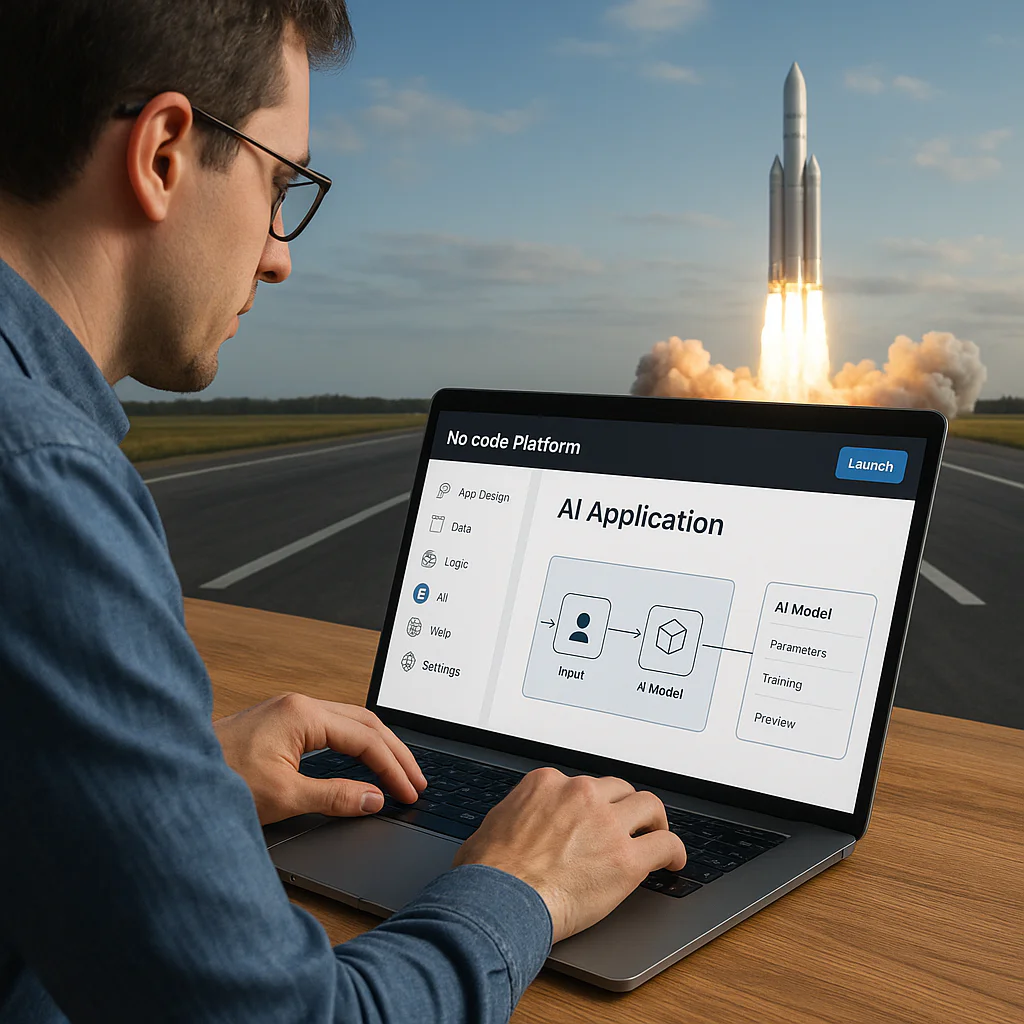

Citizen developer AI apps can help business teams build useful software faster—but the best choice is the one you can secure, test, and maintain after the first impressive demo. Start with a small, repetitive workflow, then choose a builder that fits your data, users, and governance needs.
We’ve seen a familiar pattern: a team starts with a shared inbox, adds a spreadsheet to keep things organized, then invents a maze of status columns and reminders. An AI app builder can turn that tangle into a working prototype quickly—but getting the permissions, integrations, and human review right is what makes it dependable.
That distinction matters as citizen development spreads. Forester reported that 89% of development executives surveyed in 2025 said their organizations were implementing or actively planning a citizen developer strategy. Here, we compare 11 platforms, explain what each does best, and show you how to build responsibly.
Key Takeaways
- Choose for the job, not the demo: Match the platform to your users, data, integrations, and risk level.
- Compare 11 leading tools: Superblocks, Retool, Microsoft Power Apps, Airtable, Lovable, Replit, n8n, Glide, v0, Web, and Bolt each suit different projects.
- Treat AI output as a first draft: Generated interfaces and code still need functional, security, and edge-case testing.
- Keep people accountable: Use human review when AI recommendations or actions could have significant consequences.
- Plan for ownership from day one: Assign an app owner, check permissions, document the workflow, and understand code and data portability.
- Start small and measure results: A narrow pilot with clear success criteria is safer—and more useful—than an ambitious app that nobody maintains.
Table of Contents
- ⚡️ Quick Tips and Facts: Citizen Developer AI Apps
- 🧭 What Are Citizen Developer AI Apps?
- Citizen development, no-code, low-code, and AI app builders
- How generative AI changes who can build software
- 📜 From Spreadsheets to AI App Builders: A Short History
- 🚀 What You Can Build With Citizen Developer AI Tools
- Internal apps, customer portals, and workflow automations
- AI agents, chatbots, and data-driven applications
- 🏆 The Best Citizen Developer AI Apps: Top Picks at a Glance
- How we evaluated AI app builders
- Quick comparison of citizen developer platforms
- 1. Superblocks: Best for governed enterprise internal tools
- 2. Retool: Best for data-connected internal and external apps
- 3. Microsoft Power Apps: Best for Microsoft 365 teams
- 4. Airtable: Best for structured-data apps and business workflows
- 5. Lovable: Best for prompt-built external web applications
- 6. Replit: Best for learning, coding, and collaborative prototypes
- 7. n8n: Best for open-source workflow automation
- 8. Glide: Best for turning spreadsheets into apps quickly
- 9. v0: Best for AI-assisted UI protyping with Vercel
- 10. Web: Best for visual development with exportable code
- 11. Bolt: Best for browser-based web app prototypes
- 🧩 Which Citizen Developer AI Platform Should You Choose?
- Choose by technical skill, use case, and existing tools
- Best platforms for business teams, IT, and solo builders
- 🛠️ How to Build Your First AI-Powered App
- Define the problem and map the workflow
- Choose your data sources and integrations
- Write effective prompts and shape the app
- Test, publish, and improve your application
- 🔐 Security, Privacy, and Governance for Citizen-Built Apps
- Access controls, sensitive data, and compliance
- Preventing shadow IT with citizen development guardrails
- Human review, AI errors, and responsible use
- ⚖️ Benefits, Risks, and Limitations of AI App Builders
- 💸 Costs, Licensing, and Vendor Lock-In
- 📈 How to Measure App Quality and Business Impact
- 🔄 Citizen Development vs. Professional Software Development
- 🔮 The Future of Citizen Developer AI Apps
- Conclusion
- Recommended Links
- FAQ
- Reference Links
⚡️ Quick Tips and Facts: Citizen Developer AI Apps
The best citizen developer AI app is not the one that produces the flashiest demo in five minutes. It’s the one your team can secure, maintain, hand off, and trust after the demo confetti settles. 🎉
If you’re exploring no-code AI app development, start with a small, repetitive workflow and a clear human owner. AI can help build the interface, summarize records, classify requests, or draft content; it shouldn’t quietly become the final authority on consequential decisions.
| Quick fact | Why it matters |
|---|---|
| Citizen developers are business-domain experts who build apps or automations, often with IT support. | They understand the workarounds and bottlenecks that a generic software brief can miss. |
| AI app builders can generate interfaces, code, workflows, and sometimes database structures from prompts. | Faster creation does not guarantee correct logic, safe permissions, or production readiness. |
| Low-code and no-code platforms have different flexibility levels. | No-code emphasizes visual configuration; low-code may add expressions, scripts, APIs, or code. |
| Citizen development is now a strategic discussion, not merely a hobbyist trend. | Forester reported that 89% of development executives surveyed in 2025 said their firms were implementing or actively planning a citizen developer strategy. Read Forester’s analysis. |
| A prototype is not automatically a production app. | Check for persistent data, real authentication, server-side authorization, backups, monitoring, and a maintainable handoff. |
| The safest first project is narrow and reversible. | Start with tasks such as request intake, FAQ search, or draft generation before automating high-impact decisions. |
Our five-minute sanity check: Before choosing a platform, answer these questions:
- Who will use the app? Internal staff, customers, contractors, or the public?
- What data will it touch? Public information, company records, personal data, or regulated data?
- What happens when AI is wrong? A harmless draft correction, or a missed safety issue?
- Who owns it after launch? The builder, a product team, IT, or a vendor?
- Can you leave? Can you export code and data, or will migration mean rebuilding?
One more practical tip: if the app makes recommendations or takes actions, preserve a human review step until testing shows the task is reliably safe to automate. That small pause can prevent a very expensive “the bot said so” meeting.
🧭 What Are Citizen Developer AI Apps?
A citizen developer AI app is an application or workflow built by someone outside a traditional software development role, using visual builders, natural-language prompts, AI-assisted coding, or a combination of them.
Think of an operations manager who builds a vendor intake portal, a recruiter who automates interview feedback summaries, or a maintenance lead who creates a mobile inspection workflow. The person building it may not be a professional programmer, but they know exactly where the process squeaks.
A useful distinction: AI can help create the app, and AI can be a feature inside the app. Those are related but separate jobs.
| AI’s role | Example |
|---|---|
| App-building assistant | Generates a form, interface, code, database schema, or workflow from instructions |
| Application feature | Classifies an incoming request, summarizes documents, answers questions, or drafts a response |
| Workflow agent | Uses tools or connected systems to perform several steps, ideally with checks and permissions |
The phrase “citizen developer” does not mean “IT is no longer involved.” In well-run programs, business teams bring the workflow knowledge while IT helps establish safe tools, data access, identity, review, and support.
Citizen development, no-code, low-code, and AI app builders
These labels overlap, but they are not interchangeable:
| Approach | Typical building method | Best fit | Watch-out |
|---|---|---|---|
| No-code | Visual components, forms, rules, and prebuilt integrations | Straightforward business apps and simple automation | Complex behavior may hit platform limits |
| Low-code | Visual development plus formulas, expressions, scripts, or APIs | Apps needing custom logic or deeper integration | Some technical literacy is still useful |
| AI-assisted coding | Prompts generate or modify source code | Prototypes and apps with a developer available to review | Generated code can be incorrect, insecure, or difficult to maintain |
| AI workflow automation | Nodes, triggers, models, and connected actions | Document handling, notifications, and back-office processes | A workflow automation is not necessarily a complete user-facing app |
The boundary is getting blurry. A prompt-first builder might generate standard code, while a visual platform may use AI to configure tables or actions. When comparing AI app builders, look at what you can inspect and control, not the label on the marketing page.
How generative AI changes who can build software
Generative AI can reduce the distance between “I know what this process needs” and “I can show a working version.” A builder can describe the fields, user roles, and desired steps, then iterate against a preview instead of translating every detail into a long technical specification first.
That shift is useful because business processes are full of tacit knowledge: the exception handled by one experienced coordinator, the approval that only applies to certain regions, the field everyone keeps forgetting. A domain expert can spot those details quickly.
But AI is not a substitute for testing. A generated app may look convincing while:
- saving data to the wrong place;
- granting overly broad access;
- displaying records to the wrong user;
- mishandling unusual inputs;
- using made-up or outdated assumptions;
- breaking when the request changes.
Forester’s argument is that citizen development can help organizations test AI in real business applications, with domain experts close to the work and pragmatic governance around the experiments. The key is to let teams learn quickly without letting unreviewed prototypes quietly become critical infrastructure.
📜 From Spreadsheets to AI App Builders: A Short History

Citizen development didn’t begin with chatbots. It grew from tools people already used to organize work: spreadsheets, forms, databases, and workflow automation.
| Era | What changed | Familiar examples |
|---|---|---|
| Spreadsheet era | Business users could calculate, track, and analyze work directly | Microsoft Excel, Google Sheets |
| Form and database era | Teams began turning records into shared workflows and lightweight apps | Airtable and database-backed form tools |
| No-code and low-code era | Visual interfaces made app screens and business logic more accessible | Microsoft Power Apps, Glide, Retool |
| Generative AI era | Natural-language prompts can produce code, interfaces, and automations | Lovable, Bolt, Replit, v0, and AI features across established platforms |
| Agentic workflow era | Apps can combine model reasoning with tools and multi-step actions | AI agents connected to approved systems and human review |
The promise has stayed fairly consistent: give the people closest to a problem a faster way to shape its solution. What’s changed is the scope of what can be generated. Today a prompt may create a UI and code, but the team still needs to decide whether the result has a real backend, reliable authentication, a data-retention plan, and a responsible owner.
🚀 What You Can Build With Citizen Developer AI Tools
Start with work that is repeated, structured, and annoying enough that people have invented their own spreadsheet ritual around it. That’s often where a small app can help most.
| App idea | What the app does | Sensible AI role |
|---|---|---|
| Request tracker | Collects, routes, and monitors internal requests | Categorizes requests and drafts summaries |
| Vendor intake portal | Collects business details and supporting documents | Extracts fields for human verification |
| Onboarding checklist | Assigns tasks and tracks progress | Answers approved policy questions |
| Inventory dashboard | Shows stock, movement, and alerts | Highlights unusual patterns for review |
| Customer feedback tool | Organizes and routes feedback | Tags themes and summarizes trends |
| Document review queue | Tracks incoming files and review decisions | Produces a first-pass summary, not an unreviewed verdict |
| Operations dashboard | Combines metrics and exceptions | Explains trends with links back to source records |
A useful rule: automate the repetitive part, not the accountability. If the app’s output could affect safety, employment, credit, health, legal rights, or access to essential services, the risk assessment and human oversight need to be much stronger.
Internal apps, customer portals, and workflow automations
Internal apps are often the easiest place to start. You can limit the user group, observe real usage, and fix rough edges with direct feedback. Examples include approval queues, inventory tools, team dashboards, and operations consoles.
Customer-facing applications require a higher bar. You need to consider usability, accessibility, uptime, customer data, error handling, support, and a polished experience across devices. A prompt-generated design can save time, but “the button looks right” is not a release checklist.
Workflow automations can be even more useful than a standalone app. An automation might receive a form, check required fields, classify the request, update a record, and notify an approver. Tools such as n8n are built around workflows, while platforms such as Retool and Microsoft Power Apps can connect user interfaces to business processes.
An example from a small-business workflow we’ve seen repeatedly: a team starts with a shared inbox, then adds a spreadsheet, then adds a “temporary” approval column. A lightweight request app can replace the scavenger hunt—but only if someone owns the rules when the process changes.
AI agents, chatbots, and data-driven applications
An AI feature is most dependable when its job is clearly bounded:
- Receive a specific input, such as a document or support question.
- Use an approved source, rather than inventing policy from general model knowledge.
- Return a result with context, such as a summary and links to the source record.
- Request human confirmation before consequential actions.
- Log the result so the team can investigate mistakes and improve the process.
A chatbot that answers from approved HR documents is very different from an agent that can alter payroll records. Both may use a language model, but their permissions and consequences are worlds apart.
If an agent can take actions, define its boundaries before connecting tools:
- Which systems can it read?
- Which actions can it take?
- Which actions require approval?
- Can it undo an action?
- What gets logged?
- What happens if the model is uncertain?
For AI development safety guidance, the NIST AI Risk Management Framework is a useful reference point. It encourages organizations to manage risks throughout the system lifecycle, rather than treating launch as the finish line.
🏆 The Best Citizen Developer AI Apps: Top Picks at a Glance
There is no universal winner. A spreadsheet-native team, a Microsoft 365 organization, and a startup building a public-facing web product need different things. Our recommendation is to match the platform to the app’s job, data, and governance needs.
How we evaluated AI app builders
We considered the practical questions that matter after the first prompt:
- Build experience: Can a business user make progress without getting lost?
- AI usefulness: Does AI help produce real app components or workflows?
- Data and integrations: Can the app connect to the systems that matter?
- Security and governance: Are identity, roles, policy, and review supported?
- Deployment: Can you publish an app people can actually use?
- Ownership and handoff: Can another person understand, maintain, or export the work?
- Best-fit clarity: Is the tool designed for internal apps, customer apps, or automation?
The comparative notes below draw on official product information and the supplied industry reviews, including Superblocks’ citizen developer tool comparison. Test times and product capabilities can vary by plan, region, and release, so treat them as directional rather than guarantees.
Quick comparison of citizen developer platforms
| Platform | Strongest fit | AI/build style | Main strength | Main trade-off |
|---|---|---|---|---|
| Superblocks | Governed enterprise internal tools | AI-assisted internal app development | Governance and internal-system focus | Better suited to organizational use than casual consumer apps |
| Retool | Data-connected business apps | Visual building with AI assistance | Connects interfaces to business data | Complex apps still benefit from technical oversight |
| Microsoft Power Apps | Microsoft 365 organizations | Low-code with Microsoft AI and connectors | Strong fit with Microsoft identity and services | Platform dependence and learning curve |
| Airtable | Structured-data workflows | Database, interfaces, automations, AI features | Fast when records are already organized | Less freedom for bespoke app experiences |
| Lovable | Prompt-built web app prototypes | Natural-language full-stack generation | Quick idea-to-web-app iteration | Production security and complex logic need scrutiny |
| Replit | Learning and collaborative prototypes | AI coding agent in browser IDE | Coding, collaboration, and deployment together | More code-oriented than drag-and-drop builders |
| n8n | Workflow automation | Visual nodes plus code options | Flexible automation and deployment choices | Not a complete UI app builder by itself |
| Glide | Spreadsheet-to-app projects | Visual app builder with AI features | Friendly path from structured data to app | Design and portability can be constrained |
| v0 | UI and frontend protyping | Prompt-to-interface and code | Fast frontend generation | Backend and application logic remain separate work |
| Web | Visual web apps with code ownership options | No-code visual development and AI | Frontend flexibility and code export options | Backend setup and SEO requirements need planning |
| Bolt | Browser-based web prototypes | Prompt-driven coding environment | Fast setup and shareable prototypes | Generated code can need substantial refinement |
Perspective check: Superblocks’ comparison emphasizes that quick proof-of-concept builders may lack the enterprise connections and guardrails required for production. MindStudio makes a related point from a product-building perspective: “The test isn’t whether the tool can produce a demo.” We agree with both. A fast prototype is valuable—but it earns production status only after it passes the less glamorous tests: permissions, persistence, recoverability, and handoff.
1. Superblocks: Best for governed enterprise internal tools
Superblocks is aimed at internal business applications where access control, enterprise data connections, and operational governance matter. That makes it a stronger candidate for teams that need to build tools around existing systems than for someone making a one-off public landing page.
Why it stands out
- Designed for internal tools and business workflows.
- AI assistance can help speed up app creation and iteration.
- Governance and deployment controls are central to its enterprise positioning.
- More aligned with scaling an app across teams than an isolated prototype.
What to check before choosing it
- Confirm that your required data sources and identity systems are supported on the plan you’re evaluating.
- Ask how environments, approvals, audit logs, and change management work.
- Test a representative workflow—not just a form—before committing.
Superblocks’ article describes the strongest production case as a combination of AI-assisted creation and guardrails that help prevent “shadow IT.” That’s a sensible distinction: if an app will handle sensitive business data or become part of an operational process, governance is a feature, not paperwork.
2. Retool: Best for data-connected internal and external apps
Retool is a strong option when your app needs to connect to databases, APIs, and business services. It’s especially useful for internal dashboards, operational consoles, and tools where the interface is only one piece of a larger data workflow.
Benefits
- Built for connecting app interfaces to existing data sources.
- Can suit teams that want more control than a basic spreadsheet app provides.
- Useful for operations, support, finance, and data-heavy processes.
- Retool offers a platform ecosystem that includes internal apps and related development capabilities.
Trade-offs
- You may need technical support for complex queries, permissions, or application logic.
- A polished prototype does not remove the need to check data access and security.
- Evaluate mobile requirements directly if native mobile behavior matters; “responsive web” and “native app” are not the same thing.
For a real test, build a small tool around a non-sensitive sample dataset first. Check whether users can see only their assigned records, whether changes are logged, and whether the data source remains the authoritative source of truth.
3. Microsoft Power Apps: Best for Microsoft 365 teams
Microsoft Power Apps makes the most sense when your organization already relies on Microsoft 365, Dataverse, Azure, and Microsoft identity. Its app-building options include canvas and model-driven approaches, with connectors and related Power Platform services.
Benefits
- Natural fit for teams already using Microsoft services.
- Connectors can help bring existing organizational systems into workflows.
- Microsoft’s broader security and identity ecosystem may simplify administration.
- AI Builder and related capabilities can support tasks such as document processing and prediction, depending on configuration and availability.
Trade-offs
- The platform can involve a learning curve, especially around Dataverse, environments, and licensing.
- Deep reliance on Microsoft-specific services can make future migration more involved.
- User feedback is mixed on AI features: one quoted reviewer praised Microsoft integration and low-code development, while another felt the AI Builder was not effective enough for their needs. That’s a reminder to test against your actual documents and workflow, not a feature checklist.
A practical test: build a simple approval app connected to a test data source, then verify who can view, submit, approve, and modify records. Microsoft’s official Power Apps documentation is the best starting point for understanding its development and administration model.
4. Airtable: Best for structured-data apps and business workflows
Airtable sits between a spreadsheet and a relational app platform. It can be a quick fit when the workflow already revolves around structured records, forms, views, and automations.
Benefits
- Fast for organizing records and building interfaces around existing data.
- Useful for project tracking, content pipelines, intake, and lightweight operations.
- AI features can assist with building or working with data, depending on product availability and plan.
- Familiar table-based interaction can help new builders get started.
Trade-offs
- A table-first foundation may not provide the design freedom of a custom app platform.
- Complex logic and large or intricate datasets deserve a careful performance and architecture check.
- A sophisticated workflow may outgrow a straightforward base-and-view design.
In the supplied Superblocks comparison, a test database and views were built in under 20 minutes, while an approval workflow needed more configuration. That split is exactly what we’d expect: organizing data is not the same as designing a complete process. Airtable’s official product and AI information can help you verify current capabilities.
5. Lovable: Best for prompt-built external web applications
Lovable is designed to turn natural-language descriptions into web app code and interfaces. It can be appealing when a builder wants to move from an idea to a visible web prototype quickly and has a path to developer review.
Benefits
- Prompt-driven iteration can make early UI and concept exploration fast.
- GitHub integration can support developer handoff and code review.
- Visual editing can help adjust the generated interface.
- A useful option for testing a product concept before investing in a larger build.
Trade-offs
- Complex, layered business logic can be harder to specify and verify.
- AI-generated code still needs testing and security review.
- Don’t assume a polished screen means the app has production-ready authentication, data handling, or governance.
- Sensitive information should not be used until the platform’s data handling and security terms have been reviewed by the organization.
The review summary were given describes Lovable as especially quick for prototypes, while noting that styling cleanup and governance can become concerns. That’s not a contradiction: speed is a prototype advantage, not proof of production readiness. If you use it to build an external app, have a qualified developer review the code and deployment architecture before launch.
6. Replit: Best for learning, coding, and collaborative prototypes
Replit provides a browser-based coding environment with AI assistance. It’s a good fit for citizen developers who want to learn how an app works, collaborate with others, and have more direct access to code than a traditional no-code builder offers.
Benefits
- No local development setup is needed to begin experimenting.
- AI can help generate, explain, and revise code.
- Browser-based collaboration can make pair-building approachable.
- It supports a broad range of programming languages and project types.
Trade-offs
- It is more code-oriented than a drag-and-drop builder.
- Generated code needs review, testing, and maintenance.
- For enterprise systems, check security controls and deployment needs carefully.
The comparison summary reports that a prototype test took around 30 minutes and that live collaboration helped with approval logic. For a new builder, the bigger value may be educational: you can inspect what’s happening instead of treating the app as a mysterious box. Still, one reviewer’s report of occasional bugs is a useful caution—test deployments and keep backups.
7. n8n: Best for open-source workflow automation
n8n is primarily an automation platform, not a full app interface builder. It connects triggers, actions, data sources, and AI services in a visual workflow, with options for code and self-hosting.
Benefits
- Suitable for linking systems and automating repeatable work.
- Offers a visual workflow model with flexibility for more technical users.
- Source access and self-hosting can appeal to organizations seeking infrastructure control.
- AI integrations can help with document processing and summarization workflows.
Trade-offs
- Workflows can become visually complex as branches and exceptions multiply.
- It does not automatically provide a user-facing app; you may need a separate interface.
- Self-hosting gives more control, but it also means your team owns infrastructure, updates, monitoring, and security.
A review summary described a test approval automation that wrote to a database in about 25 minutes. The key point: it produced backend automation, not a complete UI-driven application. That’s a feature, not a flaw—provided you choose n8n for orchestration rather than expecting it to do every job.
8. Glide: Best for turning spreadsheets into apps quickly
Glide is a practical choice when your data already lives in Google Sheets, Airtable, or Glide Tables and you want a mobile-friendly app without starting from a blank canvas.
Benefits
- A friendly route from structured records to an app.
- Visual layout and actions can be approachable for non-developers.
- Good fit for directories, inventory, field operations, and lightweight portals.
- AI features can support content and app-building tasks, subject to current platform capabilities.
Trade-offs
- Predefined patterns can limit highly customized design.
- Data and update limits may affect the long-term fit; check the current plan details.
- Limited code export can increase reliance on the platform.
A comparison test reported getting a working app in under 20 minutes. That’s impressive for a first build, but the real question is what happens when the spreadsheet’s structure changes or the number of updates grows. Try a realistic dataset and ask what it would take to migrate before making the app business-critical.
9. v0: Best for AI-assisted UI protyping with Vercel
v0 is focused on generating UI and frontend code from descriptions and design references. It can help teams iterate on screens and prototypes, particularly within a Vercel and modern web-development workflow.
Benefits
- Fast way to explore and revise frontend ideas.
- Generated code can support a developer handoff.
- Fits teams already working with Vercel and frontend frameworks.
- Useful form layouts, dashboards, and design experiments.
Trade-offs
- A frontend is not a complete application: authentication, data, backend logic, and security still need attention.
- Generated designs may need substantial customization.
- Prompt output can be inconsistent, so treat it as a draft, not a specification.
The comparison summary describes a form UI built in under 10 minutes, while approval logic required manual work. That is the right mental model: v0 can accelerate the visible layer; it doesn’t make backend engineering disappear. Vercel’s official v0 page provides current product information.
10. Web: Best for visual development with exportable code
Web is a visual web-app builder aimed at teams that want a no-code workflow while retaining more flexibility over the frontend and code than some closed platforms offer.
Benefits
- Visual building can help business and product teams shape interfaces.
- Code export and integration options can support review and handoff.
- Backend-agnostic approaches may give teams room to connect preferred services.
- A reasonable candidate when portability matters.
Trade-offs
- You still need a backend and a plan for authentication, data access, and deployment.
- Code export does not automatically make an app easy to maintain; documentation and testing still count.
- If search traffic depends on server-rendered public pages, verify the platform’s rendering and SEO suitability for your exact use case.
A comparison summary highlighted exportability as an advantage for IT review, while also noting that SEO limitations can matter for public-facing content. Before choosing Web, prototype the whole route from data source to published app, not only the screen editor.
11. Bolt: Best for browser-based web app prototypes
Bolt provides a browser-based environment for prompting and building web applications. It can be useful when you want a shareable prototype quickly and are comfortable checking and refining generated code.
Benefits
- No traditional local setup is required to get started.
- Prompt-driven changes can speed up early experimentation.
- Live previews help builders see what their instructions produced.
- Can be useful for testing user flows before a more formal engineering build.
Trade-offs
- Larger apps may hit complexity or performance limits.
- Generated code can contain inconsistencies that need developer attention.
- A quick deploy does not automatically provide production monitoring, security, or long-term support.
The supplied comparison describes a simple prototype in roughly 15 minutes, alongside a warning that complex projects need manual fixes. That’s a fair trade: Bolt can get you to “look, we can try this” fast. It should not be mistaken for “we can safely run this for every customer tomorrow.”
🧩 Which Citizen Developer AI Platform Should You Choose?
Use case first, platform second. A good selection begins with the users, data, and failure consequences—not a leaderboard.
Choose by technical skill, use case, and existing tools
| If your priority is… | Shortlist | Why |
|---|---|---|
| Enterprise internal tools with stronger governance | Superblocks, Retool, Microsoft Power Apps | More suited to organizational data, access, and deployment concerns |
| Microsoft 365 integration | Microsoft Power Apps | Fits Microsoft identity and services |
| Spreadsheet-driven apps | Glide, Airtable | Starts from familiar structured data |
| Workflow automation across systems | n8n, Power Automate | Orchestrates triggers and actions |
| Rapid web app experimentation | Lovable, Bolt, Replit | Helps explore product ideas quickly |
| Frontend UI iteration | v0, Web | Focuses on designing and building web interfaces |
| Code learning and collaboration | Replit | Makes code and collaboration part of the experience |
| Code portability as a priority | Evaluate Web, Replit, and prompt-to-code tools carefully | Check export quality, repository ownership, and deployment requirements |
Use our app builder comparisons to compare options by build style and use case. If the platform depends heavily on an existing vendor ecosystem, include switching and migration effort in the decision.
Best platforms for business teams, IT, and solo builders
For business teams: Choose a platform that makes the workflow understandable and that offers a safe path for IT review. Airtable or Glide may suit simple structured-data apps; Power Apps may fit teams already working in Microsoft 365.
For IT and platform teams: Prioritize identity, permissions, auditability, environments, integrations, deployment controls, and support. Superblocks, Retool, and Power Apps are worth evaluating in enterprise contexts, but validate the specific controls you need.
For solo builders and small teams: Lovable, Bolt, Replit, and v0 can make experimentation accessible. Use sample data, keep work in a repository where possible, and bring in a developer before sensitive or customer-facing launch.
For AI workflow automation: Choose n8n or another workflow platform when the main job is moving data and triggering actions. If users need dashboards or forms, pair automation with an app interface rather than forcing a workflow canvas to act like a complete product.
One question separates the fun tools from the right tool: Can someone other than the original builder operate this app? We’ll return to that in the build checklist—because the first creator is not always the person who gets paged when something breaks.
🛠️ How to Build Your First AI-Powered App
Let’s use a request-tracking app as an example: employees submit a request, an approver reviews it, and the team tracks status. It’s small enough to test, but complex enough to expose the details that matter.
Define the problem and map the workflow
Step 1: Write down the current process.
Record what happens today, including workarounds:
- Where does a request arrive?
- What information is required?
- Who reviews it?
- What makes a request urgent?
- What happens when information is missing?
- Which status updates do users need?
Step 2: Identify the smallest useful version.
For a request tracker, the first release might include:
- A submission form.
- A list of requests.
- A status field.
- An approver view.
- A notification when status changes.
Do not begin with “build an AI-powered all-in-one operations platform.” That sentence is how a 10-field form grows into a six-month philosophical debate.
Step 3: Decide whether AI is actually needed.
If a rule can be written clearly—such as “route requests from Region A to Team A”—ordinary logic may be safer and easier to verify. Use AI where judgment or unstructured language adds value, such as summarizing a long description or categorizing a request for human review.
Step 4: Define success.
Pick a measurable outcome:
- Reduce incomplete submissions.
- Shorten time to first response.
- Cut duplicate data entry.
- Improve visibility into overdue work.
Choose your data sources and integrations
Before connecting services, decide which system is the source of truth. If the official record is in a CRM or database, avoid creating a second copy that drifts out of date.
Make a simple integration map:
| Need | Question to resolve |
|---|---|
| Identity | How do users sign in, and can access be removed promptly? |
| Data | Which system stores the authoritative record? |
| Permissions | Who can view, create, approve, edit, and delete? |
| Notifications | Where do alerts go, and what information should they include? |
| AI model | Which provider processes data, and under what terms? |
| Recovery | How are data and configuration backed up? |
Start with test data. Do not paste customer records, employee details, confidential documents, or regulated information into an AI tool until your organization has approved the data flow and reviewed the provider’s terms.
Write effective prompts and shape the app
A useful app-building prompt is specific about users, workflow, data, permissions, and exceptions. Avoid vague requests such as “make a modern approval app.” Try a structured brief:
Build an internal request-tracking web app for employees and approvers. Employees can submit a request with title, category, description, and optional attachment. Employees can see only their own requests. Approvers can see requests assigned to their team and change status to Approved, Rejected, or Needs more information. Every status change should record who changed it and when. Do not let the AI approve or reject requests. Use sample data until the data source is configured.
Then refine it in small steps:
- Ask the builder to create the screens and data model.
- Review field names and required values.
- Add roles and permissions explicitly.
- Test the normal workflow.
- Test exceptions such as missing information and duplicate submissions.
- Ask for a change log or written explanation of generated logic.
- Have a second person review the result.
For prompt-based vibe coding, smaller iterations are usually easier to debug than one enormous prompt. Keep a written app brief as well: chat history alone can be a poor handoff document.
The MindStudio citizen developer guide makes this point sharply: the risk is not merely choosing the wrong builder, but ending up with an app only its creator can maintain. A readable specification, repository, and ownership plan all help reduce that risk.
Test, publish, and improve your application
Test with realistic scenarios before inviting a whole department:
- Access tests: Can a normal user see another person’s records?
- Input tests: What happens with blank, malformed, or very long entries?
- Workflow tests: Can requests be submitted, reviewed, rejected, and reopened?
- AI tests: Does the model handle unclear or contradictory input safely?
- Failure tests: What if the API, model, or notification service is unavailable?
- Data tests: Does information persist after a user signs out?
- Mobile and accessibility tests: Can people use the app with keyboard navigation and a small screen?
Publish first to a limited group. Explain what the app does, what data it collects, who supports it, and how users should report a problem.
At a relevant point in your learning, the featured YouTube video, “Using a citizen developer program to boost AI deployments” by Eye on Tech, offers another perspective on whether non-technical workers can build and customize low-code or no-code software for serious business use. It’s useful context alongside hands-on testing.
🔐 Security, Privacy, and Governance for Citizen-Built Apps
Security is not a finishing touch. If an app collects personal or business data, treat security as part of the app’s design from the first prompt.
The OWASP Top 10 is a useful overview of common application security risks, while the NIST AI Risk Management Framework helps frame AI-specific governance across the lifecycle.
Access controls, sensitive data, and compliance
Use the principle of least privilege: people should receive only the access they need for their job. A login screen is not enough; permissions must be enforced by the backend or data layer.
Check these controls:
- Authentication: How do users sign in? Can your organization use its identity provider?
- Authorization: Are roles checked on the server, not merely hidden in the interface?
- Data minimization: Does the app collect only what the task requires?
- Encryption: How is data protected in transit and at rest?
- Audit logs: Can you see who viewed or changed important records?
- Retention: How long is data kept, and how can it be deleted?
- Vendor review: Which model providers and subprocessors receive data?
- Incident handling: Who is notified and what happens if data is exposed?
A generated “admin” screen does not prove the app has secure role enforcement. Test access as each user type, and ask a qualified security or IT reviewer to validate sensitive workflows.
Preventing shadow IT with citizen development guardrails
A blanket ban often pushes useful experiments into unapproved tools. A better approach is to provide a safe path:
- Publish an approved tool list and explain which data classes each tool may handle.
- Create a simple intake process for apps that need sensitive integrations.
- Offer reusable templates for authentication, logging, and data handling.
- Classify apps by risk and impact.
- Require review before production use or external deployment.
- Assign an owner, backup owner, and support route.
- Maintain an inventory of apps and connected data sources.
- Define a retirement and migration plan.
Think of governance like guardrails on a mountain road: they are there to help people move faster without going over the edge. The goal is not to bury a small internal form in committees; it is to make safe choices the easy choices.
Human review, AI errors, and responsible use
AI systems can produce plausible but incorrect output. This is especially risky when the app summarizes documents, assigns categories, recommends decisions, or triggers actions.
Use these safeguards:
- Label AI-generated content clearly.
- Show source material or citations where possible.
- Let users correct results and record the correction.
- Escalate uncertainty rather than forcing a guess.
- Keep a human approval step for consequential actions.
- Monitor errors after launch, not just during initial testing.
- Test for different user groups and unusual cases.
The NIST AI RMF encourages organizations to identify, measure, manage, and monitor risk. In practical terms: decide who can use the system, what it can do, how errors are detected, and who can stop it.
⚖️ Benefits, Risks, and Limitations of AI App Builders
| Potential benefit ✅ | Corresponding risk ❌ | Practical response |
|---|---|---|
| Business experts can prototype their own workflow | A prototype may bypass IT or privacy review | Set clear risk tiers and review gates |
| Faster iteration from idea to working screen | Generated output can be wrong or brittle | Test requirements and edge cases, not just appearance |
| Less repetitive data entry | Data may be copied into an unapproved service | Map and approve data flows |
| More experimentation with AI use cases | Too many pilots can create maintenance debt | Assign owners and retire failed experiments |
| Easier integration of AI into existing workflows | Model errors can affect real decisions | Keep human oversight for high-impact actions |
| Code or workflow generation can lower the initial barrier | Platform dependence may complicate migration | Check export, repository, and data portability options |
Forester argues that business experts can help organizations explore AI across many potential use cases, accepting that some experiments will fail while a few may prove valuable. That is a strong case for structured experimentation. It is not a case for skipping review: experiment broadly in low-risk settings, then apply stronger controls as the use case becomes more consequential.
The biggest limitation is often not the builder. It is the operational reality around the app: unclear ownership, poor source data, evolving requirements, missing support, or no plan for what happens when the original creator leaves.
💸 Costs, Licensing, and Vendor Lock-In
We’re not listing prices because plans change, and a headline price rarely captures the cost of running an app. Compare total ownership rather than the first month of a prototype.
| Cost category | What to check |
|---|---|
| Builder licenses | Are charges per user, creator, app, workspace, organization? |
| AI usage | Are model calls, tokens, or agent runs limited or metered? |
| Data and automation | Do records, executions, storage, or connectors affect the plan? |
| Deployment | Is hosting included? What about custom domains and environments? |
| Enterprise controls | Are SO, audit logs, advanced permissions, and governance included? |
| Development support | Will you need a developer, administrator, or security reviewer? |
| Migration | Can you export source code and data in usable formats? |
| Maintenance | Who handles updates, backups, support, and incident response? |
Use our cost analysis resources when comparing plans, but verify details on the vendor’s current official pages before making a decision.
Vendor lock-in isn’t automatically bad. A managed platform can reduce operational work and help teams move quickly. The risk is being surprised by the exit cost. Before committing, ask:
- Can we export code, data, and configuration?
- Can we deploy elsewhere?
- What breaks if we stop paying?
- Are integrations proprietary or standards-based?
- Can another team maintain the app?
- What is the documented migration path?
📈 How to Measure App Quality and Business Impact
Measure the process, not just the build speed. A fast app that people avoid is not a successful app; it’s an efficient way to make a screenshot.
| Measure | Example question |
|---|---|
| Adoption | Are the intended users choosing the app over the old workaround? |
| Completion | Do users finish submissions without help? |
| Cycle time | Has the time from request to resolution changed? |
| Accuracy | How often does AI classification or extraction need correction? |
| Reliability | Does the app work when users need it? |
| Security | Are access errors, incidents, or policy exceptions occurring? |
| Maintenance | How much effort is required to update or support it? |
| Business outcome | Did the app improve the underlying task, not only digitize it? |
A simple before-and-after comparison can be enough for a pilot:
- Record the current process baseline.
- Choose a small user group.
- Track usage, errors, time, and feedback.
- Review AI outputs and corrections.
- Decide whether to improve, expand, pause, or retire the app.
Don’t confuse activity with impact. A team generating dozens of prototypes may be learning—or accumulating abandoned apps. Pair experimentation with ownership and a decision process.
🔄 Citizen Development vs. Professional Software Development
These approaches work best together. Citizen developers are often strong at describing the job and spotting workflow details; professional developers are trained to design systems, manage complexity, and build for reliability at scale.
| Citizen development often fits… | Professional development is often needed when… |
|---|---|
| A narrow internal workflow has clear rules | The application serves a large or public user base |
| A team needs to test a process quickly | Availability, performance, or scale is critical |
| Data and permissions are relatively simple | Data is sensitive, regulated, or highly interconnected |
| The app can be safely improved in small steps | Failure can cause significant financial, safety, legal, or human harm |
| The organization can provide templates and review | The product needs custom architecture or complex integrations |
A healthy handoff is not “business built it; engineering inherits a mystery.” It includes a clear app brief, data model, known limitations, test cases, owner, and repository or platform access.
Forester describes citizen development as a way to compress the distance between business experts and software delivery. That can reduce translation handoffs—but complex systems still need engineering expertise. The win is collaboration with fewer wasted loops, not replacing every developer with a prompt box.
🔮 The Future of Citizen Developer AI Apps
Citizen development is moving from visual forms and workflows toward AI-generated apps and agents that can interpret information and take actions. Forester’s 2025 survey finding—that 89% of development executives surveyed said their firms were implementing or planning a citizen developer strategy—suggests that many organizations are treating it as a structured capability rather than an informal side project.
The next phase will likely reward platforms that combine:
- Natural-language creation with a reviewable specification.
- Real backends and databases, not demo-only screens.
- Identity-aware permissions and audit trails.
- Reliable integration with existing business systems.
- Code or configuration ownership that supports handoff.
- AI monitoring for quality, safety, and changing behavior.
- Practical governance that supports experimentation without losing control.
MindStudio’s guide emphasizes a useful test: can the team run, hand off, and trust what the tool creates? That question is likely to matter more as builders get faster. Speed will be easier to find; maintainability and accountability will remain the differentiators.
If you’re choosing a platform now, favor tools that let you inspect how the app works, test permissions, document intended behavior, and move data or code when needed. The best citizen developer program won’t be the one with the most apps. It will be the one that turns the right experiments into useful, supportable software.