
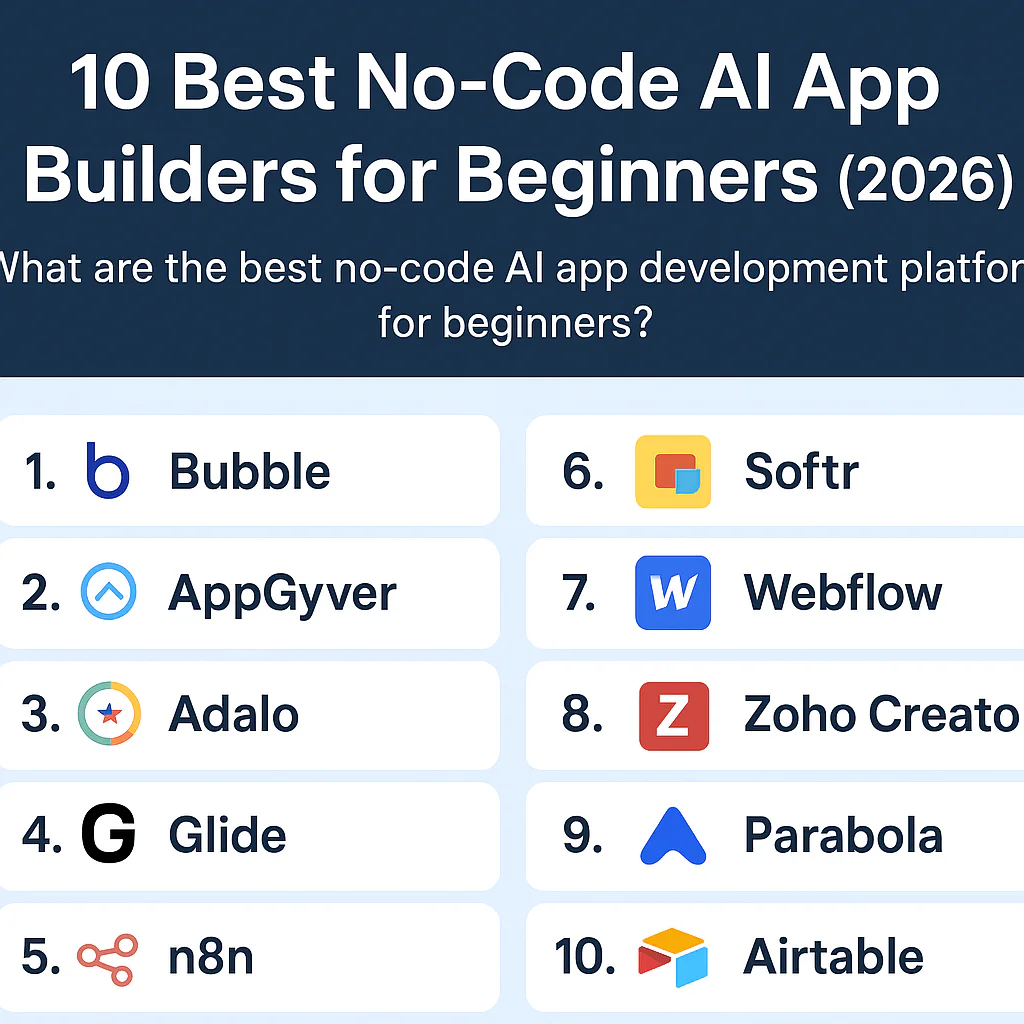
The best no-code AI app development platforms for beginners are Zite for custom business tools, Bubble for feature-rich web apps, Glide for spreadsheet-powered apps, and FlutterFlow for mobile apps. Your best pick depends on what you want to build—and whether you need a quick prototype, a polished customer-facing product, or an app you can grow and customize.
At App 9™, we’ve seen first-time builders make the same understandable mistake: asking an AI to “make an app” before deciding who will use it, what information it needs, or what users should be able to do. A more specific brief—such as “build a booking portal where customers can request appointments and staff can approve them”—usually gives you a much stronger starting point.
These tools can generate screens and workflows, but they won’t make every product decision for you. We’ll compare 10 beginner-friendly platforms, explain what each does best, and flag the trade-offs worth checking before you commit.
Key Takeaways
- Choose a platform around your app, not the AI hype: Try Zite for business workflows, Bubble for complex web apps, Glide for spreadsheet-based tools, and FlutterFlow for cross-platform mobile projects.
- Start with a small, specific idea: Clear user roles, data, and actions make AI-generated apps easier to test and refine.
- Check the practical details: Review integrations, publishing options, data permissions, portability, and scaling needs before building something your business will depend on.
- Treat AI output as a first draft: Test the app with real users and verify that forms, permissions, and workflows behave as intended.
Table of Contents
- ⚡️ Quick Tips and Facts: No-Code AI App Builders for Beginners
- 🧭 How No-Code AI App Development Platforms Work
- What “no-code” and “AI app builder” actually mean
- How AI-generated apps differ from traditional no-code apps
- 🏆 The Best Beginner-Friendly No-Code AI App Builders at a Glance
- Comparison table: features, learning curve, and best uses
- 1. Zite: Best for custom business software
- 2. Emergent: Best for prompt-to-production apps you own
- 3. Bubble: Best for complex web applications
- 4. FlutterFlow: Best for cross-platform mobile apps
- 5. Figma Make: Best for design-to-app workflows
- 6. Base44: Best for rapid web app protyping
- 7. Softr: Best for client portals and internal tools
- 8. Appy Pie: Best for simple small-business apps
- 9. ToolJet: Best for open-source and self-hosted apps
- 10. Glide: Best for spreadsheet-powered apps
- 🔍 How We Evaluated No-Code AI App Builders
- Ease of use for first-time app creators
- AI features, integrations, and customization
- Publishing, ownership, security, and scalability
- 🧰 What You Can Build with an AI App Builder
- Business apps, client portals, and internal tools
- Marketplaces, booking apps, and customer-facing products
- AI chatbots, workflow automation, and data dashboards
- 🎯 Which No-Code AI App Builder Should You Choose?
- Best platform for business apps and custom workflows
- Best platform for beginners with no technical experience
- Best platform for mobile apps, prototypes, and self-hosting
- 🏢 Choosing a No-Code AI Platform for Business Apps
- Data, user accounts, permissions, and integrations
- Team collaboration, governance, and compliance
- 🛠️ Build Your First No-Code AI App with Zite
- Plan your app and describe what you need
- Generate screens, data, and workflows
- Test, refine, and publish your app
- 💡 Tips for Getting Better Results from AI App Builders
- Write clearer prompts and define user roles
- Start small, test often, and improve iteratively
- Check accessibility, privacy, and app security
- ⚠️ Limitations and Common No-Code AI App Builder Mistakes
- Vendor lock-in and platform portability
- AI errors, maintenance, and scaling challenges
- When to hire a developer or switch to custom code
- ✅ Conclusion
- 🔗 Recommended Links
- ❓ FAQ
- What is the easiest no-code AI app builder for beginners?
- Can I build an app with AI without knowing how to code?
- Are no-code AI apps suitable for business use?
- Can I publish a no-code app to the Apple App Store or Google Play?
- Do I own the apps I create with an AI app builder?
- Are no-code AI app builders free?
- What is the difference between Bubble, Glide, and FlutterFlow?
- Can AI app builders connect to databases and third-party tools?
- 📚 Reference Links
Table of Contents
- ⚡ Quick Tips and Facts: No-Code AI App Builders for Beginners
- 🧭 How No-Code AI App Development Platforms Work
- What “no-code” and “AI app builder” actually mean
- How AI-generated apps differ from traditional no-code apps
- 🏆 The Best Beginner-Friendly No-Code AI App Builders at a Glance
- Comparison table: features, learning curve, and best uses
- 1. Zite: Best for custom business software
- 2. Emergent: Best for prompt-to-production apps you own
- 3. Bubble: Best for complex web applications
- 4. FlutterFlow: Best for cross-platform mobile apps
- 5. Figma Make: Best for design-to-app workflows
- 6. Base44: Best for rapid web app protyping
- 7. Softr: Best for client portals and internal tools
- 8. Appy Pie: Best for simple small-business apps
- 9. ToolJet: Best for open-source and self-hosted apps
- 10. Glide: Best for spreadsheet-powered apps
- 🔍 How We Evaluated No-Code AI App Builders
- Ease of use for first-time app creators
- AI features, integrations, and customization
- Publishing, ownership, security, and scalability
- 🧰 What You Can Build with an AI App Builder
- Business apps, client portals, and internal tools
- Marketplaces, booking apps, and customer-facing products
- AI chatbots, workflow automation, and data dashboards
- 🎯 Which No-Code AI App Builder Should You Choose?
- Best platform for business apps and custom workflows
- Best platform for beginners with no technical experience
- Best platform for mobile apps, prototypes, and self-hosting
- 🏢 Choosing a No-Code AI Platform for Business Apps
- Data, user accounts, permissions, and integrations
- Team collaboration, governance, and compliance
- 🛠️ Build Your First No-Code AI App with Zite
- Plan your app and describe what you need
- Generate screens, data, and workflows
- Test, refine, and publish your app
- 💡 Tips for Getting Better Results from AI App Builders
- Write clearer prompts and define user roles
- Start small, test often, and improve iteratively
- Check accessibility, privacy, and app security
- ⚠️ Limitations and Common No-Code AI App Builder Mistakes
- Vendor lock-in and platform portability
- AI errors, maintenance, and scaling challenges
- When to hire a developer or switch to custom code
- ✅ Conclusion
- 🔗 Recommended Links
- ❓ FAQ
- What is the easiest no-code AI app builder for beginners?
- Can beginners build AI apps without coding experience?
- Are no-code AI apps suitable for business use?
- Can I publish a no-code app to the Apple App Store or Google Play?
- Do I own the apps I create with an AI app builder?
- Are no-code AI app builders free?
- What is the difference between Bubble, Glide, and FlutterFlow?
- Can AI app builders connect to databases and third-party tools?
- 📚 Reference Links