
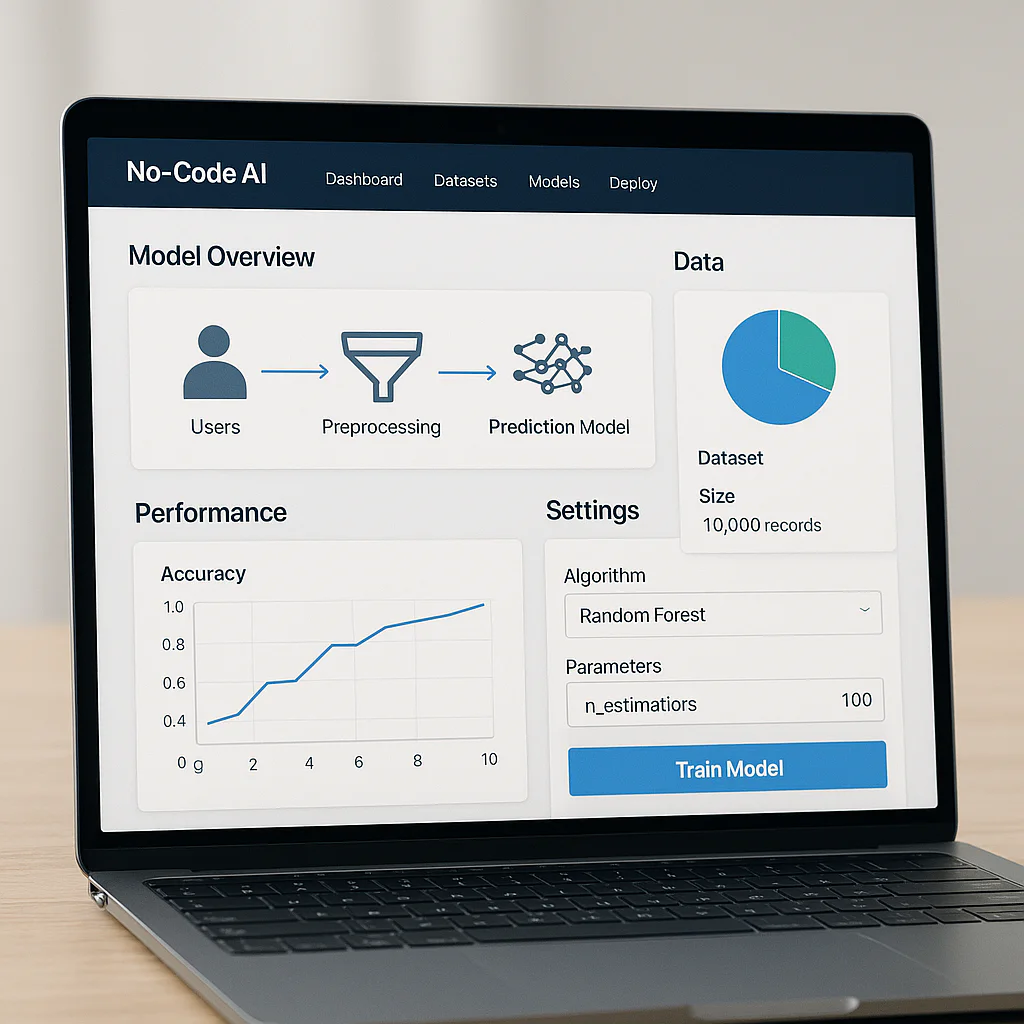

Can no-code AI tools create complex machine learning models? Yes—within limits. Platforms like Azure AI Foundry, Google Cloud Vertex AI, and Amazon SageMaker Canvas can automate model training and support sophisticated workflows, but they don’t offer unlimited control over data, model design, or deployment.
At App 9™, we’ve found that the most useful AI projects often start with a less glamorous question: What decision are we trying to improve? A visual model builder can make training feel like a few clicks, but reliable results still depend on good data, honest testing, and a clear plan for using predictions.
That distinction matters because a complex workflow isn’t always a complex model—and a high test score isn’t proof that a model will work in the real world. Here’s what no-code AI can build, where it hits its limits, and how to choose the right approach for your project.
Key Takeaways
- Yes, no-code tools can build useful, sophisticated ML workflows, including supported predictive, classification, forecasting, and computer-vision models.
- Automation doesn’t remove the need for expertise. Data quality, evaluation, privacy, and ongoing monitoring still matter.
- Try the simplest suitable option first: a prebuilt AI service or prompt-based workflow may solve your problem without custom training.
- Choose no-code for speed and supported use cases; move to low-code or custom development when you need deeper control, specialized models, or greater portability.
Table of Contents
- ⚡️ Quick Tips and Facts
- 🧭 What “Complex Machine Learning” Really Means
- Machine learning models, workflows, and AI applications
- What counts as a complex model?
- 📚 How No-Code AI and AutoML Got Here
- 🧠 Can No-Code AI Tools Create Complex Machine Learning Models?
- What no-code platforms can build well
- Where no-code model building reaches its limits
- No-code, AutoML, generative AI, and custom model training
- 🛠️ No-Code AI Platforms Compared: From Quick Experiments to Enterprise ML
- Microsoft Power Apps AI Builder
- Azure AI Foundry and Azure AutoML
- Google Cloud Vertex AI
- Amazon SageMaker Canvas
- IBM watsonx.ai
- Clarifai
- Runway
- Nyckel
- Levity
- Lobe by Microsoft
- Google Teachable Machine
- CatDoes
- Which platform fits which machine learning project?
- 🔍 No-Code AI vs. Low-Code AI vs. Custom Machine Learning
- 🧩 Types of Complex Models You Can Build Without Code
- Predictive analytics and time-series forecasting
- Image classification and computer vision
- Text classification and natural language processing
- Generative AI and large language model applications
- Multimodal models and connected AI workflows
- 🔄 The No-Code Machine Learning Workflow, Step by Step
- Define the problem and success metrics
- Collect, clean, and label training data
- Train, compare, and tune models
- Evaluate accuracy, fairness, and reliability
- Deploy, integrate, and monitor predictions
- 📊 Data, Model Quality, and the “Garbage In” Problem
- How much training data do you need?
- Data leakage, class imbalance, and labeling mistakes
- Choosing the right evaluation metrics
- ⚖️ Benefits, Trade-Offs, and Hidden Limitations
- Speed, accessibility, and faster protyping
- Customization, transparency, and vendor lock-in
- Scalability, performance, and production readiness
- 🔐 Privacy, Security, Compliance, and Responsible AI
- Sensitive data and cloud processing
- Bias, explainability, and human oversight
- Model ownership, portability, and governance
- 🧭 How to Choose the Right No-Code AI Platform
- Match platform capabilities to your use case
- Check integrations, deployment options, and team skills
- Questions to ask before you commit
- 🚀 A Practical First Project: Build and Test an AI Model
- Pick a useful, measurable problem
- Start small, test honestly, and improve
- 🧰 Troubleshooting Common No-Code ML Problems
- 🔮 The Future of No-Code Machine Learning
- ✅ Conclusion
- 🔗 Recommended Links
- ❓ FAQ
- Can no-code AI tools train deep learning models?
- Can a no-code model handle millions of records?
- Can I build a production-ready machine learning model without coding?
- Do no-code AI tools require machine learning experience?
- Can I export or migrate a model built with a no-code platform?
- When should I move from no-code to custom code?
- 📖 Reference Links
⚡️ Quick Tips and Facts
Yes, no-code AI tools can create complex machine learning models—but “complex” depends on the job, the data, and how much control you need. AutoML platforms can test algorithms, tune parameters, and deploy models through visual interfaces. They don’t automatically solve the hardest parts: defining a useful prediction, preparing trustworthy data, and deciding what to do with the result.
If you’re exploring how to turn AI into a usable product, our guide to no-code AI app development is a helpful companion. We build and review apps at App 9™, and our practical rule is simple: start with the least complicated approach that can answer the business question reliably.
| Quick fact | What it means for you |
|---|---|
| No-code tools can automate much of model building | AutoML can compare candidate models and streamline training and evaluation. |
| “Complex” doesn’t mean “unrestricted” | A platform may handle a sophisticated workflow while limiting custom architectures or training loops. |
| Data quality still calls the shots | A polished interface can’t make inaccurate labels or biased records trustworthy. |
| Prebuilt AI may be enough | For common tasks such as transcription, object detection, or translation, try an existing model before training one. |
| Deployment is part of the project | Check how predictions reach your app, users, and existing systems—not just whether training succeeds. |
| Production requires ongoing care | Models need testing, monitoring, and human oversight as data and conditions change. |
A useful starting sequence:
- Try a prebuilt AI service for a common task.
- For text workflows, test a prompt-based approach against real examples.
- Use AutoML when you have historical data with known outcomes.
- Consider custom code when you need specialized model behavior, deeper control, or a workflow your platform can’t support.
The NIST AI Risk Management Framework is a valuable reference for thinking beyond model accuracy to reliability, governance, and real-world risk. 🔎
🧭 What “Complex Machine Learning” Really Means
“Complex” gets used rather casually in AI marketing. Sometimes it means a model has many parameters. Sometimes it means the data is messy, the task has many steps, or the prediction has serious consequences. Those are not the same thing.
Machine learning models, workflows, and AI applications
A machine learning model learns patterns from data and uses them to make predictions or generate outputs. A workflow may include data cleanup, feature creation, model training, evaluation, and deployment. An AI application connects a model to an interface or business process, such as a customer-support app or a document-review tool.
A visual platform may make the workflow complex without letting you design every part of the underlying model. That distinction matters: the platform might orchestrate multiple models and data steps, while keeping model architecture behind the curtain.
| Layer | Example | What a no-code tool may control |
|---|---|---|
| Data | Customer history, images, support tickets | Import, label, filter, transform |
| Model | Classifier, forecast, language model | Select, train, compare, or configure |
| Workflow | Several models plus business rules | Connect steps, add conditions, route results |
| Application | Staff dashboard or customer-facing app | Publish, integrate, or call predictions |
The Google Cloud overview of AutoML describes automated machine learning as a way to build custom models with less machine learning expertise. That’s useful—but it doesn’t mean every model choice, assumption, or deployment detail is exposed in a visual interface.
What counts as a complex model?
A project may be complex because it:
- Combines several data types, such as text, images, and structured records.
- Uses multiple steps, such as detection followed by classification and human review.
- Must make fast predictions at high volume.
- Needs explainability, auditing, or strict privacy controls.
- Must work reliably when real-world data changes.
- Requires custom training methods or a specialized neural network architecture.
Complexity is a project property, not just a model-size property. A simple classifier used in a high-stakes process may need more careful validation than a large model used to sort low-risk photos.
A useful question to keep in mind: Are you trying to make a complex model, or solve a complex problem? The answer changes which tool you should choose.
📚 How No-Code AI and AutoML Got Here
No-code AI builds on a longer shift toward making software and data tools accessible through visual interfaces. Drag-and-drop workflows were already familiar in analytics and app development; AutoML extended that idea to parts of model training, allowing platforms to test algorithms and configurations automatically.
The promise is appealing: subject-matter experts can contribute their knowledge without first becoming software engineers. A sales operations team, for instance, may understand what a useful churn warning looks like far better than a developer who has never spoken to a customer. But visual tooling changes who can participate, not the laws of statistics.
A Gartner press release forecast that 70% of new applications developed by enterprises would use low-code or no-code technologies by 2025, up from less than 25% in 2020. That prediction was about application development, not a guarantee that most applications would train custom machine learning models.
In the featured video, the presenter echoes this wider shift and highlights tools such as Google Teachable Machine, Orange, and Obviously AI. The examples illustrate an important spectrum: Teachable Machine makes simple experiments approachable, Orange offers richer visual data workflows, and predictive analytics platforms focus on structured business data. They are not interchangeable, and none removes the need to check whether the results are sound.
🧠 Can No-Code AI Tools Create Complex Machine Learning Models?
Yes—many no-code AI platforms can train useful, production-oriented models and assemble sophisticated workflows. Cloud platforms such as Azure AI Foundry, Google Cloud Vertex AI, Amazon SageMaker Canvas, and IBM watsonx.ai provide visual or guided tools for a range of machine learning tasks.
The qualification is crucial: a platform’s automation does not equal unlimited customization. A tool may be powerful for classification or forecasting but unsuitable for a specialized architecture, unusual training objective, or highly customized real-time pipeline.
A competing overview from CatDoes puts it plainly: “customization has a ceiling.” We agree. That ceiling varies by platform and by the expertise available to work around it.
What no-code platforms can build well
No-code and visual AI tools can often support:
- Tabular prediction: Classification and regression using rows of business data.
- Forecasting: Predicting future demand, usage, or other time-dependent values.
- Image and text classification: Assigning examples to categories based on labeled data.
- Computer vision: Recognizing or sorting visual content, depending on the platform.
- Generative AI workflows: Connecting prompts, models, retrieval, and tools in a managed pipeline.
- Business applications: Making model predictions available to people through forms, dashboards, or app integrations.
AutoML can automate steps such as comparing algorithms, trying feature transformations, and tuning model settings. Some platforms also support deployment and monitoring, so the work doesn’t end at “training complete.” For platform-specific articles and tools, see App 9™’s AI App Builders coverage.
Where no-code model building reaches its limits
You’re more likely to need code or specialist support when you require:
- A custom neural network architecture or loss function.
- Control over a specialized training loop or optimization method.
- Unusual data formats or complex data preprocessing.
- Fine-grained control over performance, hardware, or inference latency.
- A highly portable model that can move between cloud providers.
- A specialized pipeline that visual components cannot represent.
The scikit-learn user guide and PyTorch documentation show how much low-level flexibility is available in code-first workflows. A no-code interface may cover common algorithms, but a developer can usually alter more of the process directly.
No-code is not a shortcut around technical judgment. It’s a way to handle more of the implementation through configuration instead of handwritten code.
No-code, AutoML, generative AI, and custom model training
These approaches overlap, but they answer different questions:
| Approach | Best fit | What it does | Common catch |
|---|---|---|---|
| Prebuilt AI service | A familiar task such as speech transcription | Uses an existing model | May not understand specialized business terminology |
| Prompt-based AI | Flexible text tasks | Guides a general-purpose model with instructions and examples | Outputs need testing and safeguards |
| AutoML | Prediction from labeled structured data | Tries candidate models and configurations | Depends on historical examples and sensible metrics |
| Custom model training | Specialized requirements | Gives a team the most control over data and model behavior | Needs engineering and ML expertise |
The Taku guide to no-code AI and machine learning recommends trying methods in order of increasing cost and effort: prebuilt services first, prompts for many text tasks, AutoML for labeled tabular prediction, and custom code when the earlier options don’t fit. That’s a sensible ladder, not a law. Privacy, accuracy, latency, and integration needs can change the order.
🛠️ No-Code AI Platforms Compared: From Quick Experiments to Enterprise ML
There isn’t one “best” platform. A browser-based classifier for a classroom project and a governed forecasting pipeline for a large organization are different jobs—and should be judged differently.
| Platform | Strongest fit | Typical visual/no-code use | Main caveat |
|---|---|---|---|
| Microsoft Power Apps AI Builder | Business apps in Microsoft’s ecosystem | Prebuilt AI features and custom models for app workflows | Fit depends on supported tasks and Microsoft integration needs |
| Azure AI Foundry and Azure AutoML | Azure-based ML and generative AI workflows | Guided model development, evaluation, and deployment | Cloud setup and service boundaries can add complexity |
| Google Cloud Vertex AI | Managed ML and generative AI on Google Cloud | AutoML and model lifecycle tools | Requires attention to cloud configuration and deployment choices |
| Amazon SageMaker Canvas | AWS-oriented business prediction | Visual prediction and data preparation workflows | Best fit often depends on AWS data and governance setup |
| IBM watsonx.ai | Enterprise AI development and governance | Generative AI and machine learning tooling | May be more platform than a small project needs |
| Clarifai | Computer vision and multimodal workflows | Visual AI models and connected workflows | Confirm model, hosting, and customization requirements |
| Runway | Generative video creation and editing | Creative AI tools for media workflows | Not a general-purpose AutoML platform |
| Nyckel | Fast custom classifiers | Image, text, or other supported classification tasks | Narrower scope than a full ML lifecycle suite |
| Levity | Automating workflows with unstructured data | Visual AI automation for business processes | Check current product capabilities and integration fit |
| Lobe by Microsoft | Local image-classification experiments | Train from labeled examples and export supported models | Limited scope; not a complete production ML platform |
| Google Teachable Machine | Education and simple prototypes | Browser-based image, audio, and pose classification | Limited controls and production capabilities |
| CatDoes | Learning about and comparing no-code AI platforms | Editorial platform overview, not an ML builder | Informational resource rather than a model-training tool |
Microsoft Power Apps AI Builder
AI Builder brings AI features into Microsoft Power Platform apps and workflows. It can suit teams that already use tools such as Power Apps and Power Automate and want to add predictions or document processing to a business process.
Good fit: Departments building internal apps with familiar Microsoft tools.
Consider carefully: Whether a supported model type matches the actual task, and how its outputs will be tested before business decisions depend on them.
Azure AI Foundry and Azure AutoML
Azure AI Foundry provides a managed environment for building and working with AI applications. Azure Machine Learning AutoML supports automated model development for supported problem types, while Azure’s broader ML services offer more control for teams that need to extend beyond guided workflows.
Good fit: Organizations already using Azure or needing a path from visual experimentation toward more customized development.
Consider carefully: The full solution may draw on multiple Azure services. Verify access controls, data movement, deployment, and operational responsibilities before you start.
Google Cloud Vertex AI
Vertex AI combines managed machine learning capabilities with generative AI tools and model development services. Its AutoML options can help users train models for supported data types, while the wider platform supports deployment and other lifecycle needs.
Good fit: Teams using Google Cloud that want managed ML services and a route to more advanced workflows.
Consider carefully: Which parts are genuinely no-code for your task, which require configuration or code, and how the model will be evaluated and monitored.
Amazon SageMaker Canvas
SageMaker Canvas offers a visual interface for building machine learning models and generating predictions without writing code. It is especially worth considering when business data and operations already live in AWS.
Good fit: Teams looking to create predictions from business datasets while staying in AWS.
Consider carefully: Data access, model sharing, deployment pathways, and the related AWS services your use case needs.
IBM watsonx.ai
IBM watsonx.ai brings together generative AI and machine learning capabilities, with IBM’s broader platform positioning around enterprise governance and data practices.
Good fit: Organizations that need managed enterprise AI workflows and want to consider governance as part of the tooling decision.
Consider carefully: Validate which governance and model management features are available in the plan and architecture you are evaluating. A platform’s governance features help, but they don’t replace internal policies or human review.
Clarifai
Clarifai focuses on AI model and workflow capabilities, including computer vision and other supported data types. Its platform may suit teams that need to connect models and operationalize AI workflows.
Good fit: Projects involving visual data or managed AI workflows.
Consider carefully: Clarify what “custom” means for your project: model selection, training data, fine-tuning, deployment control, and portability are separate requirements.
Runway
Runway is known for generative video and creative tools. It can be useful for creating or editing media, but it should not be treated as a general-purpose platform for training arbitrary business classifiers or tabular prediction models.
Good fit: Creative video production and media workflows.
Consider carefully: If your aim is to train a custom ML model from your company’s data, confirm the platform explicitly supports that task. A generative-media tool and an AutoML environment are different beasts. 🎬
Nyckel
Nyckel offers a comparatively focused path for creating classifiers from examples. That can be appealing when you need a narrow classification task without assembling a full cloud ML stack.
Good fit: A small, clearly defined classification task.
Consider carefully: Whether your problem involves regression, forecasting, multiple linked models, or advanced deployment needs. A classifier-focused tool is not automatically a complete ML lifecycle platform.
Levity
Levity focuses on AI-powered business workflow automation, including use cases involving unstructured information. It may help teams route or process content through visual workflows.
Good fit: Automating repeatable business processes with supported AI capabilities.
Consider carefully: Check product documentation for current integrations, supported data types, workflow limits, and model ownership options before making it a dependency.
Lobe by Microsoft
Lobe was designed to make image-classification experiments accessible through examples and a visual interface. It is best understood as a learning or protyping tool rather than an end-to-end platform for production deployment.
Good fit: Trying a small image-classification idea and learning the basics.
Consider carefully: Current support, maintenance, export options, and whether you can actually deploy the resulting model where your app needs it. Don’t build a production plan on assumptions drawn from an old tutorial.
Google Teachable Machine
Teachable Machine lets you train simple image, audio, and pose-recognition models in a browser. It’s a friendly way to learn by doing: show it examples, train a model, and test what it recognizes.
Good fit: Education, proof-of-concept experiments, and simple demonstrations.
Consider carefully: Complex datasets, robust production deployment, advanced model configuration, and rigorous monitoring. The CatDoes overview calls it “not production-grade”; that is a practical warning about scope, not a reason to dismiss it as a learning tool.
CatDoes
CatDoes’ no-code AI platform roundup is an editorial comparison, not a machine learning platform. It is useful for orienting yourself among tools, but confirm capabilities and product availability using each vendor’s current documentation.
Which platform fits which machine learning project?
| Your situation | A sensible place to start |
|---|---|
| You want to add AI to a Microsoft business app | Microsoft Power Apps AI Builder |
| Your data and team are already on Azure | Azure AI Foundry and Azure Machine Learning |
| You use Google Cloud and need managed ML | Google Cloud Vertex AI |
| Your organization operates primarily on AWS | Amazon SageMaker Canvas |
| You’re exploring simple image, audio, or pose recognition | Google Teachable Machine |
| You need to experiment with visual classification | Lobe, subject to current support and deployment needs |
| You’re building creative video content | Runway |
| You need a narrow classifier quickly | Nyckel |
| You need a multi-step enterprise workflow | Compare Clarifai and cloud ML platforms against governance and integration requirements |
Best practice: Choose the tool that fits your data and deployment environment—not the one with the flashiest demo. For more tool comparisons, explore App 9™’s app builder comparisons and comparisons.
🔍 No-Code AI vs. Low-Code AI vs. Custom Machine Learning
The boundaries blur, so labels alone won’t tell you how much control a product gives you. Look at the actual workflow: Can you inspect the data transformations? Choose model settings? Export the model? Add custom logic? Monitor results?
| Approach | User experience | Control | Typical audience |
|---|---|---|---|
| No-code AI | Visual configuration and forms | Lowest of the three, though it varies | Business users, analysts, product teams |
| Low-code AI | Visual tools plus optional scripts or APIs | Moderate to high | Analysts working with developers |
| Custom machine learning | Code-first model and workflow development | Highest | ML engineers and data scientists |
A useful comparison from modeling-languages.com describes visual tools as a way to raise the abstraction level: teams can focus first on defining the desired AI behavior and later refine platform-specific details. That’s a strong advantage when speed and collaboration matter.
The trade-off is portability and precision. A visual pipeline may run on a vendor’s cloud or rely on proprietary components. The same article notes that some visual platforms can train models and export them to frameworks such as TensorFlow or PyTorch—but exportability is platform-specific, so verify it for the exact model and deployment target you’re considering.
Use no-code for a supported, repeatable task that benefits from fast experimentation. Use low-code when you want visual collaboration but need custom logic. Use custom development when control, architecture, performance, or portability is a core requirement.
🧩 Types of Complex Models You Can Build Without Code

The strongest match for no-code ML is often a clear task with accessible data and a platform that supports the relevant model type. Here’s where visual AI tends to shine—and where to pay attention.
Predictive analytics and time-series forecasting
AutoML platforms can be a good fit for classification, regression, and forecasting when your data has known outcomes.
Examples include:
- Predicting whether an account is likely to renew.
- Forecasting product demand from historical sales.
- Estimating delivery delays from past shipment records.
- Prioritizing service requests using previous outcomes.
For practical model-building guidance, the Google Cloud AutoML documentation and Azure AutoML overview explain supported workflows and requirements.
The crucial ingredient is historical data that represents the outcome you want to predict. If you don’t have reliable examples of past outcomes, AutoML can’t conjure a dependable answer from wishful thinking.
Image classification and computer vision
Visual tools can train models to sort images into categories or connect computer-vision components into a larger workflow. For example, a quality-control process might identify a potential defect, send uncertain cases for review, and log the human decision for further analysis.
A small demo may work brilliantly with carefully staged images, then struggle with new lighting, camera angles, backgrounds, or product versions. That gap is why testing on new, representative images matters.
Google’s Teachable Machine provides an accessible introduction to image recognition. For more demanding needs, compare enterprise platforms such as Vertex AI, Clarifai, and the relevant cloud services for your current infrastructure.
Text classification and natural language processing
No-code text tools can help with tasks such as categorizing customer messages, routing documents, or extracting structured information. Before training a custom classifier, try a capable prebuilt model or prompt-based approach and compare its behavior on representative examples.
A competing perspective from Taku is that prompts can be a practical first choice for many business text tasks, including classification and extraction. We agree with the underlying advice: don’t train a custom model just because the button exists.
For prompt-based workflows, create a fixed test set of examples with expected outputs. Taku recommends around 20 test cases as a useful starting point—not a guarantee of statistical confidence, but a way to catch regressions and vague prompt changes.
Generative AI and large language model applications
Most no-code generative AI applications do not train a new large language model from scratch. Instead, they connect an existing model to prompts, company information, tools, or workflow steps.
That can still create a substantial application. A support assistant that searches approved documents, drafts a response, checks output format, and routes uncertain cases to staff involves system design even if it doesn’t involve training a new foundation model.
Look for:
- Clear source documents and data access controls.
- Structured outputs where downstream systems depend on specific fields.
- A human review route for uncertain or high-impact responses.
- Test cases that cover typical and difficult queries.
- Monitoring for incorrect, outdated, or unsafe outputs.
For background on generative AI systems and their risks, the NIST Generative AI Profile is a more useful guide than “the demo looked convincing.”
Multimodal models and connected AI workflows
Some platforms connect different types of data or several AI steps in a single workflow. A system might read a document, extract text, classify its contents, and direct it to the right team. That can be valuable—but each added step introduces another point to test.
Draw the workflow before building it:
Input → Validation → AI step 1 → AI step 2 → Confidence check → Human review or action
``

This simple diagram catches a common mistake: treating the model as the whole product. **The surrounding process determines whether predictions are safe, useful, and acted upon.**

## [🔄 The No-Code Machine Learning Workflow, Step by Step](#the-no-code-machine-learning-workflow-step-by-step)

A visual interface makes model development more approachable, but the work still follows a disciplined process. We recommend treating each stage as a decision gate rather than clicking “train” and hoping the chart looks impressive.

### [Define the problem and success metrics](#define-the-problem-and-success-metrics)

1. **Write the prediction target in plain language.** “Predict whether this account will fail to renew in the next 90 days” is more actionable than “reduce churn.”
2. **Set a decision point.** When will the prediction be used, and by whom?
3. **Decide what action follows each result.** A prediction without a follow-up plan is just an expensive opinion.
4. **Choose a metric that matches the risk.** A false alarm and a missed warning may have very different consequences.

For example, a customer-retention team may prefer a useful list of accounts to contact rather than a model that maximizes overall accuracy but misses likely cancellations.

### [Collect, clean, and label training data](#collect-clean-and-label-training-data)

1. Gather records that represent the real population the model will encounter.
2. Confirm each label has a clear, consistent definition.
3. Remove duplicate, corrupted, irrelevant, or improperly collected records.
4. Separate training data from data reserved for evaluation.
5. Check privacy, access rights, and retention rules before uploading data.

Taku’s guide emphasizes that AutoML needs labeled examples of the outcomes you care about. The exact amount varies by task, data quality, and model, but **thousands of historical outcomes may be more realistic than hundreds for many business prediction problems**. That is a planning estimate, not a universal minimum.

### [Train, compare, and tune models](#train-compare-and-tune-models)

1. Choose an AutoML platform that supports your target and data type.
2. Import a small representative dataset first.
3. Let the platform create a baseline model.
4. Compare candidate models using a metric that matches your goal.
5. Review which data fields the platform used and whether they make sense.
6. Keep a record of the dataset, settings, and evaluation results.

Don’t assume the model with the highest single score is automatically the best choice. A slightly less accurate model may be easier to explain, faster to run, or more dependable on the cases that matter most.

### [Evaluate accuracy, fairness, and reliability](#evaluate-accuracy-fairness-and-reliability)

1. Test the model on data it did not train on.
2. Review performance across relevant customer or operational groups.
3. Inspect false positives and false negatives individually.
4. Test edge cases and records with missing or unusual values.
5. Set a confidence threshold that triggers human review where appropriate.
6. Repeat tests after changing data, prompts, or model settings.

The [NIST AI Risk Management Framework](https://www.nist.gov/itl/ai-risk-management-framework) recommends treating trustworthy AI as an ongoing risk-management activity, not a one-time launch checkbox.

A caution from Taku deserves repeating: “AutoML will happily train on leaked data and report 97% accuracy.” Leakage happens when the model gets information it would not genuinely have at prediction time. **A suspiciously perfect score is a reason to investigate, not throw a party.** 🕵️

### [Deploy, integrate, and monitor predictions](#deploy-integrate-and-monitor-predictions)

1. Decide how the app or workflow will receive predictions: API, connector, export, or embedded feature.
2. Test the integration using realistic data and expected failure cases.
3. Start with a limited rollout or human-reviewed mode.
4. Monitor errors, confidence, data changes, and business outcomes.
5. Define who can pause or roll back the model.
6. Reassess performance when the workflow or source data changes.

Model deployment can add more work than training. The [Google Cloud Vertex AI documentation](https://cloud.google.com/vertex-ai/docs) and [Amazon SageMaker documentation](https://docs.aws.amazon.com/sagemaker/latest/dg/whatis.html) describe managed lifecycle capabilities, but your team still needs to set up appropriate access, integration, and monitoring.

## [📊 Data, Model Quality, and the “Garbage In” Problem](#data-model-quality-and-the-garbage-in-problem)

No-code tools can automate some data preparation, but they don’t know whether a column is mislabeled, a sample is unrepresentative, or a “successful” outcome was recorded inconsistently. **The interface can tidy your data; it can’t guarantee your data tells the truth.**

### [How much training data do you need?](#how-much-training-data-do-you-need)

There is no universal number. Requirements depend on:

- How varied the examples are.
- How difficult the prediction is.
- How consistent the labels are.
- How many categories the model must distinguish.
- Whether the data reflects real deployment conditions.

For labeled business prediction, the [Taku article](https://taku.ai/blog/no-code-ai-and-machine-learning) suggests that thousands of historical outcomes are often more useful than hundreds. Treat this as a rule of thumb, not a platform requirement. For a simple demonstration, fewer examples may be enough to test an idea; for a dependable real-world system, you’ll need stronger evidence.

### [Data leakage, class imbalance, and labeling mistakes](#data-leakage-class-imbalance-and-labeling-mistakes)

| Risk | What happens | What to check |
|---|---|---|
| Data leakage | Test results look much better than real performance | Was every input available at the moment the prediction is made? |
| Class imbalance | A model favors the common outcome | Are important minority cases being missed? |
| Label inconsistency | Similar examples get different outcomes | Do people agree on what each label means? |
| Sampling bias | Training examples don’t reflect real users or conditions | Who or what is missing from the dataset? |
| Data drift | Real-world patterns change over time | Are input patterns or outcomes shifting after launch? |

A memorable example: if you’re predicting late deliveries but accidentally include the final delivery status as an input, the model can appear brilliant. It has simply been given the answer key. **The lesson is not “trust the model”; it’s “audit the information the model sees.”**

### [Choosing the right evaluation metrics](#chosing-the-right-evaluation-metrics)

Accuracy can be misleading when one outcome is rare. If only a small share of transactions are fraudulent, a model that calls every transaction legitimate may appear highly accurate while catching none of the fraud.

Consider:

- **Precision:** Of the cases flagged, how many actually need attention?
- **Recall:** Of the relevant cases, how many did the model find?
- **F1 score:** A combined view of precision and recall.
- **Confusion matrix:** A breakdown of correct and incorrect classifications.
- **Business impact:** What does each kind of error cost in time, risk, or lost opportunity?

The [scikit-learn guide to model evaluation](https://scikit-learn.org/stable/modules/model_evaluation.html) explains classification and regression metrics in detail. Choose a metric **before** comparing model scores. Otherwise, the platform may reward the wrong kind of success.

## [⚖️ Benefits, Trade-Offs, and Hidden Limitations](#benefits-trade-offs-and-hidden-limitations)

No-code AI offers real advantages. It can also make complicated decisions look deceptively simple. Here’s the balanced version.

### [Speed, accessibility, and faster protyping](#speed-accessibility-and-faster-prototyping)

**Benefits include:**

- Faster experimentation for common use cases.
- Easier collaboration between technical and business teams.
- Less repetitive setup for standard model types.
- Visual workflows that can be easier to review than a pile of scripts.
- A lower barrier for validating whether an AI idea is worth pursuing.

This accessibility is why beginner tools such as Teachable Machine are useful: they let people see how example quality affects model behavior without installing a development environment.

### [Customization, transparency, and vendor lock-in](#customization-transparency-and-vendor-lock-in)

**Trade-offs include:**

- Limited access to model internals or training controls.
- Reliance on a vendor’s formats, services, and deployment design.
- Less freedom to implement unusual data preparation or model logic.
- The possibility that the most convenient workflow is not the most portable one.

CatDoes warns that “vendor lock-in is real.” That’s fair, especially for workflows tightly connected to one cloud ecosystem. Before committing, ask whether you can export the model, data, pipeline configuration, and evaluation history—and what would be lost if you moved.

For a practical companion on making platform decisions, see App 9™’s [app builder comparisons](https://www.app9.co/category/app-builder-comparisons/) and [software comparisons](https://www.app9.co/category/comparisons/).

### [Scalability, performance, and production readiness](#scalability-performance-and-production-readiness)

A model can scale technically while remaining unreliable operationaly. Evaluate:

- Expected prediction volume and peak loads.
- Response-time requirements.
- Data residency and access controls.
- Deployment regions and integration methods.
- Logging, monitoring, and incident response.
- Reproducibility when a model is updated.

**A successful demo is proof that a workflow can run—not proof that it is production-ready.** Production readiness includes reliable inputs, error handling, security, documentation, and a plan for what happens when the model is wrong.

## [🔐 Privacy, Security, Compliance, and Responsible AI](#privacy-security-compliance-and-responsible-ai)

AI platforms can process sensitive business and personal information. Before uploading data, check the provider’s security, retention, access, and processing terms with the people responsible for privacy and compliance in your organization.

### [Sensitive data and cloud processing](#sensitive-data-and-cloud-processing)

Ask the provider:

- Where is data stored and processed?
- Who can access data, prompts, models, and logs?
- Can uploaded data be used to improve vendor models?
- How can data be deleted or exported?
- What encryption, identity, and access controls are available?
- Can the service meet your organization’s applicable obligations?

The [NIST Privacy Framework](https://www.nist.gov/privacy-framework) can help organizations structure privacy risk discussions. It is not legal advice, and a platform’s privacy claims do not replace reviewing the actual agreement and configuration.

### [Bias, explainability, and human oversight](#bias-explainability-and-human-oversight)

A model can perform differently across groups because the training data, labels, or surrounding process differ. Examine performance where the decision affects people, and provide a way to challenge or review consequential outputs.

Good practice includes:

- Testing representative groups and edge cases.
- Recording why human reviewers accept or override results.
- Communicating when a decision is AI-assisted.
- Keeping a human involved in high-impact or uncertain cases.
- Rechecking the model after changes in users, data, or policy.

The [NIST AI Risk Management Framework](https://www.nist.gov/itl/ai-risk-management-framework) provides a structured approach to identifying and managing these risks.

### [Model ownership, portability, and governance](#model-ownership-portability-and-governance)

Before selecting a tool, clarify who controls:

- The training data and labels.
- The trained model and its outputs.
- Workflow definitions and configurations.
- Prediction logs and review history.
- Export and migration options.

Cloud platforms can make deployment simpler, but their managed features may tie parts of your workflow to the provider. **Portability is a design decision you should make before the migration conversation starts.**

## [🧭 How to Choose the Right No-Code AI Platform](#how-to-choose-the-right-no-code-ai-platform)

The best platform is the one that supports your task, fits your data, and can be operated safely by your team. Start with requirements—not brand loyalty.

### [Match platform capabilities to your use case](#match-platform-capabilities-to-your-use-case)

Write a short project brief:

- What exactly should the model predict or generate?
- What input data will it use?
- What happens after the prediction?
- How will you measure useful performance?
- What types of errors are unacceptable?
- Does the platform support the model type and deployment path?

If you only need to extract text from common documents, a prebuilt service may be enough. If you want to predict outcomes from historical records, test an AutoML workflow. If your application needs a special architecture, you may need custom development.

### [Check integrations, deployment options, and team skills](#check-integrations-deployment-options-and-team-skills)

Look beyond the demo:

- Does the platform connect to your data sources and app stack?
- Can you send predictions to an API, workflow, or user interface?
- Who will monitor the system after launch?
- Does your team understand model evaluation and data governance?
- Can developers extend the tool if requirements change?
- Will the model run where your data and users need it?

Our [AI App Builders category](https://www.app9.co/category/ai-app-builders/) covers tools for building AI-enabled products, while our [vibe coding coverage](https://www.app9.co/category/vibe-coding/) looks at a neighboring trend: creating apps with natural-language assistance. These tools can speed up product development, but app generation and model training are separate capabilities.

### [Questions to ask before you commit](#questions-to-ask-before-you-commit)

Use this checklist in a vendor review:

- ✅ Which specific model types can I train without code?
- ✅ What data formats, integrations, and deployment options are supported?
- ✅ Can I inspect feature importance, errors, and evaluation metrics?
- ✅ What happens to my data, prompts, and model after I stop using the service?
- ✅ Can I export the model or move the workflow elsewhere?
- ✅ What monitoring and versioning features are available?
- ❌ Does the demo only work on a carefully selected sample?
- ❌ Are important capabilities described vaguely as “AI-powered”?
- ❌ Are model decisions consequential without an appeal or human review path?

For teams comparing platform economics, App 9™ also covers practical considerations in [software and app costs](https://www.app9.co/category/costs/). We’re deliberately leaving vendor prices out here; actual usage and required cloud services vary considerably.

## [🚀 A Practical First Project: Build and Test an AI Model](#a-practical-first-project-build-and-test-an-ai-model)

Let’s make this concrete. Suppose a small support team wants to route incoming messages into a few categories. Should they train a custom model? Not yet. First, they should compare a prebuilt or prompt-based workflow with a supervised classifier.

### [Pick a useful, measurable problem](#pick-a-useful-measurable-problem)

1. Choose a task that happens often and has a clear outcome.
2. Write down the categories or prediction target.
3. Confirm there is a person or workflow ready to act on predictions.
4. Select a test metric based on the cost of errors.
5. Exclude private or sensitive data unless it is necessary and properly governed.

For support routing, define categories carefully: “billing,” “technical issue,” and “account access” should be understandable to the people labeling and reviewing messages.

### [Start small, test honestly, and improve](#start-small-test-honestly-and-improve)

1. Gather a representative batch of historical messages.
2. Remove personal data not needed for the experiment.
3. Label examples consistently and document tricky cases.
4. Try a prompt-based baseline or a supported no-code classifier.
5. Keep a separate set of messages for evaluation.
6. Review incorrect and uncertain predictions with staff.
7. Run a limited pilot with human review.
8. Expand only if the results improve the workflow.

This project might reveal that a simple set of rules handles most cases and AI is needed only for ambiguous messages. That’s a successful discovery—not a failure to use enough machine learning.

**The question that often decides the project is not “Can we train a model?” It’s “Can we make a reliable decision with the data we actually have?”**

## [🧰 Troubleshooting Common No-Code ML Problems](#troubleshooting-common-no-code-ml-problems)

| Symptom | Likely cause | What to try |
|---|---|---|
| Great test score, poor real-world results | Data leakage or a test set unlike production | Check feature timing and evaluate on recent, representative data |
| Predictions all favor one class | Imbalanced examples or inconsistent labels | Review category counts, labels, thresholds, and recall |
| Image model fails outside the demo | Training examples lack real-world variation | Add examples across lighting, angles, backgrounds, and devices |
| Text model misunderstands routine cases | Labels overlap or instructions are ambiguous | Tighten category definitions and add difficult test cases |
| Users ignore predictions | Results arrive too late or don’t lead to action | Redesign the workflow and clarify ownership |
| Model performance changes over time | Data drift or business process changes | Monitor inputs and outcomes; retrain or reassess as needed |
| Vendor migration seems difficult | Proprietary formats or service dependencies | Test export and portability before scaling |

For common text tasks, Taku’s reminder is useful: “Without test cases you're tuning prompts against vibes, and you cannot tell improvement from regression.” The wording is playful; the engineering advice is serious. Keep a stable test set, change one thing at a time, and record what improved.

## [🔮 The Future of No-Code Machine Learning](#the-future-of-no-code-machine-learning)

No-code AI is likely to keep absorbing more of the repetitive work around data preparation, model comparison, and app integration. But the key skill won’t be clicking faster. It will be asking better questions: **What is the model allowed to see? How do we know it works? What happens when it is unsure?**

Visual tools are also increasingly connected to generative AI, app builders, and workflow automation. That means more teams can prototype complete AI features—but it also makes testing, permissions, and human oversight more important. A convincing answer from a model is not the same as a correct answer.

The long-term winners will be teams that combine domain expertise with technical scrutiny: business users who understand the task, developers who understand the application, and data specialists who challenge the evidence. **No-code changes the shape of collaboration; it doesn’t make collaboration optional.**

## [✅ Conclusion](#conclusion)

## [🔗 Recommended Links](#recommended-links)

- [No-code AI app development at App 9™](https://www.app9.co/no-code-ai-app-development/)
- [App 9™ AI App Builders](https://www.app9.co/category/ai-app-builders/)
- [App 9™ app builder comparisons](https://www.app9.co/category/app-builder-comparisons/)
- [Google Teachable Machine](https://teachablemachine.withgoogle.com/)
- [Microsoft Power Apps AI Builder](https://learn.microsoft.com/en-us/ai-builder/overview)
- [Azure AI Foundry](https://ai.azure.com/)
- [Google Cloud Vertex AI](https://cloud.google.com/vertex-ai)
- [Amazon SageMaker Canvas](https://aws.amazon.com/sagemaker/canvas/?tag=bestbrands0a9-20?tag=bestbrands0a9-20)
- [IBM watsonx.ai](https://www.ibm.com/products/watsonx-ai)
- [Clarifai](https://www.clarifai.com/)
- [Runway](https://runwayml.com/)
- [Nyckel](https://www.nyckel.com/)
- [Levity](https://levity.ai/)
- [Lobe](https://www.lobe.ai/)
- [CatDoes no-code AI platform overview](https://catdoes.com/blog/no-code-ai-platforms)
- [Taku: No-Code AI and Machine Learning—What You Can Actually Build](https://taku.ai/blog/no-code-ai-and-machine-learning)

## [❓ FAQ](#faq)

### [Can no-code AI tools build custom machine learning models for business apps?](#can-no-code-ai-tools-build-custom-machine-learning-models-for-business-apps)

**Yes, within the capabilities of the platform.** Many tools let you train a model on your own labeled examples and connect its predictions to an app or workflow. For example, [Microsoft AI Builder](https://learn.microsoft.com/en-us/ai-builder/overview) works with the Power Platform, while cloud services such as [Vertex AI](https://cloud.google.com/vertex-ai) support broader managed ML workflows.

“Custom model” usually means a model trained or adapted for your data—not an unrestricted ability to change every layer or training method. Confirm that the platform supports your task, data type, deployment route, and required integrations.

### [What types of complex machine learning models can no-code AI platforms create?](#what-types-of-complex-machine-learning-models-can-no-code-ai-platforms-create)

Depending on the platform, no-code tools can support classification, regression, forecasting, image recognition, text categorization, and connected workflows involving multiple AI steps. Generative AI platforms can also assemble applications around existing language models, prompts, company data, and tools.

The limits vary. A platform that supports a sophisticated forecasting workflow may not support a custom neural network or specialized training loop. **Check the exact task and controls, not the platform’s broadest marketing description.**

### [Are no-code AI tools powerful enough to build AI features into mobile apps?](#are-no-code-ai-tools-powerful-enough-to-build-ai-features-into-mobile-apps)

**They can be**, if the platform provides a practical way to connect predictions to the app—such as an API, an integration, an exported model, or a supported app-builder component. The best option depends on whether the model runs in the cloud or on-device, how quickly results must arrive, and how the app handles connectivity and sensitive data.

For a mobile app, test the complete experience: input capture, prediction latency, error handling, accessibility, privacy, and what users see when confidence is low. Training a model is only one part of delivering a reliable AI feature.

### [How do no-code AI platforms compare with custom machine learning development?](#how-do-no-code-ai-platforms-compare-with-custom-machine-learning-development)

No-code platforms are often faster to start with and easier for cross-functional teams to use. They can automate standard workflows and reduce the amount of repetitive implementation. Custom development usually offers more control over architecture, data processing, performance, and deployment.

A sensible choice depends on what you need to build:

- Choose **no-code** for a supported task, fast validation, and limited customization needs.
- Choose **low-code** when you want a visual workflow with custom logic.
- Choose **custom ML development** for specialized methods, tight performance constraints, or extensive control.

A visual platform can be production-oriented, and custom code can still be poorly designed. **Judge the system by its evidence and operating requirements, not by whether someone typed Python.**

### [Do I need labeled data to use no-code AutoML?](#do-i-need-labeled-data-to-use-no-code-automl)

For supervised tasks such as predicting churn or classifying images, you generally need examples paired with known outcomes. The platform can automate parts of model training, but it cannot know what “churn,” “defect,” or “urgent” means unless those targets are defined and represented in the data.

Some prebuilt AI and generative AI services can work without training on your own labels, but they still need evaluation against your real use case.

### [Can I use no-code AI safely with sensitive business information?](#can-i-use-no-code-ai-safely-with-sensitive-business-information)

Potentialy, but safety depends on the provider, configuration, contract, data category, and applicable organizational rules. Review data residency, retention, model-training use, access controls, logging, and deletion options before uploading sensitive information.

When the risk is significant, involve your privacy, security, and legal teams early. The [NIST Privacy Framework](https://www.nist.gov/privacy-framework) and [NIST AI Risk Management Framework](https://www.nist.gov/itl/ai-risk-management-framework) offer useful structures for those discussions.

### [When should I move from no-code to custom development?](#when-should-i-move-from-no-code-to-custom-development)

Consider moving when the platform blocks a needed model architecture, data-processing step, integration, performance target, portability requirement, or governance control. You may also need custom development when failures require deeper debugging than the platform exposes.

Before switching, verify that the limitation is real. Sometimes the issue is unclear labels, poor data, a mismatched metric, or a workflow that needs better human review—not a lack of coding.

## [📖 Reference Links](#reference-links)

- [CatDoes: No-Code AI Platforms](https://catdoes.com/blog/no-code-ai-platforms)
- [Modeling Languages: Tools for Modeling Artificial Intelligence Without Code](https://modeling-languages.com/tools-modeling-artificial-intelligence-code/)
- [Taku: No-Code AI and Machine Learning—What You Can Actually Build](https://taku.ai/blog/no-code-ai-and-machine-learning)
- [Gartner forecast on low-code and no-code application development](https://www.gartner.com/en/newsroom/press-releases/2021-02-15-gartner-says-by-2025-70-percent-of-new-applications-developed-by-enterprises-will-use-low-code-or-no-code-technologies)
- [NIST AI Risk Management Framework](https://www.nist.gov/itl/ai-risk-management-framework)
- [NIST Generative AI Profile](https://www.nist.gov/publications/artificial-intelligence-risk-management-framework-generative-artificial-intelligence)
- [NIST Privacy Framework](https://www.nist.gov/privacy-framework)
- [Google Cloud AutoML](https://cloud.google.com/automl)
- [Google Cloud Vertex AI documentation](https://cloud.google.com/vertex-ai/docs)
- [Azure Automated Machine Learning documentation](https://learn.microsoft.com/en-us/azure/machine-learning/concept-automated-ml?view=azureml-api-2)
- [Amazon SageMaker documentation](https://docs.aws.amazon.com/sagemaker/latest/dg/whatis.html)
- [IBM watsonx.ai](https://www.ibm.com/products/watsonx-ai)
- [scikit-learn model evaluation guide](https://scikit-learn.org/stable/modules/model_evaluation.html)
- [PyTorch documentation](https://pytorch.org/docs/stable/index.html)
- [Google Teachable Machine](https://teachablemachine.withgoogle.com/)
- [Orange Data Mining](https://orangedatamining.com/)
- [Microsoft Power Apps AI Builder](https://learn.microsoft.com/en-us/ai-builder/overview)
- [Azure AI Foundry](https://ai.azure.com/)
- [Google Cloud Vertex AI](https://cloud.google.com/vertex-ai)
- [Amazon SageMaker Canvas](https://aws.amazon.com/sagemaker/canvas/?tag=bestbrands0a9-20?tag=bestbrands0a9-20)
- [IBM watsonx.ai](https://www.ibm.com/products/watsonx-ai)
- [Clarifai](https://www.clarifai.com/)
- [Runway](https://runwayml.com/)
- [Nyckel](https://www.nyckel.com/)
- [Levity](https://levity.ai/)
- [Lobe by Microsoft](https://www.lobe.ai/)
- [No-Code AI and Machine Learning: What You Can Actually Build · Taku](https://taku.ai/blog/no-code-ai-and-machine-learning)