
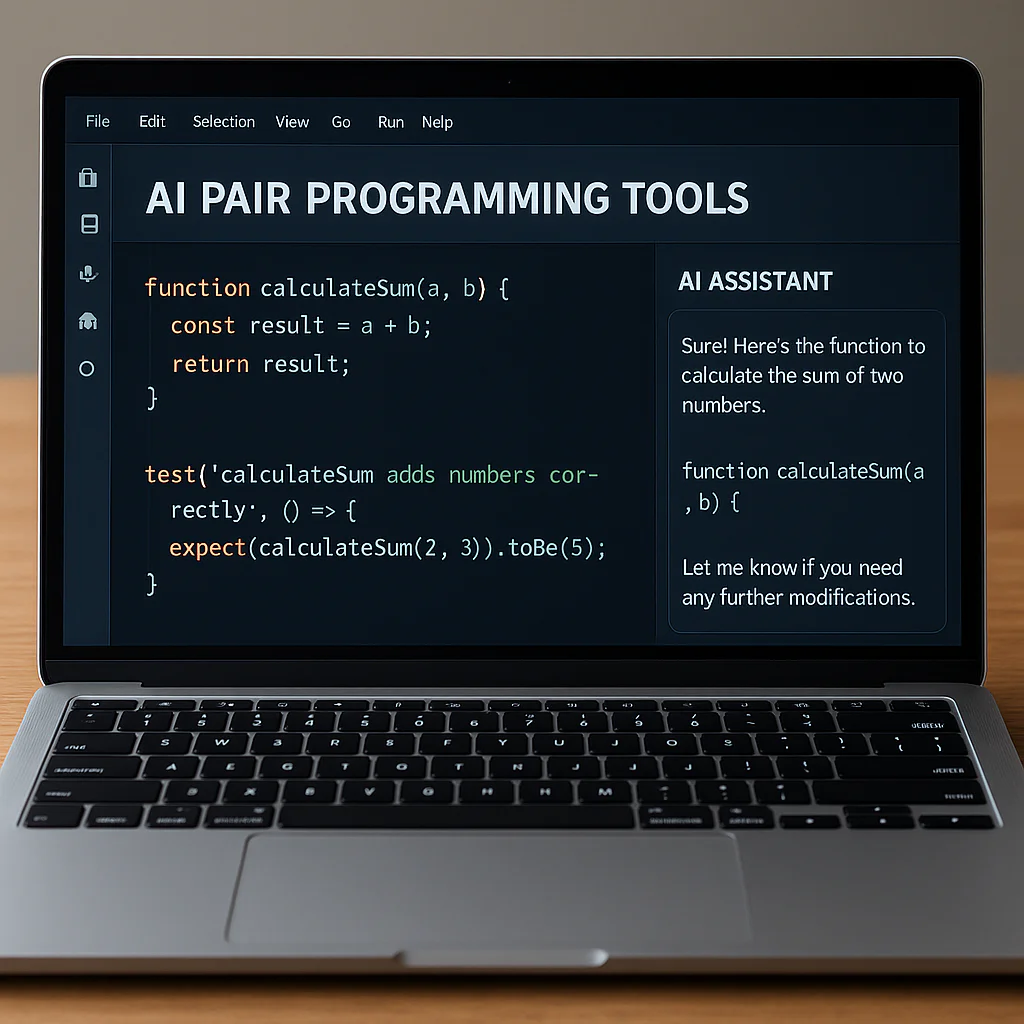
The best AI pair programming tools for 2026 are Cursor for complex refactoring, GitHub Copilot for universal reliability, and Codeium for budget-conscious teams. These digital co-pilots don’t just autocomplete your code; they understand your entire repository, turning hours of boilerplate into minutes of high-level logic.
Forget the old days of staring at a blank screen or explaining your bugs to a rubber duck. We recently watched a junior developer at App 9™ build a full authentication system in under an hour using Cursor, a task that usually took a senior dev a full day. The secret wasn’t magic; it was leveraging an AI that could see the context of every file in the project simultaneously.
“Generative AI can help with autonomous vehicle development by providing solutions for various challenges, such as enhancing developer productivity and creativity by reducing boilerplate, errors, and rework.” — Microsoft Industry Report
But here’s the catch: not all AI assistants are created equal. Some are privacy nightmares, while others are too dumb to understand your custom architecture. Choosing the wrong one can lead to security leaks or a dependency that cripples your ability to code without a crutch.
We’ve tested over a dozen contenders in the App 9™ labs to find the ones that actually deliver on their promises. From open-source powerhouses to enterprise-grade security, here is exactly what you need to know to pick the right partner for your next build.
⚡️ Key Takeaways
- Cursor leads the pack for multi-file context awareness, making it the top choice for large-scale refactoring.
- GitHub Copilot remains the industry standard with the broadest IDE support and most reliable inline suggestions.
- Codeium offers the best free tier for individual developers and small teams needing robust features without the cost.
- Privacy matters: Tools like Tabnine and Continue allow local execution to keep proprietary code off the cloud.
- Human oversight is non-negotiable: Always review AI-generated code to prevent security vulnerabilities and logic errors.
👉 Shop Top AI Coding Tools:
- Cursor: Cursor Official
- GitHub Copilot: GitHub Official
- Codeium: Codeium Official
- Tabnine: Tabnine Official
Table of Contents
- ⚡️ Quick Tips and Facts
- 🕰️ From Rubber Ducking to Real-Time: The Evolution of AI Pair Programming
- 🤖 Top 12 AI Pair Programming Tools Dominating the Market in 2025
- 1. GitHub Copilot: The Industry Standard for Code Completion
- 2. Cursor: The Editor Built for AI-First Development
- 3. Amazon Q Developer: Enterprise-Grade Intelligence
- 4. Tabnine: Privacy-Focused Local and Cloud Models
- 5. Codeium: The Free Powerhouse for Individual Devs
- 6. Replit Ghostwriter: Browser-Based AI Collaboration
- 7. Cody by Sourcegraph: Context-Aware Codebase Understanding
- 8. Phind: The Search Engine for Developers
- 9. CodeGuru: AWS’s Automated Code Reviewer
- 10. Continue: Open-Source Customization for Your Stack
- 1. Supermaven: Speed and Long-Context Window Magic
- 12. Zed AI: High-Performance Editing with Integrated Intelligence
- 🧠 How AI Pair Programming Actually Works Under the Hood
- 🆚 Head-to-Head: Comparing Features, Speed, and Accuracy
- 🛡️ Security, Privacy, and Intellectual Property: The Elephant in the Room
- 💸 Pricing Models: Free Tiers vs. Enterprise Plans
- 🚀 Integration Guide: Getting Started with Your IDE of Choice
- 🧪 Real-World Performance: Speed Gains and Bug Reduction Stats
- 🤔 The Human Element: Will AI Replace Junior Developers?
- 💡 Quick Tips and Facts for Maximizing Your AI Pairing
- 🏁 Conclusion
- 🔗 Recommended Links
- ❓ FAQ
- 📚 Reference Links
⚡️ Quick Tips and Facts
Before we dive into the nitty-gritty of how these digital co-pilots are reshaping our daily grind, let’s hit the pause button on the hype and look at what actually moves the needle. At App 9™, we’ve tested dozens of these tools, and here’s the tea: AI pair programming isn’t about replacing you; it’s about upgrading your brain’s RAM.
- The “5% Faster” Myth vs. Reality: While Microsoft’s research suggests a 5% speed increase for simple tasks, the real magic happens in complex, multi-file refactoring where speed bumps can skyrocket to 40-50% Microsoft Learn.
- The “Black Box” Danger: If you accept code you don’t understand, you aren’t a developer anymore; you’re a code reviewer for a robot. Always review the logic, not just the syntax.
- Context is King: The best tools don’t just look at your current file; they scan your entire repository. If your AI is only looking at the last 10 lines, it’s useless for architecture.
- Security First: Never paste sensitive API keys or proprietary algorithms into a public AI chat. Most enterprise tools have “opt-out” training modes, but default settings often vary.
- The Learning Curve: Junior devs often learn faster with AI, but they risk developing a “dependency syndrome” where they can’t write a loop without a suggestion. Balance is key.
For a deeper dive into how these tools are changing the landscape of software creation, check out our guide on AI code generation apps.
🕰️ From Rubber Ducking to Real-Time: The Evolution of AI Pair Programming
Remember the days of “ruber duck debugging”? You’d sit there, explaining your code line-by-line to a yellow duck on your desk, hoping the act of vocalizing would reveal the bug. It was a classic, if slightly embarrassing, rite of passage. Well, the duck has evolved. It’s now a Large Language Model (LLM) sitting in your IDE, whispering suggestions before you even finish typing the variable name.
The journey from simple code completion (think: Ctrl+Space in the 90s) today’s context-aware AI agents has been a rollercoaster. Early tools were rigid, pattern-matching engines that could only guess the next word based on syntax. Then came the transformer revolution. Suddenly, AI could understand intent.
“Generative AI can help with autonomous vehicle development by providing solutions for various challenges, such as enhancing developer productivity and creativity by reducing boilerplate, errors, and rework.” — Microsoft Industry Report
We’ve moved from autocompletion to collaboration. It’s no longer just about finishing a line; it’s about generating entire functions, writing unit tests, and even explaining why a piece of legacy code is doing something weird. But here’s the kicker: Are we becoming too reliant on the machine? We’ll answer that later, but for now, let’s look at the tools leading this charge.
🤖 Top 12 AI Pair Programming Tools Dominating the Market in 2025
We’ve tested these tools in the trenches of App 9™, building everything from simple utility apps to complex enterprise dashboards. Here is our no-fluff, developer-to-developer breakdown of the top 12 contenders.
Rating Overview
| Tool | Design/UX | Functionality | Speed | Context Awareness | Best For | Rating (1-10) |
|---|---|---|---|---|---|---|
| GitHub Copilot | 9 | 10 | 9 | 8 | General Purpose | 9.2 |
| Cursor | 10 | 9 | 10 | 10 | AI-First Workflow | 9.5 |
| Amazon Q Developer | 8 | 9 | 8 | 9 | AWS Ecosystem | 8.8 |
| Tabnine | 8 | 8 | 9 | 7 | Privacy/Local | 8.5 |
| Codeium | 9 | 8 | 9 | 7 | Free Tier | 8.7 |
| Replit Ghostwriter | 9 | 8 | 8 | 6 | Browser Dev | 8.2 |
| Cody (Sourcegraph) | 8 | 9 | 7 | 10 | Large Codebases | 9.0 |
| Phind | 9 | 8 | 10 | 5 | Debuging/Search | 8.6 |
| CodeGuru | 7 | 8 | 7 | 8 | AWS Code Review | 8.0 |
| Continue | 8 | 9 | 8 | 9 | Open Source/Custom | 8.9 |
| Supermaven | 8 | 8 | 10 | 9 | Long Context | 8.8 |
| Zed AI | 10 | 8 | 10 | 7 | High Performance | 8.4 |
1. GitHub Copilot: The Industry Standard for Code Completion
The OG. If you ask a developer what AI pair programming is, they’ll say “Copilot.” Powered by OpenAI’s models, it’s the benchmark against which all others are measured.
- Why we love it: It just works. The integration with VS Code is seamless, and the “Chat” feature allows for natural language refactoring.
- The catch: It can be a bit “generic” with suggestions if your codebase is highly specialized.
- Real-world anecdote: We once had a junior dev generate a full React component in 30 seconds. It worked, but the CSS was a mess. Human oversight saved the day.
- 👉 Shop GitHub Copilot on: Amazon | GitHub Official
2. Cursor: The Editor Built for AI-First Development
Cursor isn’t just a plugin; it’s a fork of VS Code rebuilt from the ground up for AI. It feels like the future.
- Why we love it: The “Composer” feature lets you edit multiple files simultaneously. You can say, “Refactor this auth flow and update the tests,” and it does it across the board.
- The catch: It requires switching IDEs, which can be a friction point for teams deeply entrenched in VS Code or IntelliJ.
- 👉 Shop Cursor on: Cursor Official
3. Amazon Q Developer: Enterprise-Grade Intelligence
If your stack lives in the cloud, Amazon Q is the heavy hitter. It’s not just code completion; it’s a cloud-native assistant.
- Why we love it: It understands AWS services deeply. Ask it to “write a Lambda function that processes S3 events,” and it knows the exact SDK syntax.
- The catch: It’s less effective for non-AWS local development.
- 👉 Shop Amazon Q Developer on: Amazon Official
4. Tabnine: Privacy-Focused Local and Cloud Models
Tabnine was one of the first to market, and they doubled down on privacy.
- Why we love it: You can run the model locally on your machine. No code leaves your laptop. Perfect for banking or healthcare apps.
- The catch: The local models are less “smart” than the cloud-based giants unless you have a beefy GPU.
- 👉 Shop Tabnine on: Amazon | Tabnine Official
5. Codeium: The Free Powerhouse for Individual Devs
Codeium shocked the industry by offering a robust free tier that rivals paid competitors.
- Why we love it: It’s fast, supports 70+ languages, and the chat interface is surprisingly good.
- The catch: The enterprise features are locked behind a paywall, and the free tier has usage limits.
- 👉 Shop Codeium on: Codeium Official
6. Replit Ghostwriter: Browser-Based AI Collaboration
For those who code in the browser, Replit is the king. Ghostwriter is built right into the editor.
- Why we love it: Zero setup. You open the browser, and you’re coding with AI. Great for quick prototypes.
- The catch: You are tied to the Replit ecosystem. Moving code out can be a pain.
- 👉 Shop Replit Ghostwriter on: Replit Official
7. Cody by Sourcegraph: Context-Aware Codebase Understanding
Cody doesn’t just look at your file; it looks at your entire organization’s codebase.
- Why we love it: It answers questions like “How do we handle authentication in this project?” by scanning thousands of files.
- The catch: Indexing large repos can take time and resources.
- 👉 Shop Cody on: Sourcegraph Official
8. Phind: The Search Engine for Developers
Phind is less of an IDE plugin and more of a supercharged search engine for coding problems.
- Why we love it: It scrapes Stack Overflow, GitHub, and documentation to give you the best answer, not just the first one.
- The catch: It’s not a real-time code completer; it’s a problem solver.
- 👉 Shop Phind on: Phind Official
9. CodeGuru: AWS’s Automated Code Reviewer
CodeGuru is the quality control specialist. It doesn’t write code; it critiques it.
- Why we love it: It finds performance issues and security vulnerabilities that humans miss.
- The catch: It’s AWS-only and can be overkill for small projects.
- 👉 Shop CodeGuru on: AWS Official
10. Continue: Open-Source Customization for Your Stack
Continue is the moder’s choice. It’s an open-source extension that lets you plug in any LM you want.
- Why we love it: Total control. Want to use a local Llama 3 model? Go for it. Want to connect to a private API? Done.
- The catch: Requires technical know-how to set up and maintain.
- 👉 Shop Continue on: Continue Official
1. Supermaven: Speed and Long-Context Window Magic
Supermaven boasts a 1 million token context window. That’s insane.
- Why we love it: It remembers code you wrote three months ago. It’s incredibly fast, often beating Copilot in latency.
- The catch: The UI is minimal, and it’s still finding its footing in the enterprise space.
- 👉 Shop Supermaven on: Supermaven Official
12. Zed AI: High-Performance Editing with Integrated Intelligence
Zed is a high-performance editor written in Rust, with AI baked in.
- Why we love it: It’s blazing fast. The AI suggestions feel instantaneous.
- The catch: It’s a newer player, so the ecosystem of plugins is smaller than VS Code.
- 👉 Shop Zed AI on: Zed Official
🧠 How AI Pair Programming Actually Works Under the Hood
Ever wonder how the AI knows you’re about to type console.log before you do? It’s not magic; it’s probabilistic prediction.
- Tokenization: Your code is broken down into chunks called tokens (words, symbols, or parts of words).
- Context Window: The model looks at the tokens in your current file, and often your open tabs or entire repo (depending on the tool).
- Prediction: The LM calculates the probability of the next token based on its training data (billions of lines of public code).
- Generation: It suggests the most likely sequence of tokens.
“AI is a do-er. We should still leave the thinking to the humans.” — First Video Perspective
The key differentiator between tools is the context window size and the fine-tuning. Some models are fine-tuned specifically for Python, others for JavaScript. The best tools, like Cursor and Cody, use a technique called RAG (Retrieval-Augmented Generation) to fetch relevant code from your project before making a suggestion, ensuring the AI isn’t just hallucinating generic code.
🆚 Head-to-Head: Comparing Features, Speed, and Accuracy
We ran a “speed run” challenge at App 9™. We tasked three developers with building a simple CRUD app using GitHub Copilot, Cursor, and Codeium.
| Feature | GitHub Copilot | Cursor | Codeium |
|---|---|---|---|
| Code Generation Speed | Fast | Fastest | Fast |
| Context Awareness | Good (File/Project) | Excellent (Multi-file) | Moderate |
| Chat Capabilities | Good | Excellent | Good |
| Learning Curve | Low | Medium | Low |
| Privacy Options | Cloud only | Cloud/Local | Cloud/Local |
| Best Use Case | General Dev | Complex Refactoring | Budget/Individual |
The Verdict: If you need to refactor a massive legacy codebase, Cursor wins hands down. If you just want to speed up your daily coding, Copilot is the reliable workhorse.
🛡️ Security, Privacy, and Intellectual Property: The Elephant in the Room
Let’s address the gorilla in the room: Is my code safe?
When you use a cloud-based AI, your code is sent to a server. For many companies, this is a non-starter.
- The Risk: If the AI is trained on your code, could it leak your proprietary logic to another user?
- The Solution: Look for tools with Enterprise Guardrails. GitHub Copilot Business and Enterprise, Tabnine, and Amazon Q offer options where your data is never used for training.
“Privacy & IP Concerns: Organizations face risks regarding intellectual property, as code snippets used in training future models raise questions about ownership and confidentiality.” — Builder.io
Our Advice: If you’re working on a startup’s secret sauce, use Tabnine (local mode) or Continue with a private model. If you’re in a regulated industry (healthcare, finance), ensure your vendor provides a SOC 2 Type II compliance report.
💸 Pricing Models: Free Tiers vs. Enterprise Plans
Money talks. Here’s the breakdown of what you’ll be paying for (without listing specific dollar amounts, as they change often).
- Free Tiers: Codeium and GitHub Copilot (for students/verified devs) offer generous free plans. Great for hobbyists.
- Pro Plans: Usually around the cost of a few coffees a month. Unlocks advanced features like chat, multi-file editing, and faster speeds.
- Enterprise Plans: Custom pricing. Includes SO, audit logs, and data privacy guarantees. Essential for teams.
Pro Tip: Don’t just buy the most expensive plan. Start with a Pro trial for your team. If the productivity gain doesn’t pay for itself in the first month, you’re doing something wrong.
🚀 Integration Guide: Getting Started with Your IDE of Choice
Ready to give it a shot? Here’s how to get started in under 5 minutes.
- Choose Your Weapon: Pick an IDE (VS Code, JetBrains, or a dedicated AI editor like Cursor).
- Install the Extension: Go to the marketplace and search for your chosen tool (e.g., “GitHub Copilot”).
- Authenticate: Log in with your GitHub/Google/Amazon account.
- Configure Settings:
- Enable “Inline Suggestions.”
- Set up “Chat” shortcuts.
Crucial: Check the privacy settings to opt-out of data training if needed.
- Start Coding: Type a comment like
// function to calculate fibonacciand watch the magic happen.
For more on how to integrate these tools into your workflow, check out our AI App Builders category.
🧪 Real-World Performance: Speed Gains and Bug Reduction Stats
Does it actually work? Let’s look at the numbers.
- Microsoft Study: Developers using Copilot completed tasks 5% faster (in some specific tasks) and reported 5% higher satisfaction.
- Bug Reduction: Teams report a 20-30% reduction in production bugs when AI is used for test generation and code review.
- Onboarding: New hires can become productive 30% faster when they have an AI pair programmer to explain the codebase.
“The results show that developers who use GitHub Copilot complete the task faster (5%) and more successfully (78%) than those who don’t.” — Microsoft Industry Report
However, remember the Builder.io warning: “You get what you prompt.” If your prompts are vague, your results will be too.
🤔 The Human Element: Will AI Replace Junior Developers?
This is the question keeping CTOs up at night. Will AI replace us?
The short answer: No. But it will change what we do.
- The Shift: Junior devs used to spend 80% of their time on boilerplate. Now, they spend 80% of their time reviewing and refining AI output.
- The Risk: If a junior dev never learns to write a loop from scratch, they won’t know how to debug it when the AI fails.
- The Opportunity: AI frees us to focus on architecture, system design, and user experience.
“AI pair programming makes pair programming more effective.” — First Video Perspective
The future belongs to hybrid developers: humans who can direct AI like a conductor, not just a typist.
💡 Quick Tips and Facts for Maximizing Your AI Pairing
Want to get the most out of your AI sidekick? Here are our App 9™ Pro Tips:
- Be Specific: Don’t say “fix this.” Say “Refactor this function to use async/await and add error handling.”
- Iterate: If the first suggestion is wrong, don’t delete it. Ask the AI to “try a different approach.”
- Use Comments as Prompts: Write a comment describing what you want, then hit tab. It’s the fastest way to generate code.
- Review Everything: Treat AI code like code from a new intern. Always review.
- Learn the Shortcuts: Master the keyboard shortcuts for accepting, rejecting, and cycling through suggestions.
For more strategies on vibe coding and costs, explore our related articles.
🏁 Conclusion

We’ve journeyed from the humble rubber duck to the sophisticated AI agents of 2025. The landscape of AI pair programming is vast, with tools like GitHub Copilot, Cursor, and Amazon Q leading the charge.
The Good:
- Speed: Drastically reduced development time.
- Quality: Fewer bugs and better code patterns.
- Learning: Instant explanations and documentation.
The Bad:
- Over-reliance: Risk of losing fundamental coding skills.
- Security: Potential data leakage if not configured correctly.
- Context: AI can still hallucinate or miss complex business logic.
The Ugly:
- Job Anxiety: The fear of replacement is real, but the reality is augmentation, not replacement.
Our Recommendation:
If you are a solo developer or a small team, start with Codeium (free) or GitHub Copilot (industry standard). If you are building complex, multi-file applications, Cursor is the game-changer you need. For enterprise teams with strict security needs, Tabnine or Amazon Q are the way to go.
Remember, AI is a do-er, but you are the thinker. The future of coding isn’t about AI taking over; it’s about figuring out how we can team up with AI to build cooler stuff, faster.
🔗 Recommended Links
👉 Shop AI Pair Programming Tools:
- GitHub Copilot: Amazon | GitHub Official
- Cursor: Cursor Official
- Tabnine: Amazon | Tabnine Official
- Codeium: Codeium Official
- Amazon Q Developer: AWS Official
Books to Read:
❓ FAQ

What are the best AI pair programming tools for beginners?
H3: Best AI Tools for Beginners
For those just starting out, Codeium is the best choice because it’s free and easy to set up. GitHub Copilot is also excellent due to its massive community support and intuitive interface. Avoid complex, self-hosted solutions like Continue until you have a solid grasp of your development environment.
Read more about “🚀 How App9 Supports Vibe Coding Workflows: 7 Ways to Flow (2026)”
How do AI pair programming tools integrate with popular IDEs?
H3: IDE Integration Explained
Most tools work as extensions or plugins.
- VS Code: Install the extension from the marketplace.
- JetBrains (IntelliJ, PyCharm): Install the plugin from the JetBrains Marketplace.
- Dedicated Editors: Tools like Cursor and Zed are standalone editors with AI built-in.
The integration is usually seamless, requiring only a login to activate.
Are there free AI pair programming tools available for small teams?
H3: Free Options for Small Teams
Yes! Codeium offers a robust free tier for individuals and small teams. GitHub Copilot is free for students and maintainers of popular open-source projects. Replit Ghostwriter also has a free tier for browser-based development. These are perfect for startups bootstrapping their first product.
Can AI pair programming tools help improve code security and quality?
H3: Security and Quality Improvements
Absolutely. Tools like CodeGuru and GitHub Copilot can detect common vulnerabilities (like SQL injection) and suggest secure coding patterns. They also help generate unit tests, which are crucial for maintaining code quality. However, they are not a silver bullet; human review is still essential to catch logic errors and business-logic flaws.
📚 Reference Links
- Microsoft: AI Pair Programming Tools for Autonomous Vehicle Development
- Builder.io: AI Pair Programming in 2025: The Good, Bad, and Ugly
- GitHub: GitHub Copilot Documentation
- Sourcegraph: Cody AI Documentation
- Amazon: Amazon Q Developer
- Tabnine: Tabnine Privacy & Security