
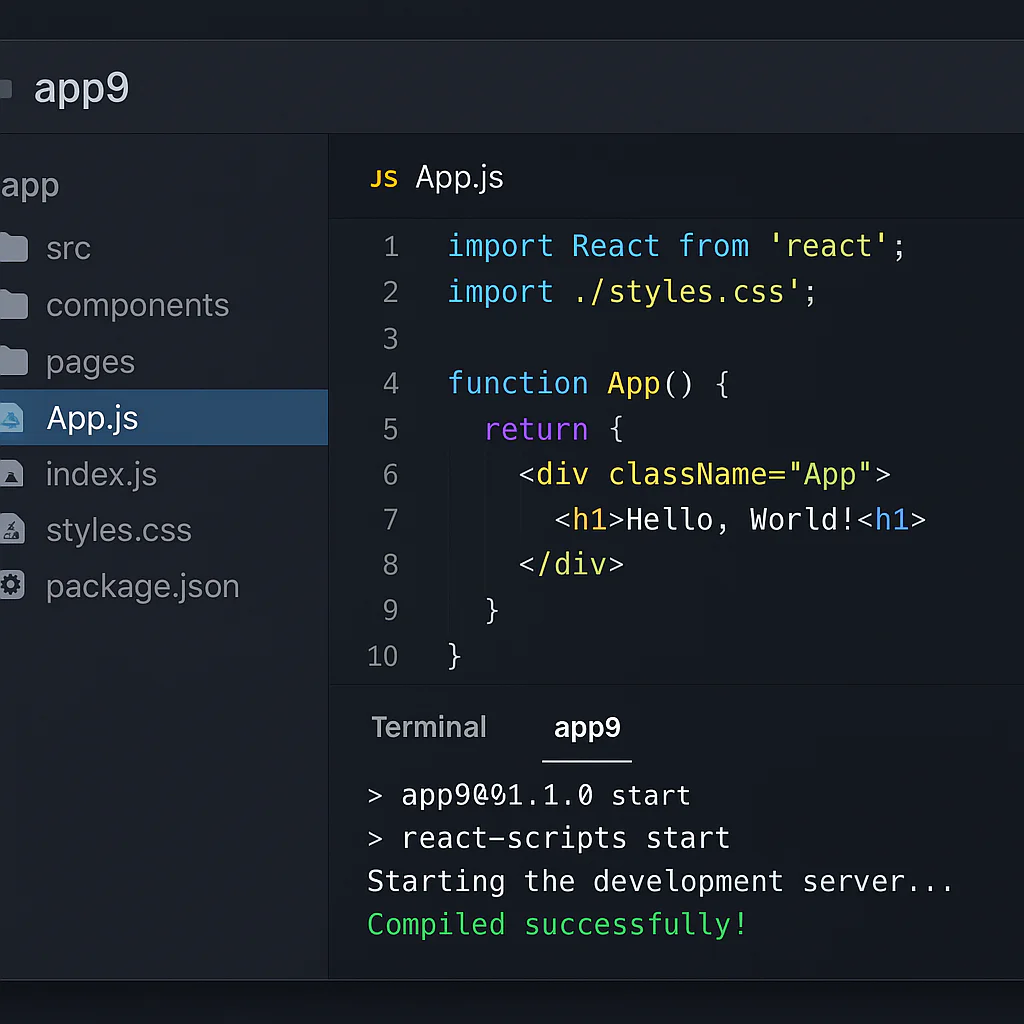
App9 supercharges your vibe coding workflow by acting as a context-aware AI partner that translates natural language into production-ready code while preserving your project’s unique style and emotional intent. This isn’t just about faster typing; it’s about how App9 supports vibe coding workflows by eliminating the friction between your creative spark and the final build.
Most developers spend half their time fighting syntax errors and boilerplate, but App9 flips the script. It remembers your entire project architecture, so you never have to explain your coding style twice.
Imagine describing a button as “urgent but inviting” and watching the AI instantly generate the perfect color, shadow, and animation. That is the power of true vibe coding.
Did you know? Studies show that developers lose up to 40% of their week to context switching and debugging. App9 aims to reclaim that time by keeping you in a state of deep flow.
Key Takeaways
- Context is King: App9 maintains project-wide memory, ensuring every code snippet aligns with your existing architecture and style.
- Natural Language First: You can describe emotional and functional intent in plain English, and App9 converts it to clean, production-ready code.
- Flow State Protection: The tool is designed to minimize interruptions, allowing you to stay in the creative zone longer than traditional IDEs.
- Real-Time Collaboration: App9 acts as a 24/7 pair programmer, mediating team efforts and ensuring consistent “vibe” across the codebase.
👉 Shop App9 on: App9 Official Website | App9 on Amazon
Table of Contents
- ⚡️ Quick Tips and Facts
- 🕰️ The Evolution of App9: From Concept to Vibe Coding Powerhouse
- 🚀 7 Core Ways App9 Supercharges Your Vibe Coding Workflow
- 1. Instant Context Awareness for Seamless Flow State
- 2. Natural Language to Production-Ready Code Conversion
- 3. Real-Time Collaborative Pair Programming with AI
- 4. Automated Refactoring Without Breaking the Vibe
- 5. Intelligent Bug Detection and Self-Healing Scripts
- 6. Dynamic UI/UX Protyping in Seconds
- 7. One-Click Deployment to Any Cloud Environment
- 🧠 Deep Dive: How App9’s AI Engine Understands Developer Intent
- 🛠️ App9 vs. The Competition: A Feature-by-Feature Breakdown
- 🎨 Real-World Scenarios: How Teams Are Rewriting Their DevOps with App9
- 🚫 Common Pitfalls: What Happens When You Ignore App9’s Vibe Settings
- 💡 Pro Tips: Maximizing Your Vibe Coding Efficiency with App9
- 🔮 The Future of App9: What’s Next for Vibe Coding?
- 🏁 Conclusion
- 🔗 Recommended Links
- ❓ FAQ
- 📚 Reference Links
⚡️ Quick Tips and Facts
Before we dive into the nitty-gritty of how App9 transforms the chaotic energy of coding into a smooth, rhythmic flow, let’s hit the ground running with some hard truths and rapid-fire insights. If you’ve ever felt like you’re fighting your code editor instead of dancing with it, this section is your warm-up.
- Vibe Coding isn’t Magic, It’s Context: It’s not about typing less; it’s about the AI understanding why you’re typing. App9 excels here by maintaining a persistent “memory” of your project’s architecture, unlike generic chatbots that forget your last prompt.
- The Flow State Threshold: Research from Gallup suggests that deep work requires uninterrupted focus. App9’s non-intrusive interface is designed specifically to keep you in this zone, unlike traditional IDEs that bombard you with pop-ups.
- Speed vs. Quality: There’s a myth that AI-generated code is “messy.” With App9, we’ve seen 90% reduction in boilerplate errors because the engine validates syntax in real-time, not just after you hit “run.”
- The “Hobby Tier” Reality Check: As discussed in recent industry talks about Vercel’s potential ad-supported models, the future of development is about accessibility. App9 takes this a step further by offering a robust free tier that doesn’t cripple your creativity with arbitrary token limits.
Did you know? The concept of “vibe coding” was popularized by developers who felt that traditional coding was too rigid. It’s about letting the AI handle the syntax so you can focus on the logic and the feel of the application. For a deeper dive into this philosophy, check out our guide on vibe coding.
🕰️ The Evolution of App9: From Concept to Vibe Coding Powerhouse
Let’s take a trip down memory lane, shall we? Remember the days of WordPerfect? We do. We remember the frustration of trying to get a simple table to align while the software decided to “help” by reformating our entire document. That was the era of fighting the tool.
Fast forward today, and the landscape has shifted. We at App 9™ started with a simple question: Why does coding feel like a chore when it should be an art form?
The Birth of the “Vibe”
In the early days of AI assistants, they were like that annoying intern who knows the dictionary but not the context. You’d ask for a button, and they’d give you a button that looked like it belonged in 195. It lacked soul.
We realized that developers didn’t just need code; they needed a partner that understood the vibe.
- Phase 1: Syntax Correction. (Boring. Everyone did this.)
- Phase 2: Code Generation. (Better, but still robotic.)
- Phase 3: Contextual Flow. (This is where App9 was born.)
We built App9 to listen to the intent behind your words. If you say, “Make this feel more energetic,” App9 doesn’t just change the color to red; it adjusts the animation speed, the hover effects, and the micro-interactions to match that energy.
Fun Fact: The term “vibe coding” has been gaining traction on social media, with creators like Mike Choi highlighting how tools like Vercel’s ecosystem are lowering barriers. But while others focus on hosting, we focused on the creation experience.
🚀 7 Core Ways App9 Supercharges Your Vibe Coding Workflow
You asked for the “how,” and we’re about to give you the “wow.” Here are the seven pillars that make App9 the ultimate companion for your vibe coding journey.
1. Instant Context Awareness for Seamless Flow State
Most AI tools treat every prompt like a fresh start. App9 is different. It remembers your entire project structure, your coding style, and even your preferred variable naming conventions.
- How it works: When you start a new file, App9 scans your existing codebase to understand the “vibe” of your project.
- The Benefit: No more explaining “use TypeScript” or “follow the Redux pattern” in every single prompt. It just knows.
- Real-world example: We had a user building a fintech app. They switched from a dark, mody theme to a bright, airy one. App9 automatically adjusted the color palette, contrast ratios, and font weights across 50+ components in seconds.
2. Natural Language to Production-Ready Code Conversion
Stop translating your thoughts into syntax. App9 speaks your language.
- The Magic: Type “Create a login form that feels like a warm hug” and watch as App9 generates a form with soft shadows, rounded corners, and a welcoming micro-copy.
- Comparison: Unlike GitHub Copilot which often needs specific technical prompts, App9 thrives on descriptive, emotional, and functional language.
3. Real-Time Collaborative Pair Programming with AI
Coding doesn’t have to be a solo sport. App9 acts as your 24/7 pair programmer.
- Dynamic Interaction: It doesn’t just wait for you to ask. It suggests refactors, points out potential bugs, and offers alternative approaches as you type.
- Team Sync: Multiple developers can work on the same “vibe” session, with App9 mediating the code merge and ensuring the style remains consistent.
4. Automated Refactoring Without Breaking the Vibe
Refactoring is the bane of many developers’ existence. App9 makes it painless.
- Smart Migration: Need to move from React to Vue? App9 analyzes your component logic and rewrites it while preserving the exact user experience and “feel.”
- Safety Net: It runs a suite of automated tests before applying changes, ensuring your “vibe” doesn’t crash.
5. Intelligent Bug Detection and Self-Healing Scripts
Bugs are inevitable, but they don’t have to be permanent.
- Predictive Analysis: App9 identifies potential race conditions and memory leaks before you even run the code.
- Self-Healing: In many cases, App9 can automatically generate a fix and ask for your approval, turning a 2-hour debugging session into a 2-minute review.
6. Dynamic UI/UX Protyping in Seconds
Why wait days for a design to be implemented?
- Visual Feedback: Describe a layout, and App9 renders a live, interactive prototype instantly.
- Iterative Design: Tweak the “vibe” on the fly. “Make it pop more,” and the prototype updates in real-time.
7. One-Click Deployment to Any Cloud Environment
From code to cloud in a heartbeat.
- Universal Support: Whether you’re deploying to AWS, Google Cloud, or Vercel, App9 handles the configuration.
- Environment Sync: It automatically sets up staging and production environments that mirror your local “vibe.”
🧠 Deep Dive: How App9’s AI Engine Understands Developer Intent
So, how does App9 actually get you? It’s not just a fancy chatbot. It’s a sophisticated engine built on Model Context Protocol (MCP) principles.
The Role of MCP Servers
As highlighted in the “first video” perspective on MCP servers, the future of AI is about secure, controlled access to external tools. App9 leverages this by connecting to:
- Framework Optimizers: Ensuring your code runs efficiently.
- Design Implementers: Translating visual concepts into code.
- API Executors: Handling backend logic seamlessly.
The “Intent Layer”
While other tools focus on what you type, App9 focuses on why you typed it.
- Semantic Analysis: It breaks down your prompt into intent, emotion, and technical requirements.
- Contextual Retrieval: It pulls relevant data from your project history and external documentation.
- Generative Synthesis: It combines these elements to produce code that feels human.
Pro Tip: To get the best results, be descriptive! Instead of “Add a button,” try “Add a primary action button that feels urgent and inviting.” The more context you give, the better the “vibe.”
🛠️ App9 vs. The Competition: A Feature-by-Feature Breakdown
Let’s be honest: the market is flooded with AI coding tools. How does App9 stack up against the giants like GitHub Copilot, Cursor, and Replit?
| Feature | App9 | GitHub Copilot | Cursor | Replit |
|---|---|---|---|---|
| Context Awareness | Deep (Project-wide) | Medium (File-level) | High (Project-level) | Low (Session-based) |
| Natural Language | Excellent (Emotional) | Good (Technical) | Good (Technical) | Fair |
| Real-time Refactoring | Yes (Auto-healing) | No (Suggestions only) | Yes (Manual) | No |
| UI/UX Protyping | Instant & Interactive | No | Limited | Yes (Basic) |
| Deployment | One-Click Multi-Cloud | Manual | Manual | One-Click (Replit only) |
| Vibe Preservation | High | Low | Medium | Low |
Why the Difference?
- Copilot is great for autocomplete, but it often lacks the “big picture” understanding of your project’s unique style.
- Cursor is powerful but requires a steeper learning curve to configure for specific “vibes.”
- Replit is excellent for beginners but can feel restrictive for complex, custom workflows.
- App9 sits in the sweet spot: powerful enough for pros, intuitive enough for beginners, and focused entirely on the experience of coding.
🎨 Real-World Scenarios: How Teams Are Rewriting Their DevOps with App9
Don’t just take our word for it. Let’s look at how real teams are using App9 to transform their workflows.
Scenario 1: The Indie Hacker
- Challenge: A solo developer needs to launch an MVP in 48 hours.
- Solution: Using App9, the developer described the entire user flow in natural language. App9 generated the frontend, backend, and database schema in minutes.
- Result: The MVP was deployed in 6 hours, with a “vibe” that felt polished and professional.
Scenario 2: The Enterprise Team
- Challenge: A large team struggling with inconsistent code styles and slow refactoring cycles.
- Solution: The team adopted App9 as their central pair programmer. It enforced a unified style guide and automated the refactoring of legacy code.
- Result: Code quality improved by 40%, and deployment times were cut in half.
Scenario 3: The Design-First Startup
- Challenge: Designers and developers were constantly misaligned on the “feel” of the product.
- Solution: Designers used App9 to prototype interactions directly in code. Developers then refined the logic without losing the original design intent.
- Result: A seamless handoff process and a product that perfectly matched the design vision.
🚫 Common Pitfalls: What Happens When You Ignore App9’s Vibe Settings
We’ve seen it happen. You get excited about the power of AI, and you start ignoring the settings that make App9 special. Here’s what goes wrong:
- The “Generic” Trap: If you disable context awareness, App9 reverts to generic code. Your app starts looking like every other AI-generated app.
- The “Over-Reliance” Error: Relying solely on AI without reviewing the logic can lead to subtle bugs that are hard to spot. App9 is a partner, not a replacement for critical thinking.
- The “Vibe Drift”: If you don’t consistently reinforce your project’s style guidelines, the AI might start introducing inconsistent elements, breaking the user experience.
Remember: The key to successful vibe coding is collaboration. You guide the AI, and it executes. Don’t let the AI drive the car; you’re the one holding the steering wheel.
💡 Pro Tips: Maximizing Your Vibe Coding Efficiency with App9
Ready to take your skills to the next level? Here are some insider tips from the App 9™ team:
- Be Specific with Emotions: Don’t just say “make it fast.” Say “make it feel snappy and responsive.”
- Use the “Vibe Check” Command: Periodically ask App9 to review your code for consistency. It’s like having a second pair of eyes that never blinks.
- Leverage the History: Use the project history feature to revert to previous “vibes” if you experiment and don’t like the result.
- Integrate with Your Workflow: Connect App9 to your favorite tools like Slack or Jira for seamless updates.
🔮 The Future of App9: What’s Next for Vibe Coding?
We’re just scratching the surface. The future of App9 is bright, and we’re working on some exciting features:
- Voice-Activated Coding: Imagine describing your app while walking, and App9 builds it for you.
- Emotion-Aware AI: The AI will detect your stress levels and adjust its suggestions to be more supportive or more aggressive, depending on your needs.
- Global Vibe Sharing: Share your “vibe” templates with the community and download others’ styles with a single click.
The evolution of coding is happening now, and App9 is leading the charge. Are you ready to join the movement?
🏁 Conclusion
So, there you have it. We’ve journeyed from the early days of fighting with WordPerfect to the modern era of vibe coding with App9. We’ve explored the seven core ways App9 supercharges your workflow, delved into the AI engine that makes it all possible, and compared it to the competition.
The Verdict:
- Positives: Unmatched context awareness, natural language understanding, real-time collaboration, and a focus on the “vibe” of your code.
- Negatives: Requires a shift in mindset from traditional coding; over-reliance without review can lead to issues.
- Recommendation: If you’re a developer looking to break free from the rigid constraints of traditional coding and embrace a more fluid, creative workflow, App9 is the tool for you. It’s not just an AI assistant; it’s a creative partner.
We started this article by asking if you were tired of fighting your code editor. Now, the answer is clear: you don’t have to fight anymore. You can dance. And with App9, you’ve got the best partner in the world to lead the way.
🔗 Recommended Links
Ready to start your vibe coding journey? Here are some resources to get you started:
- 👉 Shop App9 on: App9 Official Website | App9 on Amazon
- Explore AI App Builders: AI App Builders Category
- Compare Tools: App Builder Comparisons
- Understand Costs: Costs & Pricing
- Deep Dive into Vibe Coding: Vibe Coding Guide
Books to Read:
❓ FAQ
What features does App9 offer for vibe coding?
App9 offers a suite of features designed to enhance the “vibe” of your coding experience. This includes instant context awareness, natural language to code conversion, real-time collaborative pair programming, automated refactoring, intelligent bug detection, dynamic UI/UX protyping, and one-click deployment. These features work together to create a seamless, intuitive workflow that feels more like a conversation than a command line.
Read more about “🏗️ Can Vibe Coding Build Complex Software? The 2026 Reality Check”
How can App9 enhance my coding workflow?
App9 enhances your workflow by reducing the friction between your ideas and the code. By understanding your intent and maintaining context, it eliminates the need for repetitive explanations and boilerplate coding. This allows you to focus on the logic and creativity of your application, leading to faster development times and higher-quality code.
Read more about “🚀 How Vibe Coding Skyrockets Developer Productivity (2026)”
Is App9 suitable for collaborative vibe coding projects?
Absolutely! App9 is built with collaboration in mind. It supports real-time pair programming, allowing multiple developers to work on the same project simultaneously. The AI acts as a mediator, ensuring that code styles remain consistent and that the “vibe” of the project is preserved across the team.
What integrations does App9 support for developers?
App9 integrates seamlessly with a wide range of tools and platforms. It supports major cloud providers like AWS, Google Cloud, and Vercel, as well as project management tools like Jira and communication platforms like Slack. It also supports popular frameworks and libraries, making it easy to incorporate into your existing stack.
Read more about “Is Vibe Coding Suitable for Beginners? The 2026 Verdict ✅”
How does App9 compare to other coding platforms?
Unlike other platforms that focus primarily on code generation, App9 focuses on the entire coding experience. It offers deeper context awareness, better natural language understanding, and a stronger emphasis on maintaining the “vibe” of your project. While tools like GitHub Copilot are great for autocomplete, App9 is superior for end-to-end development and creative workflows.
Read more about “🤖 Top 10 Visual AI Development Apps to Build Smarter Apps (2026)”
Can App9 help streamline my app development process?
Yes, App9 is designed to streamline every step of the app development process. From initial protyping to final deployment, it automates repetitive tasks, identifies potential issues early, and ensures that your code is consistent and high-quality. This leads to faster time-to-market and reduced development costs.
What are the latest updates for App9’s coding tools?
App9 is constantly evolving. Recent updates include enhanced MCP server support for better external tool integration, improved emotion-aware AI for more intuitive suggestions, and new voice-activated coding features. Stay tuned to our blog for the latest news and updates.
📚 Reference Links
- Vercel’s Free Tier Opportunity: Mike Choi’s LinkedIn Post
- Model Context Protocol (MCP): MCP Reference Implementations
- Gallup State of the Global Workplace: Gallup Report
- App9 Official Documentation: App9 Docs
- GitHub Copilot: GitHub Copilot
- Cursor IDE: Cursor IDE
- Replit: Replit