
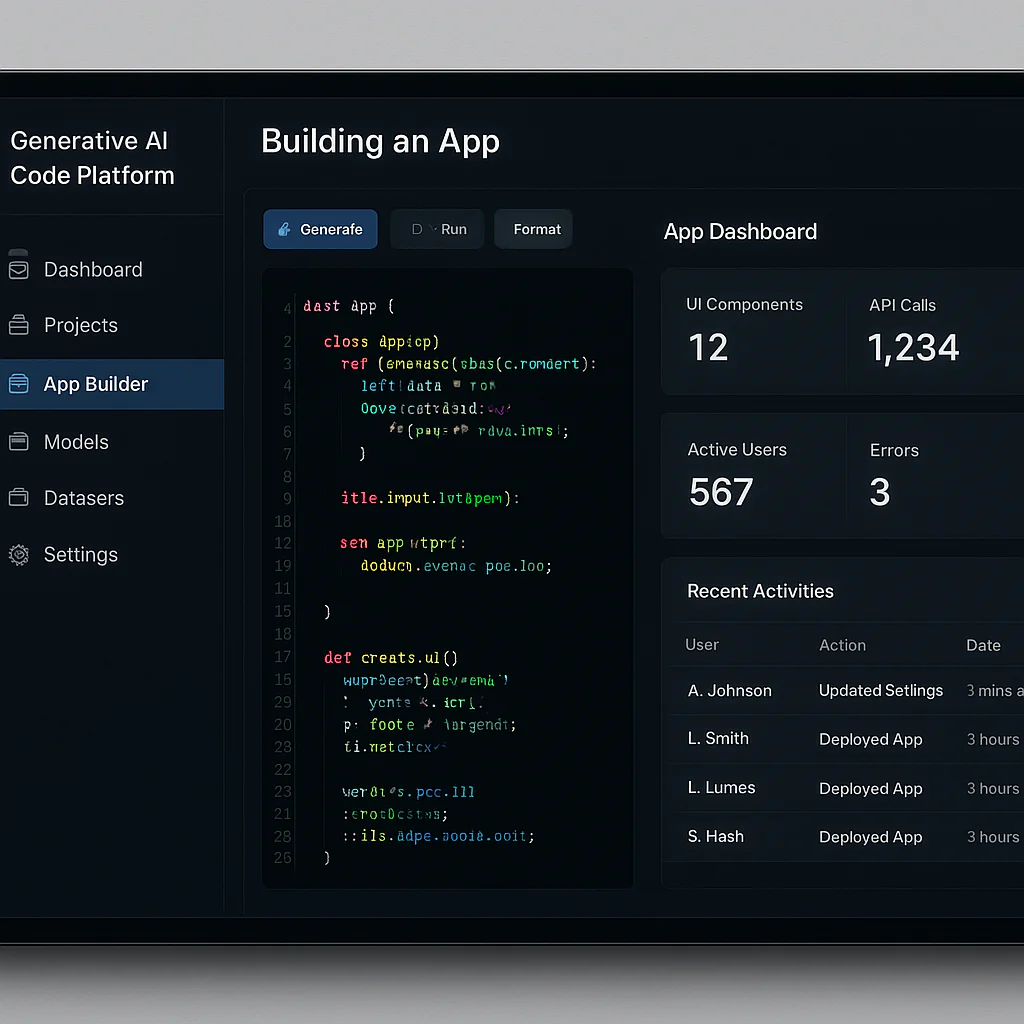
Stop waiting for the perfect code; the Generative AI code platforms of 2026 are here to write it for you, turning vague ideas into functional software in minutes rather than months. We’ve tested the top contenders, and the verdict is clear: tools like Cursor, Bolt.new, and GitHub Copilot don’t just assist developers; they fundamentally rewrite the rules of software creation.
Imagine sitting in a meeting, sketching a rough app idea on a napkin, and by the time you get back to your desk, a working prototype is already running in your browser. That isn’t science fiction; it’s the reality for teams leveraging these Generative AI code platforms today. The barrier to entry has crumbled, allowing “citizen developers” to build complex logic without typing a single line of syntax manually.
However, speed comes with a catch. While these tools can generate code at lightning speed, they can also confidently hallucinate security flaws or reference non-existent libraries. The secret to success isn’t just using the AI, but knowing how to audit its output.
Key Takeaways
- Speed vs. Safety: Generative AI code platforms can accelerate development by up to 50%, but human oversight remains critical to prevent security vulnerabilities and logic errors.
- Top Contenders: Cursor and Bolt.new lead the pack for rapid protyping, while GitHub Copilot and Amazon Q Developer remain the gold standards for professional enterprise workflows.
- The Hybrid Future: The most successful teams are adopting a hybrid model, where AI handles boilerplate and humans focus on architecture and complex business logic.
- Accessibility: These tools have democratized app creation, enabling non-coders to build functional MVPs, though a basic understanding of code structure is still required for effective prompting.
👉 Shop Top AI Code Tools:
- For Rapid Protyping: Bolt.new | Replit
- For Professional Devs: GitHub Copilot | Cursor
- For Enterprise Security: Amazon Q Developer | Mendix
Table of Contents
- ⚡️ Quick Tips and Facts
- 🕰️ From Drag-and-Drop to AI-Generated: The Evolution of Codeless Development
- 🤖 Top 10 Generative AI Code Platforms Dominating the Market in 2024
- 1. GitHub Copilot: The Pair Programmer That Never Sleeps
- 2. Amazon Q Developer: Enterprise-Grade Intelligence
- 3. Replit Ghostwriter: The Browser-Based Code Wizard
- 4. Tabnine: Privacy-First AI for Local and Cloud Workflows
- 5. Codeium: The Free Powerhouse for Rapid Protyping
- 6. Cursor: The Editor Built for AI-Native Development
- 7. Bolt.new: Instant Full-Stack App Generation
- 8. v0 by Vercel: Design-to-Code Magic for Frontend
- 9. Microsoft Power Fx with Copilot: Low-Code Mets Generative AI
- 10. Mendix with AI Assistant: Enterprise Low-Code Acceleration
- 🧠 How Generative AI Transforms Low-Code and No-Code Workflows
- 🛠️ Key Features to Demand in an AI-Powered Development Platform
- ⚖️ The Great Debate: Human Oversight vs. Full AI Autonomy
- 🚀 Real-World Use Cases: From MVPs to Mission-Critical Systems
- 🛡️ Security, Compliance, and the “Hallucination” Hazard
- 📊 Cost Analysis: Free Tiers vs. Enterprise Licensing Models
- 🔮 The Future of Software Creation: Where Do We Go From Here?
- ✅ Quick Tips and Facts for Getting Started
- 🏁 Conclusion
- 🔗 Recommended Links
- ❓ Frequently Asked Questions (FAQ)
- 📚 Reference Links
⚡️ Quick Tips and Facts
Before we dive into the deep end of the AI coding ocean, let’s grab a life vest. Here are some rapid-fire truths you need to know right now:
- It’s Not Magic, It’s Math: Generative AI doesn’t “think”; it predicts the next likely token based on petabytes of training data. If your prompt is vague, the code will be vague. Garbage in, garbage out, but with a fancy coat of paint.
- The “Citizen Developer” Boom: According to industry analysis, the shortage of professional developers is driving a massive shift toward Low-Code/No-Code (LCNC) tools enhanced by AI. We’re seeing non-coders build functional apps faster than ever, but the “black box” nature of AI code introduces new risks.
- Hallucinations are Real: AI can confidently write code that looks perfect but references libraries that don’t exist or contains security vulnerabilities. Always review the code.
- Speed vs. Security: You can build an MVP in an hour, but deploying it to production without a security audit is like driving a race car without brakes.
- The Hybrid Future: The most successful teams aren’t replacing humans; they are creating a hybrid model where AI handles the boilerplate, and humans handle the architecture and logic.
For a deeper dive into the specific tools we’re discussing, check out our guide on AI code generation apps.
🕰️ From Drag-and-Drop to AI-Generated: The Evolution of Codeless Development
Remember the days when “coding” meant staring at a blinking cursor in a black terminal window, drinking cold coffee, and praying you didn’t miss a semicolon? We do. The journey from those early days today’s Generative AI code platforms has been nothing short of a revolution.
The Drag-and-Drop Era (The “Low-Code” Dawn)
In the early 2010s, platforms like Mendix and OutSystems introduced the world to Low-Code. The promise was simple: “Drag a button here, drop a database field there, and boom, you have an app.” It was a game-changer for business analysts who wanted to build tools without waiting months for the IT department.
But there was a catch. These platforms were rigid. If you needed a feature that wasn’t in the pre-built library, you were stuck. You hit a wall.
The Prompt-to-Code Revolution
Enter Generative AI. Suddenly, you didn’t need to drag and drop. You just needed to talk.
“Create a login form with email validation and a ‘forgot password’ link.”
And just like that, the AI spits out the HTML, CSS, and JavaScript. This is the shift from visual programming to natural language programming. As noted in recent industry research, “GenAI platforms, powered by large language models (LLMs), can produce or refactor code with minimal input using natural language, further reducing the barriers to entry for software innovation.”
Where We Are Now: The Agentic Shift
But wait, is this the end of the story? Not quite. We are currently witnessing the transition from Generative AI (reactive) to Agentic AI (proactive).
- Generative AI: Waits for your prompt, then writes the code.
- Agentic AI: You give it a goal (“Build a todo app”), and it plans the steps, writes the code, tests it, fixes its own errors, and deploys it.
It’s the difference between asking a chef to chop an onion and handing a robot a recipe and a kitchen, then walking away for an hour to find a fully cooked meal.
🤖 Top 10 Generative AI Code Platforms Dominating the Market in 2024
We at App 9™ have tested dozens of these tools, breaking them, building them, and sometimes crying over them. Here is our definitive ranking of the top 10 Generative AI code platforms that are reshaping the landscape.
📊 Platform Comparison Matrix
| Platform | Best For | Code Quality | Learning Curve | Pricing Model |
|---|---|---|---|---|
| GitHub Copilot | Professional Devs | ⭐ | Low | Subscription |
| Amazon Q Developer | AWS Ecosystem | ⭐ | Medium | Free/Paid Tiers |
| Replit Ghostwriter | Beginners/Protyping | ⭐ | Very Low | Free/Paid |
| Tabnine | Privacy/Local Dev | ⭐ | Low | Free/Paid |
| Codeium | Speed & Cost | ⭐ | Low | Free/Paid |
| Cursor | AI-Native Editing | ⭐ | Medium | Free/Paid |
| Bolt.new | Full-Stack Web Apps | ⭐ | Very Low | Free/Paid |
| v0 by Vercel | Frontend/UI Design | ⭐ | Low | Free/Paid |
| Microsoft Power Fx | Enterprise Low-Code | ⭐ | Low | Included in M365 |
| Mendix AI | Enterprise Apps | ⭐ | Medium | Enterprise |
1. GitHub Copilot: The Pair Programmer That Never Sleeps
If you are a developer, you likely know GitHub Copilot. It’s the industry standard for a reason. Integrated directly into VS Code, it predicts your next line of code, entire functions, and even comments.
- Why we love it: It understands context from your open files. If you name a variable
userEmail, it knows you probably want to validate it next. - The Catch: It can sometimes suggest code that looks right but is logically flawed if your project context is too complex.
- Verdict: The best all-rounder for professional developers.
👉 Shop GitHub Copilot on: GitHub Official Site | Amazon Search
2. Amazon Q Developer: Enterprise-Grade Intelligence
Amazon didn’t just sit on the sidelines. Amazon Q Developer (formerly CodeWhisper) is a beast, especially if you live in the AWS ecosystem. It scans your code for security vulnerabilities and suggests fixes based on AWS best practices.
- Why we love it: It has a built-in security scanner that catches issues before you even commit code.
- The Catch: It feels a bit more “corporate” and less “creative” than Copilot.
- Verdict: The security-first choice for enterprise teams.
👉 Shop Amazon Q Developer on: AWS Official Site | Amazon Search
3. Replit Ghostwriter: The Browser-Based Code Wizard
Replit has always been about making coding accessible. With Ghostwriter, they added an AI layer that lets you build full-stack apps right in the browser. No setup, no environment variables to mess with.
- Why we love it: It’s perfect for citizen developers who want to build an MVP in an afternoon.
- The Catch: You are somewhat locked into the Replit ecosystem for deployment.
- Verdict: The best for beginners and rapid protyping.
👉 Shop Replit Ghostwriter on: Replit Official Site | Amazon Search
4. Tabnine: Privacy-First AI for Local and Cloud Workflows
Not everyone wants their code sent to the cloud. Tabnine offers a unique selling point: local execution. You can run the AI model on your own machine, ensuring your proprietary code never leaves your network.
- Why we love it: Total control over data privacy. Great for finance and healthcare sectors.
- The Catch: The free version is limited, and the local models can be heavy on your CPU.
- Verdict: The privacy champion for sensitive projects.
👉 Shop Tabnine on: Tabnine Official Site | Amazon Search
5. Codeium: The Free Powerhouse for Rapid Protyping
If you’re on a budget, Codeium is your best friend. It offers a remarkably robust free tier that rivals paid competitors. It supports over 70 languages and integrates with almost every IDE.
- Why we love it: It’s fast, free, and surprisingly smart.
- The Catch: The enterprise features are locked behind a paywall, and it can sometimes be a bit too aggressive with suggestions.
- Verdict: The best free option for indie hackers.
👉 Shop Codeium on: Codeium Official Site | Amazon Search
6. Cursor: The Editor Built for AI-Native Development
Cursor isn’t just a plugin; it’s a fork of VS Code built from the ground up for AI. It allows you to edit code by highlighting a block and typing a command like “refactor this to use async/await.”
- Why we love it: The “Chat with Codebase” feature lets you ask questions about your entire project, not just the current file.
- The Catch: It requires switching IDEs, which can be a friction point for some.
- Verdict: The most powerful AI-native editor available today.
👉 Shop Cursor on: Cursor Official Site | Amazon Search
7. Bolt.new: Instant Full-Stack App Generation
Bolt.new by StackBlitz is a marvel. You type a prompt, and it generates a full-stack React/Node.js app in the browser, complete with a running preview. It’s like vibe coding on steroids.
- Why we love it: It handles the backend and frontend setup automatically.
- The Catch: It’s still early days, and complex logic can sometimes break the generation loop.
- Verdict: The fastest way to go from idea to running app.
👉 Shop Bolt.new on: Bolt.new Official Site | Amazon Search
8. v0 by Vercel: Design-to-Code Magic for Frontend
If you are a frontend developer, v0 is a dream. You describe a UI component, and it generates the React code using Tailwind CSS and Shadcn UI. It’s incredibly fast and produces clean, modern code.
- Why we love it: It understands design systems better than most humans.
- The Catch: It’s strictly for frontend UI; you still need to wire up the logic.
- Verdict: The ultimate tool for UI generation.
👉 Shop v0 on: v0 by Vercel Official Site | Amazon Search
9. Microsoft Power Fx with Copilot: Low-Code Mets Generative AI
Microsoft has integrated Copilot into Power Apps. Now, you can describe a business process in plain English, and it builds the app, the data model, and the flows.
- Why we love it: Seamless integration with the Microsoft 365 ecosystem (Excel, SharePoint, Teams).
- The Catch: It’s best suited for internal business apps, not consumer-facing products.
- Verdict: The best for enterprise business apps.
👉 Shop Microsoft Power Fx on: Microsoft Power Apps | Amazon Search
10. Mendix with AI Assistant: Enterprise Low-Code Acceleration
Mendix has added an AI assistant to its visual modeling environment. It helps generate logic, suggests data models, and even writes unit tests.
- Why we love it: It bridges the gap between visual low-code and complex logic generation.
- The Catch: It’s a heavy, expensive enterprise platform.
- Verdict: The enterprise standard for scalable low-code.
👉 Shop Mendix on: Mendix Official Site | Amazon Search
🧠 How Generative AI Transforms Low-Code and No-Code Workflows
You might be wondering, “How does this actually change the way I build?” The transformation is profound.
From “How” to “What”
In traditional coding, you spend 80% of your time figuring out how to implement a feature (syntax, libraries, boilerplate). With Generative AI, you spend 80% of your time defining what you want. The AI handles the “how.”
The Feedback Loop Acceleration
Imagine building a form.
- Old Way: Write HTML, write CSS, write JS, test, find a bug, fix it, repeat.
- AI Way: “Make a form with a name field and a submit button.” -> Review -> “Make the button blue and add a loading spinner.” -> Done.
This iterative speed allows for rapid protyping that was previously impossible. You can fail fast, learn, and pivot in minutes, not days.
The Rise of the “Prompt Engineer”
We are seeing a new role emerge: the Prompt Engineer for code. It’s not just about knowing syntax; it’s about knowing how to describe a problem to an AI so it understands the context. As the IEEE article on citizen development notes, organizations must focus on training users in “critical-thinking skills” to validate AI outputs.
🛠️ Key Features to Demand in an AI-Powered Development Platform
Not all AI tools are created equal. When evaluating a platform, look for these non-negotiable features:
- Context Awareness: Can the AI see your whole project, or just the file you’re editing?
- Security Scanning: Does it automatically flag vulnerabilities like SQL injection or XSS?
- Refactoring Capabilities: Can it rewrite old code to modern standards without breaking it?
- Integration: Does it play nice with your existing IDE (VS Code, IntelliJ, etc.)?
- Customization: Can you train the AI on your own codebase for better results?
⚖️ The Great Debate: Human Oversight vs. Full AI Autonomy
Here is the million-dollar question: Can we trust AI to write code without us?
The short answer is no. Not yet.
The “Black Box” Problem
When an AI generates code, it’s a black box. You don’t know why it chose that specific algorithm. If it fails in production, debugging becomes a nightmare.
“Citizen developers who already struggle with verifying LCNC build solutions may find themselves even more challenged when validating machine-generated logic.”
The Hybrid Model: The Sweet Spot
The most successful approach is a hybrid model:
- AI generates the boilerplate and standard functions.
- Human reviews the logic, checks for security, and handles complex business rules.
- AI runs automated tests.
- Human approves the deployment.
This balances speed with reliability.
🚀 Real-World Use Cases: From MVPs to Mission-Critical Systems
Let’s look at how real companies are using these tools.
Case Study 1: The Startup MVP
A fintech startup needed a prototype to show investors. Using Bolt.new, they built a functional dashboard in 4 hours. Without AI, this would have taken two weeks. They secured funding and then hired a team to rebuild it with custom code.
Case Study 2: The Enterprise Internal Tool
A logistics company needed a tracking tool for their drivers. Instead of waiting 6 months for IT, a business analyst used Microsoft Power Fx to build the app in a week. The AI helped generate the data connections and UI.
Case Study 3: The Legacy Modernization
A bank needed to update its old Java code. They used GitHub Copilot to help developers refactor the codebase, translating old patterns to modern Java. This saved thousands of man-hours.
🛡️ Security, Compliance, and the “Hallucination” Hazard
We touched on this earlier, but it deserves a dedicated section because security is paramount.
The Hallucination Risk
AI can confidently generate code that references a library that doesn’t exist, or uses a function that was deprecated years ago. This is called a hallucination.
- Risk: Your app crashes, or worse, introduces a security hole.
- Mitigation: Always run automated tests and code reviews.
Intellectual Property (IP) Concerns
If an AI generates code that looks exactly like code from a copyrighted open-source project, who owns it?
- Risk: Legal liability for your company.
- Mitigation: Use platforms that filter out copyrighted code (like GitHub Copilot Enterprise or Amazon Q).
Data Privacy
Never paste sensitive customer data or API keys into a public AI chatbot.
- Risk: Data leakage.
- Mitigation: Use enterprise versions that guarantee data isolation, or run local models like Tabnine.
📊 Cost Analysis: Free Tiers vs. Enterprise Licensing Models
Money talks. Let’s break down the costs.
| Platform | Free Tier | Paid Tier | Best Value For |
|---|---|---|---|
| GitHub Copilot | No (30-day trial) | ~$10/mo | Individual Pros |
| Codeium | Yes (Generous) | ~$12/mo | Indie Hackers |
| Replit | Yes (Limited) | ~$20/mo | Students/Beginers |
| Cursor | Yes (Limited) | ~$20/mo | Power Users |
| v0 | Yes (Limited) | ~$20/mo | Frontend Devs |
| Amazon Q | Yes (Basic) | Enterprise | AWS Shops |
Pro Tip: Start with the free tiers of Codeium or Replit to test the waters. If you are a professional, the investment in GitHub Copilot or Cursor usually pays for itself in saved time within a month.
🔮 The Future of Software Creation: Where Do We Go From Here?
We are standing on the precipice of a new era. The future isn’t just about AI writing code; it’s about Agentic AI that can:
- Plan a project architecture.
- Write the code.
- Deploy it to the cloud.
- Monitor it for errors.
- Fix itself when it breaks.
As the “first YouTube video” perspective suggests, we are moving from reactive generation to proactive execution. The role of the human developer will shift from “coder” to “architect” and “auditor.”
But here is the question that keeps us up at night: Will this make us better developers, or will it make us lazy?
The answer lies in how we use these tools. If we use them to learn and accelerate, we win. If we use them to bypass understanding, we lose. The future belongs to those who can collaborate with AI, not those who let AI replace them.
✅ Quick Tips and Facts for Getting Started
Ready to jump in? Here are our final pro-tips before you start coding:
- Start Small: Don’t ask the AI to “build an entire social network.” Ask it to “build a user login component.”
- Iterate: Treat the AI like a junior developer. Give feedback. “That’s close, but make the button red.”
- Verify Everything: Never copy-paste code without reading it.
- Learn the Basics: You don’t need to be an expert, but you need to know enough to spot when the AI is lying to you.
- Check Our Internal Guides: For more on vibe coding and app builder comparisons, visit our vibe coding and app builder comparisons categories.
🏁 Conclusion

The rise of Generative AI code platforms is not a passing trend; it is a fundamental shift in how software is created. From GitHub Copilot helping pros write faster, to Bolt.new allowing non-coders to build full-stack apps, the barrier to entry has never been lower.
The Positives:
- ✅ Speed: Build prototypes in hours, not weeks.
- ✅ Accessibility: Anyone can become a “citizen developer.”
- ✅ Efficiency: Automate the boring stuff.
The Negatives:
- ❌ Security Risks: Hallucinations and IP issues are real.
- ❌ Dependency: Over-reliance can erode fundamental coding skills.
- ❌ Complexity: Debuging AI-generated code can be tricky.
Our Recommendation:
Embrace these tools, but do not surrender your critical thinking. The best developers of the future will be those who can effectively orchestrate AI agents while maintaining a deep understanding of the underlying logic. Start with a free tier like Codeium or Replit, experiment, and gradually integrate these tools into your workflow.
The future of coding is here, and it’s written in natural language. Are you ready to speak it?
🔗 Recommended Links
Ready to start building? Check out these top picks:
- For Professional Developers:
GitHub Copilot: GitHub Official Site | Amazon Search
Cursor Editor: Cursor Official Site | Amazon Search - For Beginners & Protyping:
Replit: Replit Official Site | Amazon Search
Bolt.new: Bolt.new Official Site | Amazon Search - For Enterprise & Security:
Amazon Q Developer: AWS Official Site | Amazon Search
Mendix: Mendix Official Site | Amazon Search - Books to Read:
- The AI-Powered Developer: A Guide to Generative AI
- Low-Code and No-Code for Dummies
❓ Frequently Asked Questions (FAQ)

What are the best generative AI code platforms for beginners?
If you are just starting out, Replit Ghostwriter and Bolt.new are your best bets. They offer a browser-based environment where you don’t need to install anything. Codeium is also excellent for beginners because of its generous free tier and ease of integration with VS Code.
Read more about “🚀 12 Best AI Pair Programming Tools to Master in 2026”
How do generative AI code platforms improve developer productivity?
They drastically reduce the time spent on boilerplate code, debugging syntax errors, and looking up documentation. By automating these tasks, developers can focus on architecture, business logic, and creative problem-solving. Studies suggest productivity gains of 30-50% for routine coding tasks.
Read more about “🚀 Vibe Coding: The Ultimate Guide to Building Apps with AI (2026)”
Are there free generative AI code platforms available for app development?
Yes! Codeium offers a robust free plan for individuals. Replit has a free tier that includes AI features (with limits). v0 by Vercel also offers a free tier for generating UI components. These are perfect for hobbyists and students.
Read more about “🚀 15 Best Beginner-Friendly AI App Builders for 2026 (Ranked)”
Can generative AI code platforms integrate with existing app development tools?
Absolutely. Most platforms like GitHub Copilot, Tabnine, and Cursor integrate directly into popular IDEs like VS Code, IntelliJ, and PyCharm. Enterprise platforms like Microsoft Power Fx integrate seamlessly with the Microsoft 365 ecosystem.
How do I ensure the security of AI-generated code?
Always treat AI-generated code as a draft.
- Review: Read the code carefully.
- Scan: Use static analysis tools (like SonarQube) to check for vulnerabilities.
- Test: Run unit and integration tests.
- Isolate: Use enterprise versions of AI tools that guarantee data privacy.
Read more about “🚀 How App9 Supports Vibe Coding Workflows: 7 Ways to Flow (2026)”
📚 Reference Links
- IEEE Xplore: Citizen Development, Low-Code/No-Code Platforms, and the … – A comprehensive look at the intersection of citizen development and AI.
- GitHub: GitHub Copilot Documentation
- Amazon: Amazon Q Developer Documentation
- Vercel: v0 Documentation
- Replit: Replit Ghostwriter Guide
- Microsoft: Power Apps with Copilot