
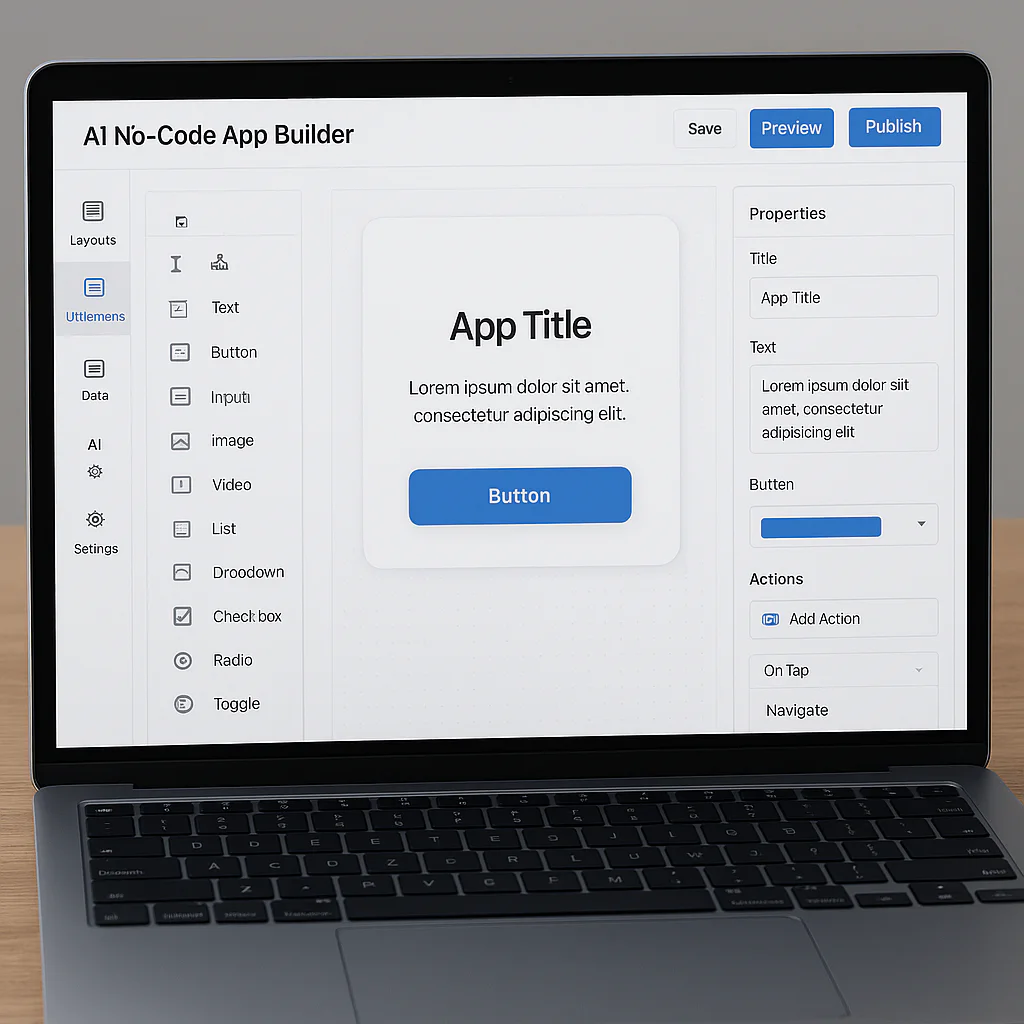
AI-powered no-code app builders can turn a clear idea into a working app faster, but the best choice depends on what you’re building, where your data lives, and how much control you need. For business tools, compare data-first platforms like Glide and AppSheet; for custom web apps, evaluate Bubble or prompt-led tools like Lovable and Bolt.
At App 9™, we’ve seen the same pattern across app projects: the first draft is often quick, while the useful work is defining permissions, connecting reliable data, and testing real workflows. A polished demo may take minutes; an app your team can trust takes good decisions.
Figma’s 2026 State of the Designer report says 72% of surveyed designers use generative AI in their workflows. That’s a strong sign AI-assisted creation is becoming common—but it doesn’t mean the AI gets every workflow right on the first try. Here are 15 platforms to compare, plus a practical guide to choosing and building with one.
Key Takeaways
- Choose for your app’s job, not the flashiest demo. Glide and AppSheet suit data-driven business tools; Bubble offers flexible web app building; FlutterFlow and Adalo focus on mobile app creation.
- Treat AI output as a first draft. Review generated screens, data models, workflows, permissions, and error handling before launch.
- Check security and portability early. Verify user access, data policies, backups, integrations, and whether you can export or migrate your app.
- Start small and test with real users. Build the core workflow first, run realistic edge-case tests, then expand based on feedback.
- Bring in expert help for high-risk apps. Sensitive data, complex integrations, strict compliance needs, or business-critical software deserve a technical and security review.
- Compare platforms and approaches in App 9™’s AI app builder guides, app builder comparisons, and no-code AI app development guide.
Table of Contents
- ⚡️ Quick Tips and Facts
- 🧭 What Are AI-Powered No-Code App Builders?
- How AI, no-code, and low-code app development differ
- How AI app generation works behind the scenes
- 📜 The Evolution of No-Code App Development
- ✨ What You Can Build with an AI No-Code App Builder
- Web apps, mobile apps, portals, and internal tools
- Business apps powered by spreadsheets and databases
- AI agents, workflows, and customer-facing experiences
- 🏆 15 Best AI-Powered No-Code App Builders
- 1. Bubble: AI-assisted visual web app development
- 2. Glide: Turn business data into polished apps
- 3. Softr: Build portals and business apps from data
- 4. Lovable: Generate full-stack apps from prompts
- 5. Bolt: Create and iterate on apps with AI
- 6. Replit: Build, test, and deploy apps with an AI agent
- 7. Adalo: Create no-code mobile apps with AI assistance
- 8. FlutterFlow: Visually build apps for iOS and Android
- 9. AppSheet: Automate workflows with Google-connected apps
- 10. Microsoft Power Apps: Build apps across the Microsoft ecosystem
- 11. Retool: Create AI-enabled internal tools
- 12. Webflow: Design AI-assisted websites and web experiences
- 13. Wix: Build websites and business apps with AI tools
- 14. Base44: Turn an idea into a working app or website
- 15. Make: Connect apps and automate AI-powered workflows
- 🔍 How to Choose the Right AI App Builder
- Match the platform to your app type and users
- Compare AI features, integrations, and customization
- Check scalability, security, and data ownership
- Understand hosting, export, and vendor lock-in
- 🧰 Essential Features to Look For
- Prompt-to-app generation and AI-assisted editing
- Visual design tools, templates, and responsive layouts
- Databases, spreadsheet connections, and user permissions
- APIs, integrations, and workflow automation
- Testing, analytics, and app deployment
- 🪜 How to Build an App with AI: A Step-by-Step Guide
- Define the problem, users, and must-have features
- Write a clear prompt and generate a first version
- Connect your data, tools, and business workflows
- Test with real users, refine, and launch
- 🏢 Practical Business Use Cases and Industry Examples
- Sales, CRM, and customer portals
- Inventory, field service, and job-site reporting
- Operations, production tracking, and back-office workflows
- Education, healthcare, nonprofits, and local businesses
- 🔌 Data, Integrations, and AI Workflows
- Connect spreadsheets, databases, and existing business tools
- Use AI models and agents inside your app
- Automate notifications, approvals, and repetitive tasks
- 🔐 Security, Privacy, Governance, and Compliance
- User roles, access controls, and data permissions
- Protect sensitive information and review AI data policies
- Plan for compliance, backups, and business continuity
- ⚖️ Benefits and Limitations of AI No-Code Platforms
- Where AI app builders save time and reduce complexity
- Common drawbacks, hidden constraints, and maintenance risks
- When to hire a developer or choose custom software
- 💡 Prompting Tips for Better AI-Generated Apps
- 💰 Pricing Models, Free Plans, and Total Cost of Ownership
- 🚀 App Launch, Growth, and Ongoing Maintenance
- 🔄 AI No-Code Builders vs. Traditional Development
- 🔮 The Future of AI-Powered No-Code Development
- ✅ Conclusion
- 🔗 Recommended Links
- ❓ FAQ
- What is the best AI-powered no-code app builder?
- Can AI build a complete app from a prompt?
- Can I build an app without coding experience?
- Are AI-generated apps secure and scalable?
- Can I build mobile apps with no-code AI tools?
- Can I connect an app builder to my existing data?
- Can I export my app or move it to another platform?
- How much does it cost to build an app with AI?
- 📚 Reference Links
Quick Tips and Facts
The best AI-powered no-code app builder is the one that fits your app, data, and launch plan—not the one that writes the flashiest demo. At App 9™, we build and evaluate apps across a range of use cases, and our practical guide to no-code AI app development starts with one deceptively simple question: what job must your app do reliably?
| Quick fact | What it means for you |
|---|---|
| AI can generate a starting point from a prompt | Expect a draft of screens, layouts, or workflows—not a finished, tested product. |
| “No-code” does not mean “no decisions” | You still need to define users, data, permissions, error handling, and what happens when something goes wrong. |
| Platforms serve different app types | Glide is oriented toward data-driven business apps; Bubble offers extensive visual logic for web apps; FlutterFlow focuses on cross-platform app building. |
| Security is a product requirement | Check authentication, access controls, data handling, backups, and compliance needs before connecting sensitive information. |
| A prototype and a production app are different things | Test performance, accessibility, integrations, and user permissions before a public launch. |
| AI-generated code or logic needs review | Verify calculations, workflows, and data access instead of assuming the AI got it right. |
Quick recommendations
- Need an internal tool backed by business data? Start by evaluating Glide, AppSheet, or Retool.
- Building a customizable web app or marketplace? Compare Bubble with prompt-led development tools such as Lovable and Bolt.
- Need iOS and Android app-building options? Look at FlutterFlow and Adalo, then verify publishing and backend requirements.
- Starting from a product design? Figma Make may help turn design work into an interactive starting point.
- Already committed to Microsoft or Google tools? Explore Microsoft Power Apps or Google AppSheet for ecosystem fit.
✅ Our rule of thumb: Use AI to get from blank page to testable draft faster. Use human review to decide whether that draft is dependable enough to run a business process.
What Are AI-Powered No-Code App Builders?
AI-powered no-code app builders combine visual development tools with generative AI. You describe what you want, and the platform may create a layout, data structure, workflow, or even an initial app. Then you adjust the result using prompts, drag-and-drop controls, visual logic, or—in some platforms—code.
Think of it as a very fast junior teammate: great at producing a first pass, useful for repetitive setup, and still in need of a thoughtful review before being trusted with your customers’ data.
How AI, no-code, and low-code app development differ
| Approach | How you build | Best fit | Main trade-off |
|---|---|---|---|
| No-code | Visual editors, forms, templates, and workflow builders | Business users, prototypes, internal tools | Customization and portability vary by platform |
| Low-code | Visual tools plus optional scripting or code | Teams needing more control without building everything from scratch | Technical knowledge is helpful |
| AI-assisted development | Prompts help generate or edit designs, logic, content, or code | Faster first drafts and iterative changes | Output can be incorrect, incomplete, or hard to maintain |
| Traditional development | Developers write and maintain the software | Complex, highly specialized, or infrastructure-intensive products | More engineering time and technical ownership |
The labels overlap. A product marketed as a “no-code AI app builder” may generate editable code, while a low-code platform may offer an AI assistant but still expect technical configuration.
The name matters less than the ownership model: Can your team understand, test, change, and export or migrate the app if requirements evolve?
How AI app generation works behind the scenes
A prompt such as “Build an inventory app for our warehouse” leaves many important questions unanswered: Who can edit stock? Are there multiple locations? What counts as a low-stock alert? Can staff scan barcodes? What happens when two people update the same item?
The platform typically translates your request into some combination of:
- Interface components: Screens, forms, menus, charts, and navigation.
- Data structures: Tables, fields, relationships, and sample records.
- Workflow logic: Actions such as submitting a form, sending an alert, or updating a record.
- AI-generated content or code: Depending on the product, this might be text, formulas, code, or an AI agent configuration.
- Hosting and deployment setup: Some services include hosting; others connect to external systems.
The generated result is a hypothesis, not a guarantee. Test it with realistic data and edge cases. For guidance on evaluating AI tools, see the NIST AI Risk Management Framework.
The Evolution of No-Code App Development
No-code tools began by making websites and forms easier to create. They expanded into databases, business process automation, customer portals, and mobile app development. Generative AI added a new interface: instead of assembling every component manually, users can describe what they want and refine what the platform creates.
That shift has attracted attention beyond software teams. In Figma’s 2026 State of the Designer report, the company reports that 72% of surveyed designers use generative AI in their workflows. The statistic reflects Figma’s survey of designers—not all app developers or businesses—so it is a useful signal of adoption, not a universal measure.
The development pattern has changed, but the core work has not disappeared:
- Before: Plan the app, build screens, connect data, test workflows.
- Now: Describe the app, review generated screens and logic, connect data, test workflows.
- Still required: Product decisions, privacy controls, quality assurance, and maintenance.
AI can reduce the time spent staring at an empty canvas. It cannot decide which business process deserves to be automated—or whether automating it is a good idea.
What You Can Build with an AI No-Code App Builder
These tools can support a wide range of projects, but not every platform is suitable for every job. A simple staff directory and a consumer banking app have very different needs. One is a tidy weekend project; the other comes with a suitcase full of security and regulatory obligations.
Web apps, mobile apps, portals, and internal tools
Common app types include:
- Internal tools: Staff dashboards, approval workflows, operations trackers, and admin consoles.
- Customer portals: Account dashboards, service requests, booking systems, and order tracking.
- Marketplaces: Listings, profiles, search, messaging, payments, and reviews.
- Mobile apps: Field-service forms, delivery tracking, event guides, and community apps.
- Web experiences: Landing pages, onboarding flows, interactive calculators, and prototypes.
A platform’s use of the word “mobile” can mean different things: a responsive website, a progressive web app, a native iOS or Android app, or a web app wrapped for distribution. Check the publishing options and supported features before you build around a specific assumption.
Business apps powered by spreadsheets and databases
Many business applications start as spreadsheets because a spreadsheet is easy to adopt—and eventually becomes difficult to govern. Platforms like Glide and AppSheet can turn structured data into forms, dashboards, and workflow tools.
Typical projects include:
- Inventory and equipment tracking
- Customer relationship management (CRM)
- Staff directories and onboarding
- Job-site reporting and field inspections
- Sales dashboards and order tracking
- Maintenance requests and approvals
Glide describes its platform as a way to build apps and AI agents from business data, including spreadsheets. That data-first approach can be practical when your source of truth already exists. It also means the quality of your app depends heavily on the quality and structure of that data.
AI agents, workflows, and customer-facing experiences
Some platforms go beyond generating screens. They let you build AI features that answer questions, summarize records, or take actions through connected workflows.
Examples include:
- A support assistant that drafts answers from approved help content
- An operations agent that summarizes open service requests
- A workflow that categorizes incoming submissions and routes them for review
- A business-data assistant that answers questions about permitted records
Keep humans in control of consequential decisions. AI can help classify, summarize, or recommend; a person should review actions that affect money, safety, access, or legal rights. See the NIST guidance on generative AI risk.
15 Best AI-Powered No-Code App Builders
There is no single winner for every project. The platforms below are a practical shortlist based on their stated capabilities and common use cases; features, availability, and terms change, so confirm current details with each vendor.
| Platform | Strongest fit | AI and no-code angle | Check before committing |
|---|---|---|---|
| Bubble | Custom web apps | Visual app building with AI-assisted features | Complexity, performance, and platform dependency |
| Glide | Data-driven business apps | Generate apps from structured business data | Data-source fit and permission design |
| Softr | Portals and business tools | Build app experiences using data sources and visual blocks | Custom workflow limits for your use case |
| Lovable | Prompt-led web app prototypes and products | Generate and iterate on app code with prompts | Code quality, integrations, and deployment fit |
| Bolt | Prompt-driven app experiments | Build and refine apps in an AI-assisted development environment | Testing, infrastructure, and code ownership |
| Replit | AI-assisted coding and deployment | Agent-led building within a developer workspace | Technical review and production controls |
| Adalo | Mobile-first apps | Visual design and app-building workflows | Native features and publishing requirements |
| FlutterFlow | Cross-platform mobile apps | Visual Flutter development with optional code control | Backend setup and developer handoff |
| AppSheet | Operational apps and workflows | Build apps from data within Google’s ecosystem | Data and licensing fit |
| Microsoft Power Apps | Enterprise and Microsoft-based workflows | Low-code apps with AI and Microsoft integrations | Governance, licensing, and environment setup |
| Retool | Internal tools | Build data-connected tools with AI features | Developer involvement and deployment model |
| Webflow | Websites and interactive web experiences | Visual website development with AI capabilities | App logic may require other services |
| Wix | Websites and small-business experiences | AI-assisted site creation and business features | Scope beyond websites and built-in business tools |
| Base44 | Prompt-led apps and websites | AI-generated app setup with built-in services, according to Base44 | Validate generated workflows, security, and portability |
| Make | Integrations and workflow automation | Visual automation with AI-connected workflows | It automates processes; it is not a full app builder by itself |
For more platform analysis, browse App 9™’s AI app builder guides, app builder comparisons, and comparison articles.
1. Bubble: AI-assisted visual web app development
Bubble is known for visual web app development with pages, data, workflows, and reusable components. It is worth evaluating when your product needs more custom behavior than a simple form-and-dashboard app.
Advantages
- Flexible visual workflows and data models
- A large ecosystem of templates, plugins, and community resources
- Suitable for prototypes and more involved web apps
Trade-offs
- Complex apps require careful data and workflow design
- A powerful visual editor can take time to learn
- Plan for platform-specific hosting and maintenance choices
The video linked as featured-video presents Bubble as a full-stack no-code option and highlights its drag-and-drop interface and marketplace. Treat that as an overview, then confirm the current feature set directly with Bubble.
2. Glide: Turn business data into polished apps
Glide is oriented toward business apps built around data. Its materials describe using spreadsheets and databases as app foundations, with AI tools such as SheetSense and agents supporting data exploration and app generation.
Glide says it is trusted by teams at 100,000+ businesses. That is a vendor-reported adoption claim, not an independent assessment of each deployment. Its product materials also emphasize company controls, data permissions, and integrations. Review the current Glide security information and test permissions with real user roles before launch.
Good fit: Internal operations, inventory, field teams, and dashboards grounded in structured data.
Watch for: Spreadsheet cleanup, role design, data-source limitations, and whether a particular workflow needs more customization than the platform provides.
The video’s tagline, “Your tools should fit your business. Not vice versa,” neatly captures Glide’s data-first appeal. The practical question is whether your data is ready to become an app—or still needs a few rounds of spreadsheet spring cleaning.
3. Softr: Build portals and business apps from data
Softr is designed for building portals and business applications with visual building blocks and connected data sources. It can suit teams that want to publish customer, partner, or employee experiences without assembling every page from scratch.
Potential strengths
- A visual way to create portals and dashboards
- Data-connected layouts and user-facing interfaces
- Templates that can shorten the initial setup
Evaluate carefully
- Whether your data source and permissions match your needs
- How far you can customize workflows and layouts
- What happens as your app’s user roles and data volume grow
A slick portal is only helpful when users can see exactly the records they should—and not one row more.
4. Lovable: Generate full-stack apps from prompts
Lovable uses natural-language prompts to help generate and refine web apps. It appeals to founders and teams who want to move quickly from an idea to an interactive product draft.
Useful for: Exploring product concepts, creating early web app versions, and iterating on screens and behavior.
Before production: Review the generated code, authentication, database rules, error handling, and deployment configuration. “It works on my demo” is not a security review.
Prompt-led tools fit into the wider vibe coding conversation: AI helps translate intent into software, while the builder remains responsible for verifying the result.
5. Bolt: Create and iterate on apps with AI
Bolt is an AI-assisted environment for generating and iterating on app projects. It can be useful for getting a prototype into a testable state quickly, particularly if you’re comfortable reviewing what the AI creates.
Upsides
- Natural-language iteration can speed up early experiments
- Useful for exploring UI and app concepts
- Can help bridge the gap between an idea and a working draft
Limitations to assess
- Generated code still needs testing and maintenance
- Integrations and hosting choices need review
- A prompt-based workflow does not remove the need for technical ownership
If your goal is to validate a product idea, speed is helpful. If your goal is to manage sensitive customer information, reviewability matters more.
6. Replit: Build, test, and deploy apps with an AI agent
Replit combines a development workspace with AI-assisted building. It can be attractive to makers who want an AI agent to help write, run, and iterate on an app while keeping access to a coding environment.
Consider it when: You want AI help but also need a route to inspect or edit code.
Plan for: Testing, deployment settings, secrets management, dependencies, and ongoing maintenance. Replit’s appeal is not that software suddenly needs no technical care; it’s that more of the work can happen in one workspace.
7. Adalo: Create no-code mobile apps with AI assistance
Adalo focuses on visual app building, especially for mobile-first projects. The featured video describes an all-in-one process for designing, building, publishing, and growing business apps, and notes integrations such as Stripe, Zapier, and Xano.
Potential fit: Simple customer apps, directories, booking experiences, and early mobile product ideas.
Before choosing: Confirm the app’s required native capabilities, supported integrations, store submission steps, and data architecture. “Build a mobile app” can mean very different things under the hood.
8. FlutterFlow: Visually build apps for iOS and Android
FlutterFlow uses a visual builder for Flutter-based apps and supports workflows that can appeal to teams planning for mobile and web. The featured video highlights its drag-and-drop approach, API integrations, and code customization.
Strengths
- Visual building with more developer-oriented flexibility
- Cross-platform ambitions for mobile and web
- A path for technical customization and handoff
Trade-offs
- More control can mean more setup and learning
- You may need to configure backend services separately
- Build, test, and release workflows still require care
This is a strong candidate when mobile distribution is central. Validate device behavior, accessibility, offline expectations, and app-store requirements early.
9. AppSheet: Automate workflows with Google-connected apps
Google AppSheet is a no-code app platform with a natural fit for organizations already using Google Workspace and compatible data sources.
Good for: Forms, field data collection, simple operational tools, and workflow automation.
Check: Data-source constraints, user access, organization-level governance, and how the app behaves for users outside your organization.
AppSheet may be a practical first stop for teams already working in Google Sheets. But a spreadsheet-backed app still needs deliberate data structure and permission design.
10. Microsoft Power Apps: Build apps across the Microsoft ecosystem
Microsoft Power Apps suits organizations building within Microsoft’s ecosystem, especially when apps must connect to Microsoft 365, Dataverse, or other business systems.
Potential advantages
- Broad Microsoft integration options
- Low-code tools for business workflows
- Governance and administration features for organizations
Potential challenges
- Setup and licensing can be complex; check current Power Platform plans
- Environment and data governance require attention
- The best experience may depend on existing Microsoft expertise
For an enterprise team, governance is not a boring extra. It is the difference between a useful app and an exciting new place to lose track of company data.
11. Retool: Create AI-enabled internal tools
Retool focuses on internal software, such as operations dashboards and admin panels connected to business systems. It is often most compelling when the app is for employees rather than the public.
Strengths
- Designed around internal tools and data connections
- Useful for teams that need operational interfaces
- Can complement existing databases and APIs
Trade-offs
- Technical help may be necessary for advanced use cases
- Assess deployment and governance needs
- Not the first choice for every consumer-facing mobile product
12. Webflow: Design AI-assisted websites and web experiences
Webflow is primarily a visual website platform. It is relevant to app builders when the project involves marketing pages, interactive content, and web experiences that connect to other application services.
Best use: Marketing sites, landing pages, content-driven experiences, and front-end work.
Not automatically a full app backend: Confirm how authentication, databases, payments, and user workflows will be handled. A beautiful front door still needs a building behind it.
13. Wix: Build websites and business apps with AI tools
Wix offers website-building tools alongside AI-assisted features and business capabilities. It can work well for small businesses that need a web presence with booking, commerce, or customer-management functions.
Consider it for: Small-business websites, booking experiences, and relatively straightforward online services.
Check before expanding: Whether its application and data capabilities cover your requirements or whether you will need additional services.
14. Base44: Turn an idea into a working app or website
Base44 describes itself as a prompt-led platform for creating apps, websites, and AI agents, with built-in services such as authentication, payments, backend functionality, and hosting. These are Base44’s product claims; review the current documentation and test the features that matter to your project.
The platform also promotes visual collaboration, design updates, and app-wide styling. One published user quote says, “It took about a week to come up with a product that works end-to-end.” That is an individual experience, not a promise that every app will ship in a week. Reported business outcomes deserve the same caution: without clear methodology, they should not be treated as a forecast for your project.
Promising fit: Rapidly exploring a new app or website concept.
Check: Data permissions, authentication behavior, payment flows, export and portability, and how much of the generated experience you can inspect and control.
15. Make: Connect apps and automate AI-powered workflows
Make is primarily an integration and automation platform, not a complete app builder. It belongs on this list because app projects often need a way to connect services and automate tasks.
Examples include sending an approval request, updating a CRM record, or routing a form submission. Verify how errors, retries, and access credentials are handled before automating critical business processes.
How to Choose the Right AI App Builder
The right choice depends on your requirements, not a platform’s homepage demo. Use the following framework to narrow the shortlist before spending time migrating data or designing screens.
Match the platform to your app type and users
Start with these questions:
- Who will use the app? Employees, customers, partners, or the general public?
- What devices matter? Desktop browsers, mobile browsers, iOS, Android, or all four?
- What is the core job? Tracking records, managing bookings, approving requests, or selling products?
- What happens when it fails? Is a missed notification inconvenient, or does it stop field operations?
- Who will maintain it? A business owner, an operations team, an internal developer, or an agency?
| Need | Platforms to evaluate first |
|---|---|
| Spreadsheet-based business app | Glide, AppSheet |
| Internal admin dashboard | Retool, Power Apps |
| Highly customized web product | Bubble, Lovable, Bolt |
| Visual mobile app building | FlutterFlow, Adalo |
| Customer or member portal | Softr, Bubble |
| Website plus small-business services | Wix, Webflow |
| Workflow automation between tools | Make, Power Automate |
This is a starting map, not an endorsement ranking. Explore App 9™’s app builder comparisons to compare platforms against a specific feature set.
Compare AI features, integrations, and customization
Ask vendors and test the product directly:
- Can the AI generate or edit data models, workflows, and screens—or only write copy?
- Can you inspect, undo, or manually revise AI-generated changes?
- Does it connect to your required data sources and APIs?
- Can you use your existing design system?
- Can you add custom code when the visual tools reach their limits?
- Are there usage limits or credits for AI actions?
Figma Make describes generating screens, interactions, and code, and supports workflows involving a Figma design system. Figma also advises that iterations can take multiple rounds, and prompting small edits can consume AI credits when direct visual edits would be quicker. That’s a useful reminder: AI is one way to make a change, not always the fastest one.
Check scalability, security, and data ownership
Ask how the platform handles:
- User authentication and multi-factor authentication
- Role-based permissions and record-level access
- Data encryption in transit and at rest
- Backups and recovery
- Audit logs and administrator controls
- API secrets and other credentials
- Data retention and deletion
- Export and migration
Glide says its enterprise tools include controls such as single sign-on, role-based permissions, model management, and audit logging. Those features can be valuable, but verify availability for the plan you’re evaluating and confirm that they address your actual security requirements.
For a broader security checklist, use the OWASP Application Security Verification Standard and the NIST Cybersecurity Framework. These are not app-builder scorecards; they help frame what a responsible review should cover.
Understand hosting, export, and vendor lock-in
A platform can make launch easy while making future migration difficult. Before building a business-critical app, find out:
- Can you export your data in a usable format?
- Can you export or inspect the application code?
- Are custom domains supported?
- Can you host the app outside the platform?
- How are backups stored and restored?
- What happens if your account or subscription changes?
- Can another developer maintain the app?
Portability is not an abstract developer concern. If the app becomes important, your exit plan becomes part of its architecture.
Essential Features to Look For
Prompt-to-app generation and AI-assisted editing
Look for AI tools that make useful, reviewable changes rather than generating a polished but opaque result. Strong workflows let you:
- Start with a natural-language description
- Review generated screens and logic before applying changes
- Refine a section without rebuilding the entire app
- Undo changes and compare versions
- Ask the AI to explain formulas or workflows
- Switch to manual editing when that is faster or safer
Figma describes a workflow where teams can iterate with prompts, visual controls, or code. Its materials also emphasize that a first clickable version can be produced quickly, while getting the result right takes iterative review. That is the right expectation: fast first draft, careful follow-through.
Visual design tools, templates, and responsive layouts
A practical builder should let you customize colors, fonts, navigation, and layout without making every change a prompt. Check whether templates are:
- Relevant to your use case
- Mobile-responsive
- Accessible to keyboard and screen-reader users
- Easy to customize
- Kept up to date
Templates save setup time, not product thinking. Replace sample content, verify every form, and make sure the interface reflects your actual process.
Databases, spreadsheet connections, and user permissions
A data-backed app needs a coherent data model. Check for:
- Clear records, fields, and relationships
- Validation rules for required or incorrect inputs
- User roles and record-level access
- Sync behavior and conflict handling
- Data import and export
- Audit trails for important changes
Before connecting a spreadsheet, clean up duplicate records, inconsistent labels, and ambiguous columns. A builder can turn a spreadsheet into an app; it cannot magically make messy data trustworthy.
APIs, integrations, and workflow automation
Integrations help your app fit into the systems you already use. Identify required connections tools such as Google Sheets, Microsoft 365, Salesforce, Stripe, Slack, or a company database. Then test:
- Authentication and credential storage
- Rate limits and connection failures
- Data synchronization frequency
- Error alerts and retry behavior
- What happens when an external service changes
For automation, Make and Zapier can connect a wide range of services. Avoid building critical workflows that fail silently: create an alert, an error log, or a manual recovery path.
Testing, analytics, and app deployment
Before launch, confirm that the platform supports:
- Preview and staging environments
- Testing across browsers and devices
- User feedback and issue reporting
- Performance or error monitoring
- Version history and rollback
- A clear publishing and update process
Do not test only the happy path. Try blank inputs, duplicate submissions, expired sessions, bad connections, and users with different permission levels. The first bug is often not a dramatic crash; it is a quiet record someone should never have seen.
How to Build an App with AI: A Step-by-Step Guide
Define the problem, users, and must-have features
Write a one-paragraph brief before opening the builder:
“This app helps [specific users] complete [specific task]. It needs to connect to [data or systems]. The first version must support [three essential actions]. It must not [important restriction].”
Then identify:
- Users and roles: Who can view, create, edit, approve, or delete?
- Core workflow: What happens from the first action to completion?
- Data fields: What information is essential, and what should never be collected?
- Success measure: Fewer errors? Faster processing? Better field visibility?
- Constraints: Privacy, budget, integrations, mobile use, or accessibility?
Keep the first version narrow. The goal is not to build every imaginable feature; it is to test whether the core job gets easier.
Write a clear prompt and generate a first version
Weak prompt: “Make me an operations app.”
Better prompt:
“Create a mobile-friendly field inspection app for 12 maintenance technicians. Each technician can create an inspection with site name, date, issue category, notes, and up to three photos. Supervisors can view all records and mark issues as resolved. Technicians can view and edit only their own open records. Include a dashboard showing open issues by category. Do not include payment features.”
A strong prompt specifies users, tasks, data, permissions, and boundaries. Use plain language, but be precise. If the generated result is wrong, revise the requirements instead of stacking vague follow-up prompts.
Connect your data, tools, and business workflows
Connect one data source at a time. Test with sample records first, then verify:
- New records appear where expected.
- Updates sync correctly.
- Users see only the records they are permitted to access.
- Integrations recover from failures.
- API credentials are stored securely.
- Alerts go to the right person.
For business data, ask the owner before connecting a live source. A prototype should not quietly become a production app because someone clicked the wrong spreadsheet.
Test with real users, refine, and launch
Test a realistic workflow with a small group:
- Ask users to complete a task without coaching.
- Observe where they hesitate or make mistakes.
- Test with mobile devices and different screen sizes.
- Check accessibility and clear error messages.
- Review data access using each role.
- Document a rollback or recovery plan.
Then launch gradually. Start with a pilot group, gather feedback, fix the highest-impact problems, and expand only when the core flow is dependable. A fast launch is valuable; a controlled launch is better.
Practical Business Use Cases and Industry Examples
Sales, CRM, and customer portals
AI-assisted builders can help create lead-tracking tools, account portals, sales dashboards, or follow-up workflows. A simple CRM prototype may be a good fit for a small team; a larger organization may need a mature CRM with established data governance and integrations.
Decide which system is the source of truth before you build. Two disconnected customer databases are not “digital transformation.” They are two places to update the same phone number.
Inventory, field service, and job-site reporting
Field teams often need mobile forms, equipment records, inspection checklists, photos, and status updates. Glide, AppSheet, FlutterFlow, and Power Apps are among the platforms teams may evaluate for these use cases.
Test the app where it will actually be used:
- Can staff read the screen outdoors?
- Does the workflow work with a weak connection?
- Can users attach photos or scan codes?
- Are emergency or high-priority issues easy to flag?
- Does the back office see updates quickly?
The featured video’s Glide segment highlights spreadsheet-based inventory tracking and KPI visualization. Those capabilities can help, but reliable results depend on good inventory records and clear update rules.
Operations, production tracking, and back-office workflows
Common projects include approvals, shift handoffs, equipment maintenance, production status, purchase requests, and recurring checklists. AI can help summarize submissions or route a request, while a person remains responsible for decisions that need context.
Start by mapping the real process. If an app simply recreates a confusing paper form, you’ve digitized the confusion. Fix the workflow first.
Education, healthcare, nonprofits, and local businesses
These sectors can benefit from lightweight portals and workflows, but sensitive data raises the stakes.
- Education: Check student-data rules and school IT requirements.
- Healthcare: Confirm applicable privacy obligations and avoid moving patient data into an unapproved platform.
- Nonprofits: Review access controls for donor and beneficiary information.
- Local businesses: Make booking, service requests, inventory, or customer communication simpler.
For U.S. healthcare contexts, consult the HS HIPAA Security Rule resources. A platform’s general security claim does not, by itself, establish that your implementation complies with applicable law.
Data, Integrations, and AI Workflows
Connect spreadsheets, databases, and existing business tools
Before connecting systems, document what data is stored, who owns it, and which system is authoritative. Then test a small sample. With spreadsheets, check formulas, duplicate rows, date formats, and column names.
Glide says its SheetSense feature can interpret spreadsheets and help build apps from them. That kind of assistance can reduce setup friction, but validate formulas and data relationships yourself—especially if a calculated field affects decisions.
Use AI models and agents inside your app
AI assistants can answer questions, summarize notes, or classify submissions. Keep the scope specific:
- Define what the assistant is allowed to answer.
- Use approved and current source material.
- Require citations or source references when appropriate.
- Make it clear when a user is interacting with AI.
- Provide a safe fallback when the model is uncertain.
- Limit access to data based on the user’s permissions.
Glide describes AI agents that can work with business data under organizational controls. Review the exact access model and current vendor documentation before using sensitive records. “The assistant can see the data” should never be treated as the same thing as “every user is allowed to see the data.”
Automate notifications, approvals, and repetitive tasks
A good automation has an owner, a clear trigger, a predictable action, and a way to recover when something fails.
Example: When a field technician submits a high-priority inspection, notify the supervisor, create a follow-up task, and record the status. Then test duplicate submissions, missing fields, and failed notifications.
For high-impact decisions, use a human approval step. AI can prepare a recommendation; your team should decide whether that recommendation is correct.
Security, Privacy, Governance, and Compliance
User roles, access controls, and data permissions
Build access rules into the data model, not just the interface. Hiding a button does not always prevent someone from accessing the underlying record.
Test each role with a separate account:
- Can employees see only the records they need?
- Can managers see team-level data?
- Can administrators change permissions?
- Are deleted records retained or recoverable?
- Are user actions logged?
Glide’s published enterprise materials describe controls such as SO, row-level roles, approved-model settings, and audit logs. Check current availability and configuration with Glide’s security page. Similarly, review each vendor’s security documentation rather than relying on marketing language.
Protect sensitive information and review AI data policies
Before sending information to an AI service, understand:
- What data is processed?
- Is it retained, and for how long?
- Is it used to train models?
- Which model providers are involved?
- Can administrators choose or restrict models?
- Can users opt out of AI features?
Glide states, “Your data never trains them,” in its product positioning. Treat that as a vendor statement and verify the current contractual terms and model-provider policies for your plan.
Plan for compliance, backups, and business continuity
Compliance depends on your industry, jurisdiction, data, and implementation—not just which platform you choose. Define a backup schedule, recovery expectations, and an owner for security reviews.
Useful starting points include:
- NIST AI Risk Management Framework
- NIST Cybersecurity Framework
- OWASP Application Security Verification Standard
- FTC business guidance on data security
These resources help you ask better questions; they do not replace legal or security advice for regulated deployments.
Benefits and Limitations of AI No-Code Platforms
Where AI app builders save time and reduce complexity
AI-powered tools can help teams:
- Create an initial screen or workflow quickly
- Explore multiple design directions
- Turn a plain-language brief into a prototype
- Reduce repetitive setup and configuration
- Make business users more involved in product decisions
- Test an idea before investing in a custom build
Figma says its AI builder can move a concept toward clickable screens quickly, while emphasizing that teams still iterate. That matches what we see: the first draft is often the fast part; refining it to fit real workflows takes the care.
Common drawbacks, hidden constraints, and maintenance risks
❌ Generated output may be wrong. AI can invent fields, misunderstand permissions, or produce logic that fails in edge cases.
❌ Platform limits can surface late. A prototype may not demonstrate the performance, scale, or customization your production app needs.
❌ AI usage can have limits. Credit-based features and usage caps vary. Check current plan details before building your process around them.
❌ Maintenance remains your responsibility. Integrations, data formats, user needs, and vendor features change.
❌ Lock-in is possible. Some platforms make it easy to build while limiting portability. Review export and migration options early.
When to hire a developer or choose custom software
Get experienced development or security help when:
- The app processes sensitive, regulated, or high-risk data.
- You need complex integrations or advanced performance.
- A mistake could affect safety, money, legal rights, or access to essential services.
- You need full code ownership or infrastructure control.
- The app must support complex concurrency, offline behavior, or specialized device features.
- Your business depends on long-term portability and maintainability.
No-code and custom development are not enemies. A no-code platform can validate a workflow; a developer can later strengthen, extend, or replace it when the requirements justify that investment.
Prompting Tips for Better AI-Generated Apps
Use this simple structure:
- Purpose: What problem does the app solve?
- Users: Who uses it, and what can each role do?
- Data: What fields and relationships are required?
- Workflow: What happens after each user action?
- Design: What should the interface prioritize?
- Boundaries: What should the app never do?
- Acceptance test: How will you know the result works?
Example prompt
Build a responsive service-request app for a property maintenance team. Tenants can submit a request with building, unit, issue category, description, and optional photo. Tenants can view only their own requests. Staff can see all requests, assign an owner, and update the status. Send a notification when a request is submitted. Include a dashboard showing open requests by building. Validate required fields and show a clear error message if submission fails. Do not include payments.
Prompting habits that help
- Use specific roles and permissions, not “admin stuff.”
- Ask for one workflow at a time when revisions get complicated.
- Provide example data and expected outcomes.
- Ask the AI to explain how it implemented an important calculation.
- Review small visual changes manually if that is quicker.
- Keep a written list of requirements and test cases.
- Never paste secrets, passwords, or sensitive data into prompts.
Pricing Models, Free Plans, and Total Cost of Ownership
We’re not listing specific prices because plans and platform limits change. Instead, compare the costs that can affect the project over time.
| Cost area | Questions to ask |
|---|---|
| User access | Does the plan charge by users, editors, or app viewers? |
| AI usage | Are AI generations limited by credits, requests, or usage caps? |
| Data and storage | Are records, file uploads, or database capacity limited? |
| Integrations | Do required connectors need a higher plan or separate service? |
| Publishing | Are custom domains, app-store publishing, or hosting included? |
| Administration | Are SO, audit logs, and governance controls available? |
| Maintenance | Who will handle updates, troubleshooting, and user support? |
| Migration | Can you export data and code if you move platforms? |
Review each vendor’s current plans before deciding. App 9™ also collects platform and project advice in its costs section.
A free tier can be useful for experimenting, but do not assume that a free prototype can become a production system without changes. Check the limits that matter to your users and data.
App Launch, Growth, and Ongoing Maintenance
A responsible launch is a routine, not a dramatic button click. Before release:
- Assign an app owner and backup administrator.
- Verify roles, permissions, and authentication.
- Run accessibility and mobile checks.
- Test backups and recovery.
- Document integrations and error handling.
- Tell users where to report issues.
- Review data retention and deletion practices.
- Create a rollback plan.
After launch, monitor actual usage. Are users completing the task? Are records accurate? Are there recurring errors? Remove unused features, improve confusing screens, and review permissions when roles change.
Base44 promotes built-in app capabilities and growth tools, while Figma describes a workflow that can connect a prototype to real data and development processes. These platforms represent different approaches: one emphasizes prompt-led creation with bundled services; the other highlights product design collaboration and a path from prototype toward development. Choose based on how your team will operate the app after the demo.
AI No-Code Builders vs. Traditional Development
| Factor | AI no-code builder | Traditional development |
|---|---|---|
| Early prototype | Often faster to assemble | Requires development setup |
| Technical control | Depends on platform and export options | Greater control over architecture |
| Custom functionality | Strong for common workflows; varies for edge cases | Can support highly specialized needs |
| Maintenance | Shared between your team and vendor capabilities | Your team or vendor maintains the system |
| Portability | May be limited by platform | Usually greater control, if designed well |
| Best fit | Internal apps, prototypes, standard workflows | Complex, sensitive, or highly differentiated products |
There is also a middle path: build the first version visually, then bring in developers to review data architecture, security, and scalability. The goal is not to choose a tribe. It is to choose a development approach that suits the app’s risk and importance.
The Future of AI-Powered No-Code Development
Expect builders to get better at generating complete workflows, working with design systems, and connecting apps to real data. Figma’s 2026 report says 83% of surveyed product builders are working on AI-powered projects, up from 65% in 2025. That figure reflects Figma’s survey population and should be read as an industry signal, not a census of all product teams.
The next big test is not whether AI can make a screen. It can. The harder questions are whether teams can govern the generated logic, verify the data boundaries, and maintain the result.
Forester’s and Gartner’s forecasts often attract headlines about low-code growth, but the practical lesson is simpler: more people can participate in software creation, which makes review, governance, and clear product ownership more valuable—not less.
The question we teased at the start—can AI really build the app for you? It can build a promising first version. Your team still supplies the requirements, validates the workflow, protects the data, and decides whether the result is ready for real users.