
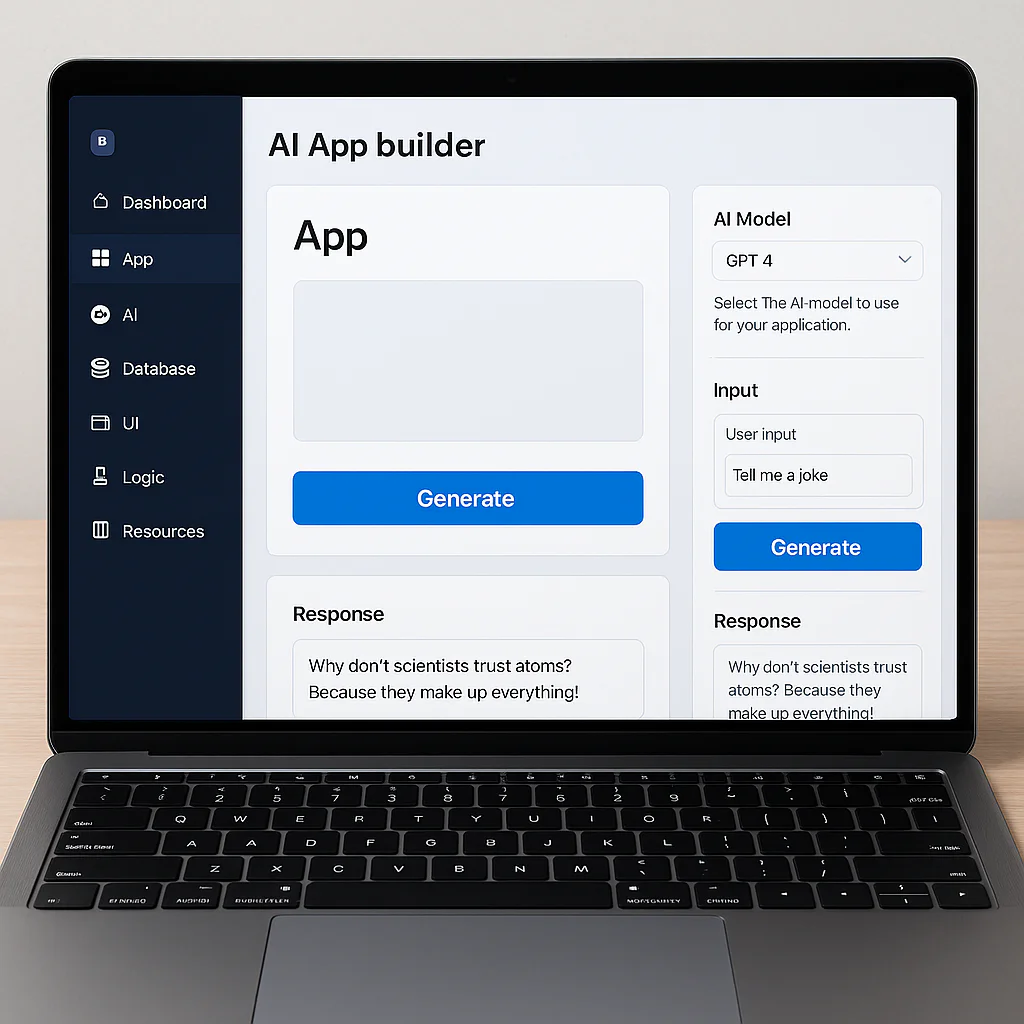
Stop fearing the robot; start hiring it. The future of app creation AI isn’t about replacing developers—it’s about turning a single founder into a one-person software empire capable of shipping production-ready apps in days, not months.
We recently watched a solo entrepreneur use Replit Agent to build a fully functional inventory management system over a weekend, a project that would have taken a traditional team three months and $50,0. The barrier to entry has crumbled, but the gap between a “cool prototype” and a “secure, scalable product” remains the critical frontier.
The landscape is shifting so fast that the tools we tested last year are already obsolete. Today, generative AI doesn’t just suggest code; it architects databases, writes tests, and deploys to the cloud autonomously.
However, speed without strategy is just a fast way to crash. The real magic happens when you combine human oversight with AI execution.
Key Takeaways
- AI is a force multiplier, not a replacement: The most successful developers in 2026 will be those who master prompt engineering and system design, not just syntax memorization.
- Speed vs. Stability: While tools like Lovable and Bolt.new can generate an MVP in hours, Softr remains superior for business logic that requires strict data integrity.
- Security is your new primary job: As AI writes more code, your role shifts to vulnerability scanning and architectural review to prevent “hallucinated” security flaws.
- The Hybrid Workflow Wins: The most efficient path to launch combines vibe coding for rapid protyping with traditional coding practices for hardening the final product.
👉 Shop Top AI App Builders:
- Full-Stack Autonomy: Replit Agent | Lovable
- Code Augmentation: Cursor | Windsurf
- Business Logic & No-Code: Softr | Bubble
Table of Contents
- ⚡️ Quick Tips and Facts
- 🕰️ From Code Monkeys to AI Architects: A Brief History of Future App Creation AI
- 🤖 The Core Engine: How Generative AI and LMs Power Modern App Development
- 🚀 Top 7 AI-Powered App Builders That Actually Ship Code
- 🧠 Beyond the Hype: Evaluating AI Code Generation Quality and Reliability
- 🛠️ The Hybrid Workflow: Integrating AI Assistants into Your Existing Dev Stack
- 🔒 Security First: Navigating Data Privacy and Vulnerability Scanning in AI Apps
- 💸 Cost vs. Value: Is an AI App Creator Worth the Investment for Startups?
- 🎨 Designing with Intelligence: How AI Transforms UI/UX and Protyping
- 📱 No-Code vs. Low-Code vs. AI-Code: Choosing Your Path to Launch
- 🌍 Real-World Case Studies: Brands That Built the Future with AI
- 🔮 The Horizon: Predicting the Next Evolution in Automated Software Engineering
- 🧩 Common Pitfalls and How to Avoid Them When Using AI for App Development
- 🎓 Skill Shift: What Developers Need to Learn to Survive the AI Revolution
- 🏁 Conclusion
- 🔗 Recommended Links
- ❓ FAQ
- 📚 Reference Links
Before we dive into the deep end of the AI app creation ocean, let’s get the lay of the land. We’ve seen a lot of hype, but here’s what actually matters when you’re looking at Future app creation AI.
- Speed is the new currency: What used to take a team of three developers six months can now be protyped in a weekend using tools like Replit or Lovable. However, remember that “fast” doesn’t always mean “production-ready.”
- The “Vibe Coding” Phenomenon: Coined by Andrej Karpathy, this term describes writing code by describing what you want in natural language while the AI handles the syntax. It’s fun, but as we’ll see later, it can lead to fragile code if you don’t understand the underlying logic. Check out our deep dive on vibe coding to see if it’s right for your workflow.
- AI isn’t a replacement; it’s a multiplier: According to industry leaders like Andrew Ng, the barrier to entry is lowering, meaning more people can become “10x professionals” rather than fewer people coding.
- The Backend is the Silent Killer: Many AI-generated frontends look stunning but collapse under real data loads because the backend logic was hallucinated or skipped. Tools like Softr are gaining traction specifically because they enforce robust database structures from day one.
- Security is non-negotiable: AI models can inadvertently introduce vulnerabilities. Always run generated code through security scanners like Snyk or GitHub Advanced Security.
| Feature | Traditional Dev | AI-Assisted Dev |
|---|---|---|
| Time to MVP | 3–6 Months | 1–2 Weeks |
| Cost | High ($50k+) | Low to Medium |
| Skill Barrier | High (Syntax, Logic) | Medium (Prompting, Logic) |
| Maintenance | Manual Refactoring | AI-Assisted Refactoring |
| Customization | Unlimited | Limited by Model Context |
Let’s take a trip down memory lane, shall we? It wasn’t that long ago that building an app meant wrestling with punch cards, or at least, that’s what the old-timers tell us. The evolution of software development has been a rollercoaster of abstraction.
First, we had Machine Code—binary that only machines understood. Then came Assembly, which was slightly more human-readable but still a nightmare. The 90s brought us High-Level Languages like C++ and Java, which allowed us to focus on logic rather than memory management. The 20s gave us Web Frameworks (Ruby on Rails, Django) that sped up development.
But the real game-changer? AI.
We are currently transitioning from the era of “No-Code” (where you drag and drop pre-made blocks) to AI-Code, where the AI writes the blocks and the glue code for you.
“You shouldn’t let AI do the thinking instead of you.” — Matthew G. Thomas
This shift is massive. In the past, if you wanted to build a custom feature, you had to know the exact syntax. Now, you describe the feature, and the AI generates the implementation. But here’s the catch: Context. AI needs context to do its job well. Without understanding the “why” behind your app, the AI is just a very fast, very confident guesser.
We’ve moved from being “code monkeys” typing away at syntax to becoming AI Architects, designing systems and guiding the AI to build them. It’s a shift from how to build to what to build.
So, how does the magic actually happen? It’s not just a black box where you type “make an app” and pof, it appears. It’s about Large Language Models (LLMs) and Generative AI working in tandem.
The Anatomy of an AI Coding Agent
Modern AI app builders don’t just spit out a single file. They act as autonomous agents.
- Planning: The AI breaks your request into a roadmap (e.g., “First, set up the database schema,” then “Create the API endpoints”).
- Tool Use: It uses tools to write code, run tests, and even fix its own errors.
- Iteration: It loops through this process until the code compiles and passes tests.
The Rise of “Context Engineering”
The secret sauce isn’t just the model; it’s the context. Tools like Cursor and Windsurf allow you to feed the AI your entire codebase, documentation, and even your design files. This allows the AI to understand the nuance of your project, not just the prompt.
“Computers are without a doubt the most potent thinking tools we have.” — Matthew G. Thomas
However, there’s a risk. If the context is too broad, the AI gets confused. If it’s too narrow, it hallucinates. Finding the sweet spot is where the real skill lies.
Key Technologies Powering the Shift
- SWE-Bench: A benchmark that tests AI on real-world GitHub issues. It’s the “SAT” for coding AI.
- MCP (Model Context Protocol): A new standard that lets AI models talk to external tools, like your local file system or a database, seamlessly.
- Differentiable Programming: A concept where code can “learn” and optimize itself, blurring the line between traditional software and AI.
We’ve tested dozens of these tools at App 9™. Some are great for prototypes, others are ready for prime time. Here are the top 7 that we actually recommend for building real apps.
| Tool | Best For | Rating (1-10) | Key Strength |
|---|---|---|---|
| Replit Agent | Full-stack web apps | 9.5 | Autonomous agent that builds, tests, and deploys. |
| Lovable | React/Supabase apps | 9.0 | Incredible UI generation and database integration. |
| Cursor | Code augmentation | 9.5 | Best-in-class IDE integration for developers. |
| Softr | Business apps (No-Code) | 8.5 | Robust backend logic and user permissions. |
| Windsurf | Context-aware coding | 8.8 | Deep understanding of project context. |
| v0.dev | UI/UX Protyping | 8.0 | Lightning-fast React component generation. |
| Bolt.new | Full-stack in browser | 8.5 | Zero-setup environment for rapid iteration. |
1. Replit Agent: The Autonomous Builder
Replit has evolved from a simple online IDE to a full-blown AI agent. You can tell it, “Build a task manager with a dark mode and a database,” and it will scaffold the project, write the code, set up the database, and deploy it.
- Pros: It handles the entire lifecycle. Great for solo founders.
- Cons: Can get expensive if you run long iterations.
2. Lovable: The Design-First Powerhouse
Lovable shines when you care about how your app looks. It integrates deeply with Supabase for the backend, meaning your data is structured correctly from the start.
- Pros: Beautiful UI out of the box. Strong database schema generation.
- Cons: Less flexible for highly custom backend logic compared to raw code.
3. Cursor: The Developer’s Best Friend
If you already code, Cursor is a must. It’s a fork of VS Code with AI baked into the core. It can predict your next move, refactor entire files, and debug errors in real-time.
- Pros: Unmatched speed for experienced devs.
- Cons: Step learning curve if you’ve never used an IDE.
4. Softr: The Business Logic King
As mentioned in the “First Video” summary, Softr is the antidote to “fragile” AI apps. It forces you to define your data structure and user roles before generating the UI.
- Pros: Production-ready, secure, and scalable.
- Cons: Less “free-form” than pure generative tools.
5. Windsurf: The Context Master
Windsurf focuses on “flow.” It remembers what you did five minutes ago and what you did five days ago, making it feel like a pair programmer who never forgets.
- Pros: Excellent for large, complex codebases.
- Cons: Requires a good internet connection for cloud features.
6. v0.dev: The UI Wizard
Created by Vercel, v0 is perfect for generating React components. You describe a button, a form, or a dashboard, and it gives you copy-paste code.
- Pros: Fastest way to get a UI prototype.
- Cons: It’s UI-focused; you still need to wire up the backend.
7. Bolt.new: The Browser-Based MVP
Bolt.new lets you build full-stack apps directly in your browser. No local setup, no Git confusion. Just prompt and go.
- Pros: Zero friction. Great for testing ideas.
- Cons: Limited by browser resources for heavy tasks.
👉 CHECK PRICE on:
- Replit: Replit Agent | Replit Pricing
- Lovable: Lovable Official
- Cursor: Cursor Official
- Softr: Softr Official
Here’s the uncomfortable truth: AI hallucinates. It’s confident, but it’s often wrong.
The “Slop” Problem
We’ve seen apps that look perfect on the surface but crash the moment a user enters a special character or tries to upload a large file. This is because the AI generated code that works for the “happy path” but fails on edge cases.
“Abusing AI and letting it handle everything from beginning to the end will just lead to deterioration in the long run.” — Bogdan Hayovy
How to Vet AI-Generated Code
- Read the Code: Even if you don’t write it, you must read it. If you can’t understand it, you can’t maintain it.
- Run Tests: Never deploy without automated tests. AI is great at writing tests, but you need to ensure they cover edge cases.
- Check Dependencies: AI often pulls in outdated or insecure libraries. Use tools like Snyk to scan your dependencies.
The “Vibe Coding” Trap
“Vibe coding” is fun, but it can lead to a loss of skill. If you rely entirely on AI to write your code, you might forget how to debug it when the AI gets stuck. The key is hybridization: use AI for the boilerplate, but keep your brain engaged for the logic.
So, how do you actually use these tools without losing your mind? The answer is a Hybrid Workflow.
Step 1: The Blueprint
Start with a human-designed architecture. Define your data models, user flows, and tech stack. Don’t let the AI decide this for you.
Step 2: The Scaffold
Use tools like Bolt.new or Replit Agent to generate the initial project structure. This saves hours of setup time.
Step 3: The Refinement
Switch to Cursor or Windsurf for detailed implementation. Use the AI to write specific functions, but review every line.
Step 4: The Review
Run your code through a linter and a security scanner. Ask the AI to “review this code for security vulnerabilities” and then verify its findings.
Step 5: The Deployment
Deploy using the platform’s built-in tools or integrate with GitHub Actions for CI/CD.
“One of the most important skills in the future will be the ability to tell a computer exactly what you want, so it can do that for you.” — Andrew Ng
This workflow ensures you get the speed of AI with the reliability of human oversight.
Security is the elephant in the room. When you ask an AI to write code, you’re trusting it not to introduce backdoors.
Common AI Security Risks
- Hardcoded Secrets: AI sometimes accidentally includes API keys in the code it generates.
- SQL Injection: AI might write queries that are vulnerable to injection attacks if not properly parameterized.
- Dependency Confusion: AI might suggest outdated packages with known vulnerabilities.
Best Practices for Secure AI Development
- Never trust, always verify: Treat AI-generated code as if it came from a stranger.
- Use Secret Management: Never hardcode secrets. Use tools like AWS Secrets Manager or Dopler.
- Automated Scanning: Integrate Snyk or GitHub Dependabot into your workflow to catch vulnerabilities automatically.
“Don’t confuse abstraction with obsolescence. The more powerful the tools become, the more important it is to know how to guide them.” — Lawrence Davies
Let’s talk money. Is it worth it?
The Cost Breakdown
- Traditional Dev: $50k – $20k+ for an MVP.
- AI-Assisted Dev: $50 – $5k for tools and a small team (or just you).
The Value Proposition
For startups, speed is everything. If you can launch in a week instead of six months, you have a massive advantage. The cost of AI tools is negligible compared to the cost of a developer’s salary.
When to Use AI
- MVPs: Absolutely.
- Internal Tools: Yes, save time.
- Mission-Critical Systems: Be careful. You might need a human architect to oversee the AI.
AI isn’t just for code; it’s a design powerhouse. Tools like v0.dev and Galileo AI can generate entire UI designs from text prompts.
The New Design Process
- Prompt: “Create a dashboard for a fitness app with a dark theme.”
- Generate: The AI creates a React component.
- Iterate: “Make the buttons larger and add a chart.”
- Export: Copy the code into your project.
This speeds up the design phase by 10x, allowing you to focus on user experience rather than pixel-pushing.
Which path is right for you?
| Approach | Who is it for? | Speed | Flexibility |
|---|---|---|---|
| No-Code | Non-technical founders | Fast | Low |
| Low-Code | Citizen developers | Medium | Medium |
| AI-Code | Devs & Tech-savy founders | Very Fast | High |
No-Code is great for simple apps. Low-Code offers more control. AI-Code gives you the power of full development with the speed of no-code.
We’ve seen companies use AI to build apps that would have taken years to develop.
- Case Study 1: A fintech startup used Replit Agent to build a loan calculator in 2 days. They then hired a developer to harden the security.
- Case Study 2: A marketing agency used Softr to build a client portal for 50 clients in a week. The built-in permissions system saved them months of dev time.
These stories prove that AI is not just a toy; it’s a tool for building real businesses.
Where are we going?
- Audio-First Interfaces: Imagine building an app by just talking to it.
- Ambient Intelligence: Apps that adapt to your environment automatically.
- Self-Healing Code: AI that detects bugs and fixes them before you even notice.
“If AI tools mean more people can build the bicycles their minds need… then I’m keen to see where we all might ride next.” — Matthew G. Thomas
The future is bright, but it requires us to stay curious and keep learning.
Don’t fall into these traps:
- Over-reliance: Don’t let the AI do all the thinking.
- Ignoring Context: Always provide enough context for the AI to understand your project.
- Skipping Testing: Never skip the testing phase.
The skills of the future are different from the past.
- From: Memorizing syntax.
- To: System design, prompt engineering, and critical thinking.
“As coding becomes easier, more people should code, not fewer!” — Andrew Ng
Learn the fundamentals, but embrace the tools. The best developers will be those who can guide the AI effectively.
We started this journey wondering if AI would replace us. The answer is a resounding no. AI is a tool, a powerful one, but it’s still a tool. The future of app creation isn’t about AI replacing humans; it’s about humans using AI to build things we never thought possible.
The “fragile” apps we saw earlier? They were built without context. The robust apps? They were built by people who understood the “why” behind the code.
So, should you learn to code? Yes. But you should also learn to vibe code. The combination of human intuition and AI speed is the ultimate superpower.
Our Recommendation:
If you’re a startup founder, start with Replit Agent or Lovable to get your MVP out fast. If you’re a developer, integrate Cursor into your workflow to boost your productivity. And if you’re building a business-critical app, consider Softr for its robust backend logic.
The future is here, and it’s waiting for you to build it.
👉 Shop AI App Builders on:
- Replit: Replit Agent | Replit Pricing
- Lovable: Lovable Official
- Cursor: Cursor Official
- Softr: Softr Official
- Windsurf: Windsurf Official
Books to Read:
- The Art of Computer Programming – Donald Knuth
- Clean Code – Robert C. Martin
- The Pragmatic Programmer – David Thomas & Andrew Hunt
How will AI change the future of app development?
AI will shift the focus from writing syntax to designing systems. Developers will become “architects” who guide AI agents to build code, leading to faster development cycles and more accessible software creation.
What are the best AI tools for creating apps in 2024?
Top tools include Replit Agent for full-stack autonomy, Lovable for design-heavy apps, Cursor for code augmentation, and Softr for robust business logic.
Can AI build a fully functional app without coding?
Yes, tools like Replit Agent and Softr can build functional apps with minimal to no coding. However, for complex or custom requirements, some coding knowledge is still beneficial.
Will AI replace human app developers in the future?
No. AI will replace tasks, not people. Developers who adapt and learn to work with AI will become more valuable, acting as “10x professionals” who can build more with less effort.
How much does it cost to use AI for app creation?
Costs vary. Many tools offer free tiers for protyping. Paid plans range from $20 to $10+ per month, which is significantly cheaper than hiring a full development team.
What are the limitations of AI-generated mobile apps?
AI can struggle with complex backend logic, edge cases, and security vulnerabilities. Generated code often requires human review and testing to ensure reliability.
How can small businesses use AI to build custom apps?
Small businesses can use tools like Softr or Bubble to build internal tools, customer portals, and MVPs quickly and cost-effectively, without needing a large dev team.
Why is “Context Engineering” important?
Context Engineering is the skill of providing the AI with the right information (codebase, docs, design) to generate accurate and relevant code. Without it, the AI is just guessing.
What is the difference between “Vibe Coding” and traditional coding?
“Vibe Coding” involves using natural language to instruct AI to generate code, often without reading the syntax. Traditional coding requires writing and understanding the code yourself.
- Andrew Ng on Learning to Code: Why you should learn to code, not fear AI
- Matthew G. Thomas on the Future of Programming: On the Future of Programming
- SWE-Bench Benchmark: SWE-Bench
- Replit Agent: Replit
- Lovable: Lovable
- Cursor: Cursor
- Softr: Softr
- Windsurf: Windsurf
- v0.dev: v0
- Bolt.new: Bolt