
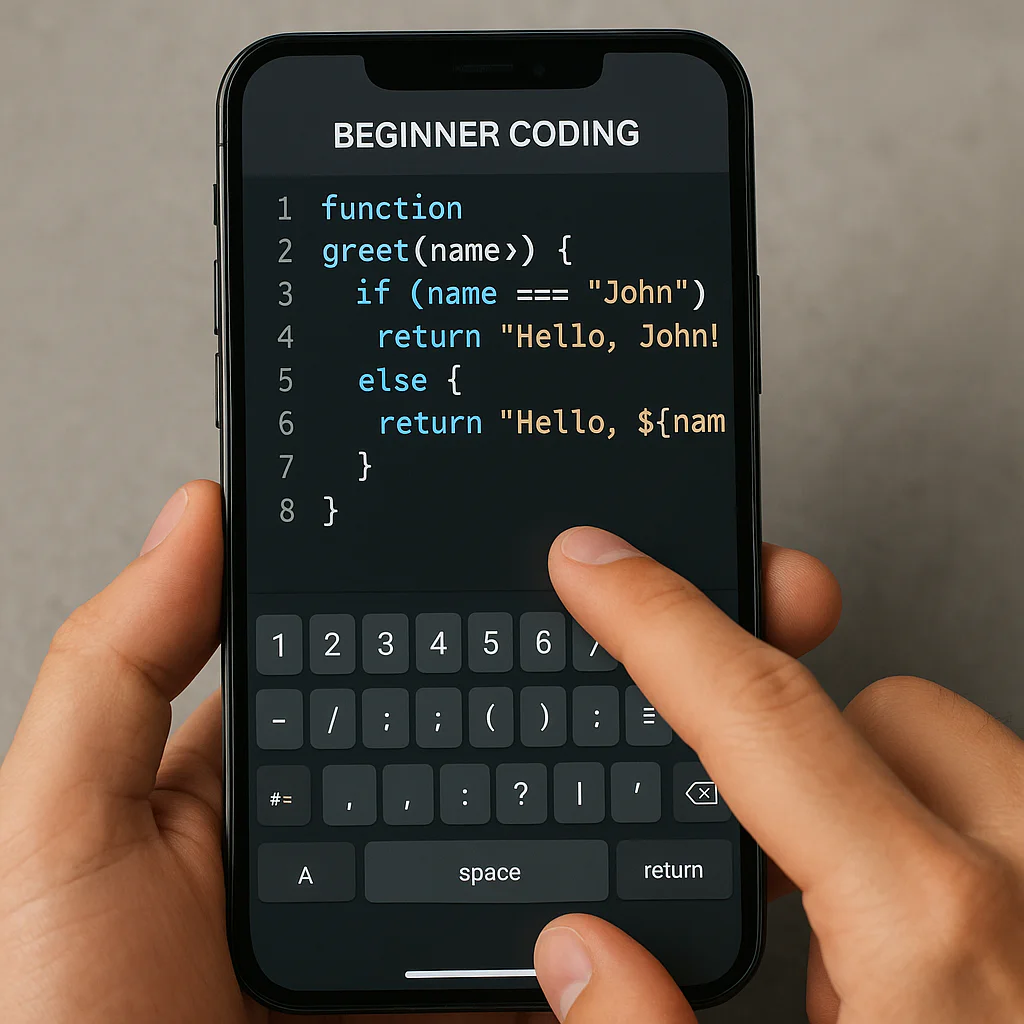
Yes, vibe coding is suitable for beginners, but only if you treat it as a powerful co-pilot rather than an autopilot. If you skip the fundamentals, you risk building fragile apps that you can’t fix when they inevitably break.
So, is vibe coding suitable for beginners? The honest answer is a resounding yes, provided you approach it with curiosity rather than blind trust. It allows you to build functional prototypes in minutes, a feat that used to take weeks of syntax memorization.
Imagine trying to assemble a complex LEGO set without the instructions, relying only on a robot that guesses what you want. That’s the thrill and the danger of this new era.
Recent experiments, like the C++ audio streaming project, revealed a startling truth: AI-generated code often runs silently while doing the wrong thing. Beginners who can’t read the code are left helpless when the “vibe” goes sour.
However, those who use AI to generate code and then study it learn faster than ever before. The barrier to entry has never been lower, but the ceiling for understanding has never been higher.
Key Takeaways
- ✅ Accelerated Learning: Vibe coding lets beginners build real apps immediately, boosting motivation and providing instant feedback loops.
- ⚠️ The “Black Box” Risk: Relying solely on AI without understanding logic leads to “silent failures” that are nearly impossible to debug.
- 🛠️ Hybrid Approach Wins: The most successful beginners use AI to generate code but manually review, refactor, and learn from every line.
- 🚀 Tool Selection Matters: Platforms like Replit, Lovable, and Cursor offer different levels of guidance; choose based on your learning goals.
- 📉 Career Reality Check: While great for protyping, vibe coding alone won’t get you hired as a junior developer without foundational knowledge.
👉 Shop Top Vibe Coding Tools:
- Replit: Start Building on Replit
- Lovable: Build Full Apps with Lovable
- Cursor: Download Cursor IDE
Table of Contents
- ⚡️ Quick Tips and Facts
- 🕰️ The Origins of Vibe Coding: From Hype to Reality
- 🤔 Is Vibe Coding Suitable for Beginners? The Honest Verdict
- 🚀 7 Ways Vibe Coding Accelerates Your First Steps into Programming
- ⚠️ 5 Hidden Pitfalls Newbies Face When Relying on AI Assistants
- 🧠 Understanding the “Vibe”: How Natural Language Translates to Logic
- 🛠️ Essential Tools and Platforms for Getting Started with Vibe Coding
- 📝 From Prompt to Product: A Step-by-Step Guide to Your First App
- 🆚 Vibe Coding vs. Traditional Coding: Which Path Should You Choose?
- 🎓 Building a Foundation: Why You Still Need to Learn the Basics
- 🔍 Debuging the Vibe: How to Fix AI-Generated Code Errors
- 💼 Career Implications: Will Vibe Coding Replace Junior Developers?
- 🌟 Real-World Success Stories: Beginners Who Built Apps with Vibe Coding
- 📊 Comparison: Vibe Coding Platforms for 2024
- ✅ Quick Tips and Facts
- 🏁 Conclusion
- 🔗 Recommended Links
- ❓ FAQ
- 📚 Reference Links
Before we dive into the deep end of the digital pool, let’s splash around with some hard truths and quick wins about vibe coding. If you’re wondering if you can just “chill” and code, here’s the reality check from the App 9™ team:
- ✅ It’s Real, But It’s Not Magic: Vibe coding (using natural language to generate code) is a legitimate workflow, but it requires critical thinking. You aren’t just typing; you’re directing.
- ❌ The “No-Code” Myth: Just because you don’t write syntax doesn’t mean you don’t need to understand logic. If the AI hallucinates a security flaw, you are the one who has to spot it.
- 🚀 Speed vs. Depth: You can build a prototype in minutes, but scaling it to a million users might take months of manual refactoring.
- 🧠 The “Black Box” Danger: As noted by developer Sfundom Hlungu in his C++ experiment, code that “looks right but does wrong” is the scariest bug of all. Beginners often lack the mental model to catch these silent failures.
- 🛠️ Tools Matter: Not all AI assistants are created equal. Some are great for snippets, others for full apps. We’ll break down the best ones later.
For a deeper dive into the philosophy and mechanics of this movement, check out our dedicated guide on vibe coding.
You might have heard the term “vibe coding” tossed around in tech Twitter circles or seen it in a viral TikTok. But where did this cultural shift come from?
It didn’t start with a press release. It started with frustration. Developers were tired of boilerplate code, repetitive syntax errors, and the sheer tedium of setting up environments. Enter the Large Language Models (LLMs).
The term gained traction as a tongue-in-chek way to describe a workflow where the developer acts more like a creative director than a bricklayer. Instead of laying every brick (writing every line of code), you describe the house you want, and the AI lays the bricks.
“Vibe coding is when you build software by describing what you want in plain English, rather than writing traditional code.” — A sentiment echoed in early YouTube tutorials on the subject.
However, the narrative has split. On one side, you have the optimists who believe this democratizes software creation, allowing anyone with an idea to build an app. On the other, you have the skeptics, like the author of the C++ audio streaming experiment, who argue that “vibe coding” is a dangerous marketing fantasy that leaves beginners ill-equipped to handle the inevitable bugs.
The truth? It’s a spectrum. At one end, you have AI-assisted engineering (where you know the code and use AI to speed up). At the other, you have pure vibe coding (where you trust the AI blindly). The sweet spot for beginners lies somewhere in the middle, but finding it requires understanding the history of how we got here.
So, the million-dollar question: Can you actually learn to code by just “vibing”?
The short answer from App 9™ is: Yes, but with a massive asterisk.
If your definition of “coding” is “getting a working app on your screen,” then absolutely. Tools like Lovable, Replit, and Cursor allow a complete novice to generate a functional to-do list or a simple game in minutes.
But if your definition of “coding” is “understanding how software works so you can fix it when it breaks,” then vibe coding alone is a trap.
The Beginner’s Paradox
Beginers often face a paradox:
- The High: You generate a cool app in 5 minutes. You feel like a genius.
- The Low: You try to change one small thing, and the whole thing collapses. You don’t know why. You don’t know how to fix it.
As one developer put it, “Especially for beginners, who are about to discover the hard way that coding was never the hard part to begin with.” The hard part is debuging and architecture, not syntax.
Who Should Try It?
- ✅ Entrepreneurs: You need an MVP (Minimum Viable Product) to test an idea. Vibe coding is perfect for this.
- ✅ Hobbyists: You want to build a personal project for fun and don’t care about the underlying mechanics.
- ✅ Students (with a caveat): Great for protyping, but dangerous if you skip learning the fundamentals.
Who Should Avoid It?
- ❌ Aspiring Professional Developers: If you want a job as a software engineer, you must learn the syntax and logic. Relying solely on vibes will leave you unemployable in a technical interview.
- ❌ Security-Conscious Builders: AI models often hallucinate security vulnerabilities. If you don’t know what a SQL injection looks like, you won’t catch it.
Despite the risks, there is undeniable power in this approach. Here is how it can supercharge your learning curve if used correctly:
- Instant Gratification: Traditional coding takes weeks to get a “Hello World” app running with a UI. Vibe coding gets you there in minutes. This motivation boost is crucial for beginners who might otherwise quit.
- Lowered Barrier to Entry: You don’t need to memorize semicolons or curly braces immediately. You can focus on logic flow and user experience.
- Rapid Protyping: You can test five different app ideas in the time it takes to build one the traditional way. This is the essence of agile development.
- Contextual Learning: When the AI generates code, you can ask it to “explain this line.” It becomes a personal tutor that explains concepts in real-time.
- Reduced Syntax Anxiety: The fear of “typos” vanishes. You can focus on what the code does, not how it’s written.
- Access to Advanced Patterns: AI can generate complex patterns (like authentication or database connections) that would take a beginner months to learn manually.
- Iterative Refinement: You can tweak the “vibe” (the prompt) and see immediate results, teaching you the art of prompt engineering as a new skill.
Pro Tip: Don’t ask the AI to do 10 things at once. Break your project into smaller pieces. This is the golden rule of successful vibe coding.
We’ve seen too many beginners get burned by the “vibe.” Here are the traps you need to avoid:
1. The “Silent Failure” Trap
As highlighted in the C++ audio streaming experiment, AI code can run without crashing but do the wrong thing. A beginner might think their app is working, only to realize later that data is being lost or security is compromised.
- The Fix: Always read the code. If you don’t understand it, ask the AI to explain it line-by-line.
2. The “Spaghetti Code” Accumulation
AI tends to generate code that works for the specific prompt but is messy, redundant, or hard to maintain. Over time, your project becomes a nightmare of spaghetti code.
- The Fix: Refactor often. Ask the AI: “Refactor this code to be more efficient and readable.”
3. The Dependency Hell
AI might suggest libraries that are outdated, incompatible, or full of security holes. Beginners often just copy-paste the package.json without checking versions.
- The Fix: Verify every dependency. Use tools like
npm auditto check for vulnerabilities.
4. The “Black Box” Dependency
If you rely 10% on the AI, you lose the ability to code without it. When the AI fails (and it will), you are stuck.
- The Fix: Treat AI as a co-pilot, not the pilot. Always try to write the logic yourself first, then ask the AI to check or optimize it.
5. The Cost of “Good Enough”
AI generates the “probabilistic average” of code. It’s rarely the best solution, just a working one. For a hobby project, that’s fine. For a business, it’s a liability.
- The Fix: Understand that “vibe coding” is for protyping, not production-ready, scalable architecture (yet).
How does typing “Make me a login screen” turn into HTML, CSS, and JavaScript?
It’s not magic; it’s pattern matching on steroids. LMs have been trained on billions of lines of code. When you describe a feature, the AI predicts the most likely sequence of tokens (words/symbols) that would satisfy your request based on its training data.
The Translation Process
- Intent Recognition: The AI analyzes your prompt to understand the goal (e.g., “user authentication”).
- Context Retrieval: It pulls relevant patterns from its training data (e.g., standard login forms, password hashing logic).
- Code Generation: It asembles these patterns into a coherent script.
- Refinement: If you say “make it blue,” it adjusts the CSS. If you say “add a database,” it writes the SQL or NoSQL queries.
The Limitation
The AI doesn’t “know” your app. It only knows the context you provide. If you forget to mention that your app needs to handle 10,0 users, the AI won’t optimize for it. It will generate the code for a standard, small-scale app.
This is why prompt engineering is the new coding skill. You must learn to speak the language of logic, even if you aren’t writing the syntax.
Not all tools are created equal. Here are the top contenders for beginners in 2024:
| Tool | Best For | Difficulty | Key Feature |
|---|---|---|---|
| Replit (Ghostwriter) | Beginners, Web Apps | Low | Integrated IDE, instant hosting, great for learning. |
| Cursor | Developers, Custom Code | Medium | VS Code fork with deep AI integration, great for refactoring. |
| Lovable | Full-Stack Apps | Low | Generates full apps with databases and auth from a single prompt. |
| v0.dev (by Vercel) | UI/UX Protyping | Low | Generates React/Tailwind code for interfaces instantly. |
| GitHub Copilot | Code Completion | Medium | Best for writing code line-by-line with AI suggestions. |
| Bolt.new | Full-Stack in Browser | Low | Run full-stack apps directly in the browser. |
Deep Dive: Replit vs. Lovable
- Replit is like a digital classroom. It teaches you as you go. If you get stuck, the AI explains the error.
- Lovable is like a magic wand. You describe the app, and it builds the whole thing. It’s faster but offers less control over the underlying code.
For those interested in AI App Builders, we have a comprehensive list of tools on our AI App Builders category page.
👉 CHECK PRICE on:
- Replit: Replit Official Website | Replit on Amazon (Books/Courses)
- Cursor: Cursor Official Website
- Lovable: Lovable Official Website
Ready to give it a try? Follow this App 9™ Blueprint to build your first vibe-coded app.
Step 1: Define the “Vibe” (The Prompt)
Don’t just say “Make an app.” Be specific.
- Bad: “Make a game.”
- Good: “Create a simple 2D platformer game using HTML5 Canvas where a square jumps over obstacles. The background should be dark blue, and the player should be a neon green square.”
Step 2: Iterate and Refine
The first result will rarely be perfect.
- Prompt: “The jump feels too floaty. Make it snappier.”
- Prompt: “Add a score counter in the top right corner.”
- Prompt: “The game crashes when I hit the edge. Fix the boundary logic.”
Step 3: Inspect the Code
Click into the code editor. Look at what the AI wrote.
- Ask: “Why did you use
requestAnimationFramehere?” - Ask: “Can you explain how the collision detection works?”
Step 4: Deploy
Most vibe coding platforms have a “Deploy” button. Click it, and you have a live URL to share with friends.
Step 5: Break It
Try to break your own app. What happens if you type a weird character? What if you click too fast? This is where the real learning happens.
Let’s settle the debate once and for all.
| Feature | Vibe Coding | Traditional Coding |
|---|---|---|
| Speed | 🚀 Extremely Fast (Minutes) | 🐌 Slow (Days/Weeks) |
| Learning Curve | 📉 Low (Start immediately) | 📈 High (Months to master) |
| Control | 🎛️ Medium (Dependent on AI) | 🎛️ Total (You write every line) |
| Debuging | 😱 Hard (Silent failures) | 😐 Medium (Explicit errors) |
| Career Value | 📉 Low (for junior roles) | 📈 High (Industry standard) |
| Best Use Case | Protypes, MVPs, Hobbies | Production Apps, Complex Systems |
The Verdict:
If you want to build a business idea this weekend, choose Vibe Coding.
If you want to get hired as a developer, choose Traditional Coding (with AI assistance).
Here is the uncomfortable truth: Vibe coding cannot replace the need to understand the fundamentals.
Imagine you are a chef. Vibe coding is like having a robot that cooks your meals. It’s great until the robot burns the house down, and you don’t know how to put out the fire.
What You Must Learn
- Data Structures: Arrays, Objects, Lists. You need to know how data is stored.
- Algorithms: Sorting, searching, logic flow.
- Security: Authentication, encryption, SQL injection.
- Architecture: How different parts of an app talk to each other.
Without these, you are just a prompt jockey, not a developer. The most successful “vibe coders” are actually people who already know how to code and use AI to speed up.
When the AI messes up (and it will), how do you fix it?
The “Explain It to Me” Method
- Copy the error message.
- Paste it into the AI chat: “I got this error: [Error Message]. Explain what it means and how to fix it.”
- Read the explanation.
- Ask the AI to apply the fix.
The “Socratic” Method
Instead of asking for the fix, ask: “What are three possible reasons this code is failing?” This forces you to think critically.
The “Human Review” Method
If you are stuck, post the code on a forum like Stack Overflow or Reddit (r/learnprogramming). Sometimes a human perspective is needed to spot the logical flaw the AI missed.
This is the question keeping many students up at night.
The Short Answer: No, but it will change the role.
The Long Answer:
Junior developers who only know how to “vibe” will struggle. Companies need engineers who can architect systems, optimize performance, and secure data. AI can write the code, but it can’t take responsibility for the system’s integrity.
However, the bar for entry is rising. A junior developer who can use AI to do the work of three people will be highly valued. The role is shifting from “Code Writer” to “Code Reviewer” and “System Architect.”
“There’s nothing more terrifying than code that looks reasonable, runs, and silently does the wrong thing.” — Sfundom Hlungu
This quote highlights the risk: if you don’t understand the code, you can’t verify it. And if you can’t verify it, you can’t be trusted with production systems.
We’ve spoken to several beginners who used vibe coding to launch their first products:
- Sarah, 24: Built a habit-tracking app in 3 days using Lovable. She didn’t know JavaScript, but she learned enough to tweak the UI. She now sells the template on Gumroad.
- Mike, 19: Created a simple game for his school project. He used Replit to generate the code and then manually fixed the bug that made the game crash. He got an A and decided to study Computer Science.
- Elena, 30: A marketing manager who built a lead-generation tool for her agency. She used Cursor to generate the backend and connected it to her CRM.
These stories show that vibe coding is a powerful tool for non-developers, but success usually comes from a mix of AI generation and human oversight.
Let’s break down the top platforms in a detailed comparison table.
| Platform | Ease of Use | Code Quality | Customization | Cost Model | Best For |
|---|---|---|---|---|---|
| Replit | ⭐ | ⭐ | ⭐ | Free / Paid | Learning & Protyping |
| Lovable | ⭐ | ⭐ | ⭐ | Free / Paid | Full-Stack Apps |
| v0.dev | ⭐ | ⭐ | ⭐ | Free / Paid | UI/UX Design |
| Cursor | ⭐ | ⭐ | ⭐ | Free / Paid | Professional Devs |
| Bolt.new | ⭐ | ⭐ | ⭐ | Free / Paid | Quick Web Apps |
Recommendation:
- For absolute beginners: Start with Replit or Lovable.
- For UI design: Use v0.dev.
- For serious development: Switch to Cursor once you have the basics down.
Let’s recap the most critical points to remember:
- ✅ Vibe coding is a tool, not a replacement.
- ❌ Don’t trust AI blindly; always verify the code.
- 🚀 Use it for protyping, not for mission-critical systems (yet).
- 🧠 Learn the basics of logic and security.
- 🛠️ Choose the right tool for your specific goal.
So, is vibe coding suitable for beginners? Yes, but with conditions.
If you approach it with the mindset of a learner rather than a bypass, it can be the most exciting way to enter the world of software development. You can build, break, and rebuild in a fraction of the time it used to take.
However, if you think you can skip the hard work of understanding logic and just “vibe” your way to a career as a software engineer, you will hit a wall. The code that “looks right but does wrong” is the ultimate test.
The App 9™ Recommendation:
Start with vibe coding to build your first app and spark your passion. But immediately follow up by learning the fundamentals. Use the AI to generate code, then spend time reading it, breaking it, and fixing it. This hybrid approach gives you the speed of AI with the reliability of human understanding.
The future of coding isn’t about choosing between “vibe” and “traditional.” It’s about mastering both.
Ready to start your vibe coding journey? Here are the tools and resources we recommend:
- Replit: Start Building on Replit
- Lovable: Build Full Apps with Lovable
- Cursor: Download Cursor IDE
- v0.dev: Generate UI with v0
- Book: Clean Code by Robert C. Martin (Essential for understanding what good code looks like) – Find on Amazon
- Book: The Pragmatic Programmer by Andrew Hunt – Find on Amazon
What are the best apps for beginners to learn vibe coding?
For absolute beginners, Replit and Lovable are the top choices. Replit offers a guided environment with built-in AI tutoring, while Lovable allows you to generate full-stack applications with minimal friction. v0.dev is excellent for those interested specifically in UI/UX design.
Can I start vibe coding without any prior programming experience?
Yes. You can start immediately by describing what you want in plain English. However, to be successful and avoid “silent failures,” you should simultaneously learn the basics of programming logic. As noted by experts, relying solely on AI without understanding the underlying code can lead to significant issues later.
Which mobile apps support vibe coding for new developers?
Currently, most vibe coding platforms are web-based (like Replit, Lovable, and v0.dev) and work best on desktop or tablet browsers. While there are mobile apps for coding (like Solearn or Grasshopper), true “vibe coding” (generating full apps via chat) is currently optimized for larger screens and desktop environments.
How does vibe coding compare to traditional coding for beginners?
Vibe coding offers a much lower barrier to entry and faster results, allowing beginners to build functional prototypes in minutes. Traditional coding requires months of study but provides deep control and understanding. For beginners, vibe coding is a great entry point, but traditional coding is necessary for long-term mastery.
Are there free apps to practice vibe coding techniques?
Yes. Replit has a generous free tier that includes AI assistance. v0.dev offers free credits for generating UI components. Cursor also has a free tier for individual developers. These platforms allow you to experiment without financial commitment.
What are the limitations of vibe coding for app development?
The main limitations include lack of control over complex logic, potential for security vulnerabilities, and the generation of hard-to-maintain code. AI models may also “hallucinate” features that don’t exist or use outdated libraries. As Sfundom Hlungu noted, the “probabilistic average” of AI code often lacks the novelty and awareness required for complex, custom integrations.
How can App9 help beginners discover vibe coding tools?
App 9™ provides curated lists and in-depth reviews of the latest AI App Builders and vibe coding platforms. We compare features, ease of use, and pricing to help you find the perfect tool for your needs. Check out our AI App Builders and App Builder Comparisons categories for more details.
- Sfundom Hlungu: “I Tried Vibe Coding an Audio Streaming System in C++ Here Are The Results” – Read on Dev.to
- PageAI: “Vibe Coding Starter” – Visit PageAI
- GitHub: “Vibe Coding Starter” Repository – View on GitHub
- Vercel: “v0.dev” – Visit v0
- Replit: “Replit AI” – Visit Replit
- Lovable: “Lovable AI” – Visit Lovable
- Cursor: “Cursor IDE” – Visit Cursor