
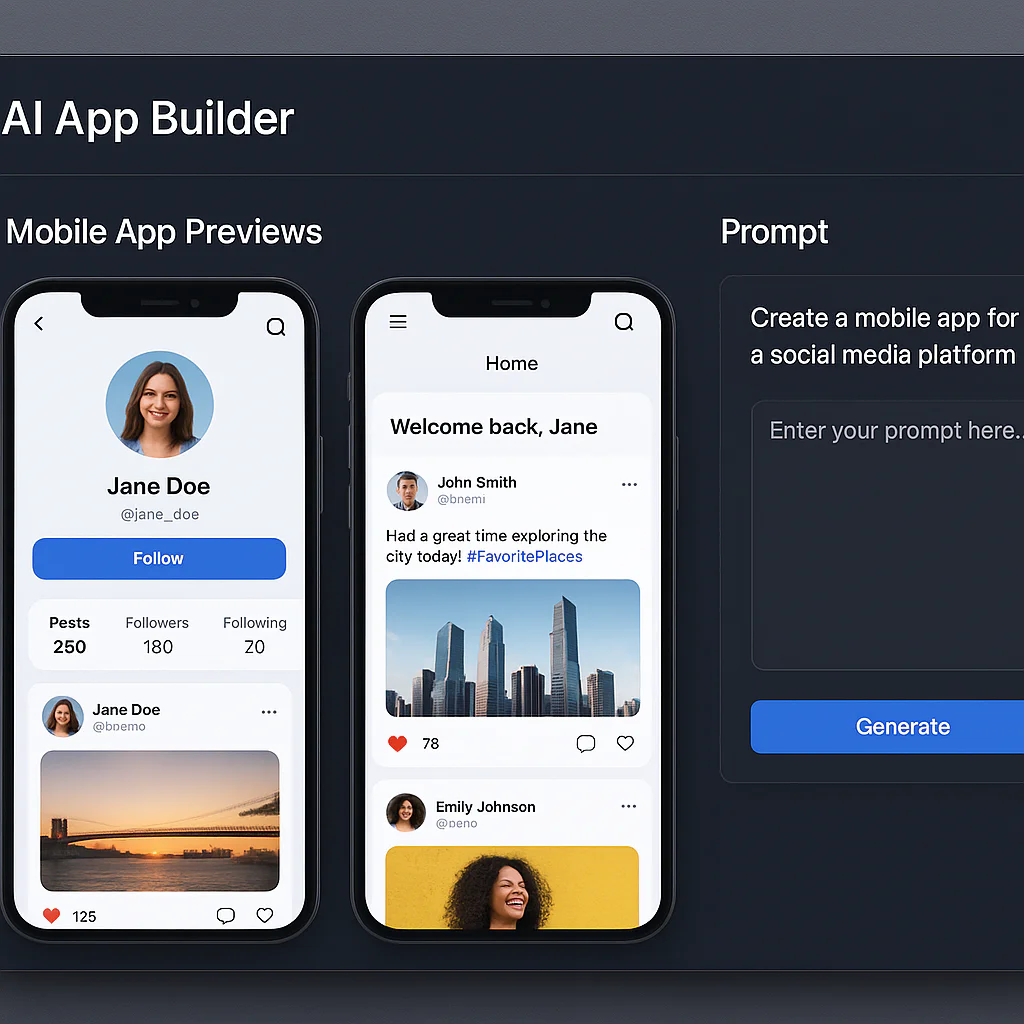

Prompt to app AI platforms can turn a plain-language idea into a working first draft, but the best choice depends on what you need to build, how much control you want, and who will maintain it. For fast web prototypes, consider Lovable or Bolt; for visual no-code apps, compare Bubble, Glide, and Softr; for mobile-first projects, look at FlutterFlow.
At App 9™, we’ve found that the exciting part isn’t watching an AI generate a dashboard. It’s asking for one small change, then checking whether the app still handles permissions, data, and real user workflows correctly. That’s where a flashy demo either starts becoming a useful product—or starts showing its seams.
This guide compares 12 platforms, explains how to choose one, and gives you a practical workflow for prompting, testing, and preparing an AI-generated app for launch. The short version: let AI draft the app, but don’t skip human review.
Key Takeaways
- Choose for your use case, not the flashiest demo. Web prototypes, mobile apps, data-driven tools, and enterprise workflows have different needs.
- Prompt-to-app tools speed up the first draft; they don’t guarantee production readiness. Test functionality, data handling, security, and permissions.
- Compare how much control you get. Some platforms focus on visual editing; others offer more access to generated code.
- Write specific prompts. Define users, workflows, data, roles, integrations, and what the app should not do.
- Plan for deployment and maintenance early. Check hosting, app-store requirements, export options, and who will support the app after launch.
- Our quick picks: Lovable and Bolt for rapid web protyping; Bubble for visual web apps; FlutterFlow for mobile-focused building; Retool and Power Apps for internal tools.
Table of Contents
- ⚡️ Quick Tips and Facts: Prompt-to-App AI Platforms
- 🧭 What Are Prompt-to-App AI Platforms?
- 📜 How AI App Builders Evolved: From No-Code to Natural-Language Prompts
- 🏆 12 Best Prompt-to-App AI Platforms for Building Real Apps
- 1. Lovable: Fast AI-Powered Web App Prototyping
- 2. Bolt: Prompt-Based Full-Stack App Development in the Browser
- 3. Replit: AI App Building, Coding, and Deployment in One Place
- 4. v0 by Vercel: Prompt-to-UI and React App Generation
- 5. Bubble: Visual No-Code Apps with AI Assistance
- 6. FlutterFlow: AI-Assisted Native Mobile App Creation
- 7. Glide: AI-Powered Business Apps from Data
- 8. Softr: Prompt-Driven Portals and Internal Tools
- 9. Microsoft Power Apps: AI App Building for Microsoft Workflows
- 10. Retool: AI-Assisted Internal Tools and Admin Apps
- 11. Firebase Studio: AI-Assisted Full-Stack App Development
- 12. Create: AI App Generation with Editable Code
- 📊 Prompt-to-App AI Platforms Compared at a Glance
- 🔍 How We Evaluated AI App Builders
- 🧩 What Makes a Great Generative AI App Builder?
- Prompt Quality, Iteration, and Design Control
- Databases, Authentication, and Backend Integrations
- Code Ownership, Export Options, and Vendor Lock-In
- Hosting, Deployment, and App Store Publishing
- Security, Privacy, Accessibility, and Scalability
- 🎯 Choosing the Right AI App Builder for Your Project
- Best for Ease of Use and Rapid Prototyping
- Best for Creating and Editing Apps with AI
- Best for Data-Driven Apps and Database Views
- Best for MVPs and Web-and-Mobile Products
- Best for Enterprise Internal Tools
- Best for Developers Who Want Editable Code
- 🆚 Prompt-to-App Platforms vs. Traditional No-Code and Custom Development
- 🤖 AI App Builders vs. Adding AI Features to an Existing App
- 💬 Can You Build a Complete App Just by Prompting Claude or ChatGPT?
- ✍️ How to Write Better Prompts for AI App Generation
- A Prompt Formula for Clear App Requirements
- Example Prompts for SaaS, Marketplaces, and Mobile Apps
- How to Refine an AI-Generated App Without Breaking It
- 🛠️ From First Prompt to Launch: A Practical AI App Workflow
- Define the User, Problem, and Core Features
- Generate the Interface and Data Model
- Test Workflows, Fix Errors, and Review Security
- Deploy, Connect a Domain, and Gather Feedback
- 🔌 Integrations, APIs, and Automations for AI-Built Apps
- 💸 AI App Builder Costs, Usage Limits, and Hidden Trade-Offs
- ⚠️ Common Limitations and Risks of Prompt-to-App Tools
- ✅ Quick Tips for Getting Better Results
- 🏁 Conclusion
- 🔗 Recommended Links
- ❓ FAQ
- What is a prompt-to-app AI platform?
- Can AI build a fully functional app from one prompt?
- Which AI app builder is best for beginners?
- Can prompt-to-app tools build iOS and Android apps?
- Do AI-generated apps require coding or technical maintenance?
- Can you own and export an AI-generated app’s code?
- Are AI app builders secure enough for business use?
- What should you use: an AI app builder or a coding assistant?
- 📚 Reference Links
⚡️ Quick Tips and Facts: Prompt-to-App AI Platforms
Prompt-to-app AI platforms turn a plain-language description into a starting version of an app—often including its screens, data structure, and basic workflows. They make app creation faster, but they don’t remove the need to test, review, and maintain what gets built.
Our App 9™ team works across AI app builders and vibe coding. For a practical introduction to building without traditional coding, see our guide to no-code AI app development.
| Quick fact | What it means for you |
|---|---|
| A prompt can generate a useful first draft | Expect a prototype or scaffold, not a fully verified production app. |
| Some tools generate code; others generate apps inside visual editors | Your options for customization and code ownership depend on the platform. |
| “App” can mean a web app, mobile app, internal tool, or prototype | Check deployment targets before choosing a builder. |
| Data, permissions, and integrations shape the real workload | A polished screen is only one part of a working product. |
| Prompt quality matters | Describe users, workflows, data, permissions, and success criteria. |
| AI-generated output still needs human review | Test functionality, accessibility, security, and edge cases before launch. |
Fast rule of thumb: Choose a prompt-led builder for a quick experiment, a visual no-code platform for guided customization, and a developer-oriented platform when you need code access or deeper integrations.
One question will keep coming up as we compare tools: does the AI build the app you asked for—or just the app it thinks you meant? The answer depends on the platform, your prompt, and what happens after the first draft.
🧭 What Are Prompt-to-App AI Platforms?
A prompt-to-app AI platform uses natural-language instructions to create some or all of an application. You might ask for a customer portal, a task tracker, a booking system, or an inventory dashboard. The platform then generates a combination of interface, data model, logic, and deployment setup.
The term covers several different kinds of tools:
- Prompt-led app generators create a first version from a written description and refine it through follow-up requests.
- Visual no-code builders with AI features combine AI-generated layouts or logic with drag-and-drop editing.
- AI coding environments generate or modify source code while giving you access to the development environment.
- Internal-tool platforms connect screens and workflows to business databases, APIs, and existing services.
- AI app features inside a builder help with specific tasks—such as generating a formula or summarizing text—without building the whole app from a prompt.
That last distinction matters. Building an app with AI is different from building AI into an app. One uses AI to help create the product; the other adds capabilities such as natural-language search, summarization, or image recognition to a product.
What can these platforms generate?
Depending on the tool and the prompt, an AI app builder may produce:
- Pages, navigation, forms, tables, and dashboards
- Database tables or a suggested data schema
- User accounts and basic authentication flows
- CRUD workflows: create, read, update, and delete records
- API connections or starter integrations
- Responsive layouts for different screen sizes
- Source code, visual components, or a hosted application
The range varies considerably. A generated sign-up form may look finished while its error handling, access rules, or data storage still need work. A screen that looks real is not proof that the underlying workflow is reliable.
Who benefits most?
Prompt-to-app tools can help:
- Founders testing an MVP before committing to a larger build
- Designers turning a product concept into an interactive prototype
- Operations teams creating internal dashboards or approval tools
- Developers scaffolding repetitive interfaces and starting code
- Small businesses exploring portals, directories, booking flows, or simple databases
They are less suitable as a hands-off shortcut for software that handles sensitive data, high-stakes decisions, or complex compliance requirements. The AI can help with the build; the organization still owns the consequences.
📜 How AI App Builders Evolved: From No-Code to Natural-Language Prompts
Traditional no-code builders made app creation more accessible through visual editors, reusable components, and workflow designers. AI has added a new route into that process: explain the goal in ordinary language, generate a first draft, and refine it conversationaly.
The two approaches now overlap. A platform may start with a prompt, then give you a visual editor. Another may begin with a blank canvas but use AI to generate layouts, formulas, or code. Many tools are hybrids rather than “prompt-only” systems.
| Development approach | How you work | Typical advantage | Common trade-off |
|---|---|---|---|
| Traditional coding | Write and maintain source code | Fine-grained control | Requires development skills and time |
| No-code visual builder | Configure screens and workflows visually | Accessible, guided editing | Complex logic can become difficult |
| Low-code platform | Use visual tools plus code where needed | Balance of speed and flexibility | Technical knowledge may still be required |
| Prompt-to-app builder | Describe an app and iterate with AI | Fast initial scaffolding | Generated results need inspection and refinement |
| AI coding assistant | Ask AI to help write or modify code | Works within a code-based workflow | You still need to understand, test, and deploy the result |
As a useful counterweight to the “one prompt, one finished product” pitch, Zapier’s evaluation of AI app builders says: “It can’t do 100% for you yet—but it’s getting really, really close.” That captures the practical middle ground: substantial acceleration, not automatic responsibility-free software.
🏆 12 Best Prompt-to-App AI Platforms for Building Real Apps
There is no single best AI app builder for every project. A tool that shines at quick visual prototypes may be the wrong choice for a mobile app or a tightly governed internal system. Below, we focus on platform fit, strengths, and limitations rather than pretending every app builder solves the same problem.
1. Lovable: Fast AI-Powered Web App Prototyping
Lovable is a prompt-led platform for generating and refining web applications. It is a strong candidate when you want to move quickly from an idea to a visual, interactive prototype and continue iterating through natural-language instructions.
Why consider it
- Prompt-based generation helps create a first version quickly.
- Follow-up requests can refine the interface and functionality.
- It suits founders, product teams, and developers exploring an MVP.
- Its code-oriented workflow can appeal to users who want more than a closed visual editor.
Trade-offs to check
- Generated code and integrations still need review.
- A fast prototype is not automatically production-ready.
- Before committing, check the current export, hosting, and collaboration capabilities against your needs.
Best fit: Web-app concepts and early MVPs where fast iteration matters.
Not ideal when: Your requirements demand extensive native mobile features, specialized compliance controls, or complex enterprise governance without developer support.
2. Bolt: Prompt-Based Full-Stack App Development in the Browser
Bolt brings AI-assisted development into a browser-based environment. You describe what you want, inspect the generated application, and iterate without first assembling a local development setup.
Why consider it
- Fast feedback makes it easy to test an idea visually.
- A browser-based environment lowers setup friction.
- It can suit users who want to move between prompting and code-oriented editing.
Trade-offs to check
- Generated applications may require debugging or code knowledge as they grow.
- Tool capabilities and deployment options can change, so verify the current workflow before starting a serious project.
- Complex requirements still need careful specifications and testing.
Best fit: Interactive prototypes and web projects where you want a quick build-and-review loop.
3. Replit: AI App Building, Coding, and Deployment in One Place
Replit combines an online development environment with AI-assisted coding and deployment features. It can be appealing when you want to generate an app and then inspect or modify its code in the same environment.
Why consider it
- The integrated workspace helps reduce setup steps.
- Developers can edit generated code directly.
- It supports a gradual path from AI assistance toward more conventional development.
Trade-offs to check
- Code access brings more flexibility, but also more responsibility.
- You may need to understand errors, dependencies, and deployment settings.
- Confirm the current platform’s features and limits for your preferred language and hosting needs.
Best fit: Learners, makers, and developers who want AI help without hiding the code.
4. v0 by Vercel: Prompt-to-UI and React App Generation
v0 is designed to turn prompts into user-interface drafts and code, particularly for web development workflows. It is especially useful when the interface itself is the main bottleneck and you want a starting point you can refine.
Why consider it
- Helps generate and iterate on interface components.
- Fits naturally into React-oriented workflows.
- Offers a faster route to exploring layouts and design directions.
Trade-offs to check
- A generated interface does not guarantee a complete backend or finished product.
- Users benefit from familiarity with frontend development.
- You may need separate tools for data, authentication, and deployment.
Best fit: Developers and designers who want AI-generated frontend scaffolding.
5. Bubble: Visual No-Code Apps with AI Assistance
Bubble is a visual app-building platform for web applications, with AI-assisted creation and editing features. It combines prompt-based starting points with an editor for configuring pages, data, and workflows.
Why consider it
- Visual editing makes it possible to change an app without hand-writing every component.
- A database and workflow environment can support substantial web-app functionality.
- Its ecosystem and learning resources can help new builders develop practical skills.
Trade-offs to check
- More complicated apps may require learning Bubble’s data and workflow model.
- A visual platform can involve platform-specific dependencies.
- If native mobile is essential, confirm the current mobile capabilities and limitations rather than assuming a web app will translate perfectly.
Best fit: Web MVPs and interactive products that benefit from a visual editor.
6. FlutterFlow: AI-Assisted Native Mobile App Creation
FlutterFlow is a visual platform for building applications with Flutter. It is worth considering when mobile is central and you want visual construction combined with a path toward code-level customization.
Why consider it
- Designed around mobile app workflows.
- Visual tools can help structure screens and interactions.
- Code export options may support a more developer-led handoff, depending on current plan and features.
Trade-offs to check
- Native app publishing brings its own testing, signing, and store-review tasks.
- Generated work still needs validation across devices and operating-system versions.
- Confirm current export and backend integration support before choosing it for a long-term product.
Best fit: Mobile-focused teams that want a visual development workflow.
7. Glide: AI-Powered Business Apps from Data
Glide focuses on data-driven apps and business workflows. It can be useful when your product starts with structured information—such as a spreadsheet, inventory list, or customer database—and needs a usable interface.
Why consider it
- A data-first approach suits dashboards, directories, and operational tools.
- It can help teams turn existing business information into an app-like experience.
- AI features may assist with app creation and data-related tasks.
Trade-offs to check
- A data-centric builder may not be the right fit for every consumer product.
- Complex, highly customized application behavior can require workarounds or a different platform.
- Review data source and publishing options before moving sensitive or business-critical records.
Best fit: Internal business tools and data-backed apps.
8. Softr: Prompt-Driven Portals and Internal Tools
Softr is a no-code platform for portals, internal apps, and data-connected interfaces. AI assistance can help produce a starting app, while visual editing supports further refinement.
Why consider it
- Suitable for client portals, directories, and internal dashboards.
- Works with supported data sources such as Airtable, Google Sheets, and Softr’s own database tools.
- Visual components make common business interfaces easier to assemble.
Trade-offs to check
- Advanced workflow logic may require a different platform or additional services.
- The available interface components influence how custom the final app can feel.
- Check user roles, data source behavior, and integrations for your specific use case.
Best fit: Business portals and straightforward internal tools where ease of setup matters.
9. Microsoft Power Apps: AI App Building for Microsoft Workflows
Microsoft Power Apps combines visual app development with Microsoft’s business ecosystem and AI-assisted features. It can be a natural option for organizations already using Microsoft services.
Why consider it
- Fits into Microsoft-oriented business workflows.
- Supports data-driven applications and business logic.
- AI assistance can lower the barrier to drafting app structures and editing components.
Trade-offs to check
- Initial setup and licensing can be more involved than lightweight prompt-led tools.
- Some app logic uses Power Fx, a formula language that may take time to learn.
- Your final architecture may depend on other Microsoft services and organizational settings.
Best fit: Teams building business apps within a Microsoft environment.
10. Retool: AI-Assisted Internal Tools and Admin Apps
Retool is aimed primarily at internal tools connected to business data and services. AI assistance can help scaffold apps and work with queries or logic, while the broader platform supports more technical customization.
Why consider it
- Strong fit for dashboards, admin panels, and operational apps.
- Connects interfaces to data sources and services.
- Governance and administrative controls matter for organizations managing internal access.
Trade-offs to check
- More complex workflows may still involve SQL, JavaScript, or other technical concepts.
- Teams should validate which AI-generated components are available in their plan and environment.
- Internal users, builders, and administrators may have different access needs.
Best fit: Companies creating data-connected internal apps with developer or IT involvement.
11. Firebase Studio: AI-Assisted Full-Stack App Development
Firebase Studio offers an AI-assisted environment for building applications within Google’s Firebase ecosystem. It can appeal to developers who want a cloud-based workspace and access to Firebase services.
Why consider it
- Connects naturally with Firebase’s application development services.
- Can support a more code-oriented workflow than a closed visual builder.
- Useful for teams already considering Google Cloud or Firebase components.
Trade-offs to check
- You need to understand the platform’s data, authentication, and deployment choices.
- AI-generated code still needs review and testing.
- Confirm current availability, supported frameworks, and deployment features for your project.
Best fit: Developers exploring app scaffolding within a Firebase-based stack.
12. Create: AI App Generation with Editable Code
Create is a prompt-led platform for generating apps and interfaces, with a workflow oriented around AI assistance and editable output.
Why consider it
- Prompting can help users turn concepts into a visible starting point.
- Useful for exploring product directions and prototype layouts.
- Can fit builders who want to iterate through conversational instructions.
Trade-offs to check
- Verify the current code export, hosting, data, and integration features before relying on it.
- AI-generated results still need functional testing.
- Evaluate how well the platform handles your actual app requirements, not just a demo prompt.
Best fit: Early experimentation and prototypes where quick idea exploration is the goal.
📊 Prompt-to-App AI Platforms Compared at a Glance
This comparison is a practical starting point, not a permanent ranking. Product features change quickly, and the best tool depends on the application you plan to build.
| Platform | Strongest use case | Workflow style | Consider it if… | Watch for… |
|---|---|---|---|---|
| Lovable | Web prototypes and MVPs | Prompt-led, code-aware | You want fast iteration on a web app | Backend, security, and code review still matter |
| Bolt | Browser-based app protyping | Prompt-led development | You want a quick build-and-preview loop | Complex projects may require debugging |
| Replit | AI-assisted coding and deployment | Integrated coding workspace | You want to inspect and edit code | You remain responsible for code quality |
| v0 | Interface and React scaffolding | Prompt-to-UI | You need frontend starting points | UI generation is not full-stack completion |
| Bubble | Visual web apps | No-code editor with AI | You want a configurable web product | Platform-specific workflows need learning |
| FlutterFlow | Mobile-first apps | Visual app development | Your product needs mobile-focused workflows | Test devices, store requirements, and export |
| Glide | Data-driven business apps | Data-first visual builder | You are turning structured data into an app | Custom product behavior may be limited |
| Softr | Portals and internal tools | Visual no-code with AI | You need a data-connected portal | Review logic and component flexibility |
| Power Apps | Microsoft business apps | Low-code and AI-assisted | Your team already uses Microsoft services | Setup and ecosystem dependencies |
| Retool | Internal tools | Data-connected, technical | You need admin apps and business workflows | SQL or JavaScript may still be useful |
| Firebase Studio | Firebase-oriented development | AI-assisted coding workspace | You want a developer-led Google stack | Verify current framework and deployment fit |
| Create | Early concepts and prototypes | Prompt-led generation | You want to explore an app idea quickly | Confirm production and export requirements |
For more decision-focused articles, browse App 9™ platform comparisons and app builder comparisons.
A simple fit matrix
| Your priority | Start by evaluating |
|---|---|
| Fast web prototype | Lovable, Bolt, v0 |
| Code access and developer control | Replit, Firebase Studio, Lovable |
| Visual no-code editing | Bubble, Softr, Glide |
| Mobile-focused workflow | FlutterFlow, Bubble’s current mobile options |
| Internal business tools | Retool, Power Apps, Softr, Glide |
| Existing Microsoft workflows | Power Apps |
| Existing structured business data | Glide, Softr, Retool |
| Rapid frontend exploration | v0 |
Tip: Don’t pick based on the best-looking demo. Pick based on your app’s data model, user roles, integrations, and path to maintenance.
🔍 How We Evaluated AI App Builders
At App 9™, we look beyond the “type a sentence, watch a screen appear” moment. A useful platform must help you take the idea through several stages: generation, revision, data connection, testing, and deployment.
Our evaluation lens considers:
- Prompt interpretation: Does the tool understand users, workflows, and constraints?
- Functional output: Does it generate working behaviors, or mainly a visual mock-up?
- Iteration: Can you revise parts of the app without rebuilding everything?
- Data handling: Can you connect a database or business service appropriately?
- Customization: Can a non-developer edit the result? Can a developer reach the code?
- Deployment: Does the platform support the web or mobile target you need?
- Security and governance: Can roles, permissions, and secrets be managed safely?
- Portability: What happens if you want to move the app elsewhere?
Zapier reports testing more than 30 tools over three weeks, with criteria including prompt accuracy, generated functionality, editing flexibility, no-code customization, and publishing options in its AI app-builder comparison. That’s a useful reminder that “AI app builder” is a category, not a single feature checklist.
What we mean by “best”
“Best” is shorthand for best fit for a particular job. A solo founder may value speed, while a regulated organization may care more about permissions, audit trails, deployment controls, and data residency. A platform can be excellent for one and unsuitable for the other.
We also avoid treating third-party rankings as universal verdicts. Feature sets change, product plans evolve, and an app that suits a tutorial may not survive a real workload. Use a shortlist, then test your own workflow.
🧩 What Makes a Great Generative AI App Builder?
A strong AI app builder should do more than produce a convincing homepage. It should help you translate requirements into an app you can inspect, edit, test, and operate.
Prompt quality, iteration, and design control
Good platforms help you refine a draft in manageable steps. You should be able to request changes to a specific page or workflow, inspect the result, and undo or correct unwanted edits.
Look for:
- A clear preview of generated changes
- Separate controls for pages, data, and logic
- Useful feedback when a prompt is ambiguous
- Support for layout and brand adjustments
- A reliable way to revert an unwanted change
A useful prompt is less like a wish and more like a compact product brief. We’ll build one shortly.
Databases, authentication, and backend integrations
An app is more than its visible interface. Ask where data lives, how users sign in, and what happens when an external service is unavailable.
Check whether the platform can:
- Create or connect the database you actually need
- Enforce user roles and access boundaries
- Store credentials securely
- Handle API failures and validation errors
- Connect to the systems you already use
- Keep business records in a reliable source of truth
Jet Admin’s guide to building from prompt to production emphasizes the underlying decision: “The biggest decision is … how you will handle data, integrations, permissions, and maintenance.” That’s especially relevant for internal and data-connected applications.
Code ownership, export options, and vendor lock-in
A visual builder may speed up app creation but tie parts of your product to its environment. A code-generating tool may offer more control, while asking you to manage more of the development process.
Before choosing, ask:
- Can you export source code?
- Can you download your data?
- Can you connect a custom database?
- Can the app run outside the platform?
- Are workflows portable, or must they be rebuilt?
- Who can maintain the app if your original builder leaves?
Practical advice: Keep your most important business data in systems you control where feasible. That can make it easier to change the user-interface layer later.
Hosting, deployment, and app store publishing
Some platforms host the finished app; others help generate code that you deploy elsewhere. Mobile apps also involve signing, store listings, privacy declarations, and review requirements.
For Apple’s current publication process, start with the official App Store Connect documentation. For Android, check Google Play Console Help. A prompt-generated mobile interface does not skip platform review or store policies.
Security, privacy, accessibility, and scalability
Treat generated authentication and permissions like code written by a new teammate: useful, but not trusted until reviewed.
For business or customer-facing apps, investigate:
- Role-based access control and record-level permissions
- Encryption in transit and at rest
- Audit logging
- Secure secret management
- Data retention and model-provider policies
- Accessibility and keyboard support
- Performance under realistic data volumes
- Backup, rollback, and incident response procedures
The OWASP Top 10 provides a widely used overview of web application security risks. It’s not a substitute for a security review, but it’s a sensible checklist starter.
🎯 Choosing the Right AI App Builder for Your Project
Start with the job, not the brand. A booking app, an internal purchase-order workflow, and a native mobile product have different needs—even if all three can be described in one sentence.
Best for ease of use and rapid protyping
For a quick first draft, consider platforms with a prompt-first workflow and visual previews. Softr is worth evaluating for straightforward portals and internal tools; Lovable or Bolt may suit web prototypes; Glide can work well when the starting point is structured business data.
Choose for speed when:
- You are validating a concept
- The first version has a small number of workflows
- The data is low risk or synthetic during testing
- You can tolerate manual refinement
Avoid shipping sensitive records into an unreviewed prototype just because the interface looks ready.
Best for creating and editing apps with AI
If you expect to keep asking the builder to revise pages and behavior, test how precisely it can change one part of the app without disrupting another. Lovable, Bolt, Replit, and AI-enabled visual platforms are all worth comparing, depending on whether you prefer generated code or visual editing.
Try a realistic revision prompt, such as:
Add an approval step after a request is submitted. Only the finance reviewer can approve or reject it. Show the decision and timestamp to the requester, but do not expose internal notes.
That prompt tests more than appearance. It probes roles, workflow behavior, and data visibility.
Best for data-driven apps and database views
If the app starts with records—orders, contacts, assets, requests, or inventory—focus on data connections and permission rules. Glide, Softr, Retool, Power Apps, and Airtable Omni (where available for your account and workflow) may be relevant candidates.
Ask:
- Does the tool connect to your actual system of record?
- Can each user see only the records they should?
- Are edits written back correctly?
- Can you export or back up the data?
- What happens if the connection fails?
A nice dashboard that exposes the wrong records is not a minor UI bug. It is a serious design failure.
Best for MVPs and web-and-mobile products
For a web MVP, compare prompt-led tools with visual builders such as Bubble and code-oriented options such as Replit or Lovable. If native mobile is central, evaluate FlutterFlow and test on real devices early.
Before settling on a platform, confirm:
- Required web and mobile targets
- Authentication and account recovery
- Push notifications, offline behavior, or device features
- Code export and migration options
- Analytics and crash reporting
- App store submission requirements
Best for enterprise internal tools
For internal apps that touch company data, look at Retool, Microsoft Power Apps, Jet Admin, and other platforms built for business workflows. Compare access controls, audit logging, supported databases, deployment choices, and IT governance.
A useful point from the Jet Admin production guide is that human approval is advisable for consequential agent actions. For example, an AI can draft an inventory transfer, but a person should approve it before stock moves. That’s a good default for financial, customer, and operational changes.
Best for developers who want editable code
If your team can review and maintain source code, tools such as Replit, Firebase Studio, v0, Lovable, and Bolt may offer a more code-aware path. Your evaluation should include generated-code quality, framework compatibility, deployment, and the ease of handing work to another developer.
A code export is only valuable if someone can maintain it. Ownership without documentation or tests can become a box of mysterious wires.
🆚 Prompt-to-App Platforms vs. Traditional No-Code and Custom Development
Each approach trades off speed, control, and maintenance differently.
| Approach | Speed to first draft | Custom control | Technical skill needed | Best use |
|---|---|---|---|---|
| Prompt-to-app platform | High | Low to high, varies by tool | Low to moderate | Prototypes, MVP scaffolding, common workflows |
| No-code visual builder | Moderate | Moderate | Low to moderate | Business apps and configured workflows |
| Low-code platform | Moderate | High | Moderate | Business systems with custom logic |
| Custom development | Lower at the start | Very high | High | Specialized, scalable, or tightly controlled products |
Prompt-to-app is not automatically better than no-code. It can make the first draft faster; visual tools can make later edits more explicit; custom development can give a team more control. Many real projects combine all three.
A sensible path might look like this:
- Generate a draft with AI.
- Refine its screens and workflows visually.
- Ask a developer to review data handling and architecture.
- Move critical components into a code-managed workflow if needed.
🤖 AI App Builders vs. Adding AI Features to an Existing App
These two tasks are easy to confuse:
- AI app builder: Helps create the application itself.
- AI feature integration: Adds capabilities powered by an AI model to an app you already have.
Examples of AI features include:
- Summarizing customer support tickets
- Searching documents using natural language
- Extracting information from uploaded files
- Drafting replies for human review
- Classifying incoming requests
Platforms and APIs from providers such as OpenAI, Anthropic, and Google Gemini can support AI features, depending on your application and implementation.
When integrating AI into a product, consider privacy, data retention, output reliability, user disclosure, and human approval. A model response is not a database constraint, an authorization rule, or a source of truth.
💬 Can You Build a Complete App Just by Prompting Claude or ChatGPT?
You can use general AI assistants such as Claude or ChatGPT to draft requirements, generate code, explain errors, and plan app features. But a chat assistant is not necessarily a complete app platform.
A dedicated app builder may provide an editor, preview, data tools, hosting, or deployment workflows. A general AI assistant may generate useful code, but you might still need to:
- Create a development environment
- Install and configure dependencies
- Connect a database and authentication
- Test the application
- Deploy it to a hosting service
- Maintain and secure the result
Use a general assistant as a planning and coding partner; use a platform when you need a structured build-and-deploy environment. Some projects benefit from both.
✍️ How to Write Better Prompts for AI App Generation
The first prompt sets direction. The next prompts do the real steering.
A video feature referenced in this article makes a similar point: “AI tools are only as good as the instructions they receive.” The video’s practical distinction is useful: start with a full idea prompt, use another AI tool to improve the brief if needed, and then make focused prompts for individual changes. You can view the referenced video at #featured-video.
A prompt formula for clear app requirements
Use this structure as a compact product brief:
- App purpose: What problem does the app solve?
- Users and roles: Who uses it, and what can each person do?
- Core workflows: What should happen from start to finish?
- Data objects: What information must the app store?
- Permissions: Who can view, create, edit, approve, or delete records?
- Integrations: What existing systems should it connect to?
- Design direction: What should the interface feel like?
- Platform requirements: Web, mobile, or both?
- Success criteria: What does a good first version need to accomplish?
- Out of scope: What should the app not attempt yet?
Example prompt:
Build a responsive web app for a small operations team to manage equipment requests. Users are employees, approvers, and administrators. Employees can submit requests, view their own request status, and add a comment. Approvers can approve or reject requests and must enter a reason when rejecting. Administrators can manage equipment records and user roles. Store request date, employee, item, quantity, status, approver, and decision notes. Include a dashboard for pending requests and recent decisions. Do not expose internal notes to employees. Start with sample data and show validation messages for missing fields.
That is much more useful than “make me an equipment app.” It tells the builder what the app is for, who can do what, and which details matter.
Example prompts for SaaS, marketplaces, and mobile apps
SaaS dashboard
Create a responsive subscription dashboard for small-business customers. Let users view their organization’s projects, invite teammates, and update notification preferences. Include Owner and Member roles. Members can view projects but only Owners can change billing or permissions. Use sample data until a database is connected.
Marketplace prototype
Build a marketplace prototype where buyers can browse service providers, filter by category and location, view provider profiles, and submit an inquiry. Do not process payments in this prototype. Include a clear empty state and explain when no providers match the filters.
Mobile habit tracker
Create a mobile-first habit tracker with a daily checklist, weekly progress summary, reminders preference, and an edit screen for habits. Show accessible labels, large touch targets, and a no-data state for new users. Do not assume the app can send push notifications until that integration is configured.
Each prompt makes the scope visible. Notice the explicit limitations: they prevent the builder from inventing features you have not approved.
How to refine an AI-generated app without breaking it
Use small, testable requests instead of a giant “improve everything” prompt.
Step-by-step refinement
- Inspect the draft. List what works and what is missing.
- Choose one area. For example, fix the request form before redesigning every page.
- State the desired behavior. Explain what the user should see and what the app should do.
- State what must remain unchanged. This helps reduce accidental edits.
- Ask the platform to explain the change if the interface supports it.
- Test the revised workflow with both valid and invalid data.
- Save or version the working result before making another major change.
A specific instruction such as “Add a required phone-number field to the request form; keep existing navigation and permissions unchanged” is easier to verify than “make the app better.”
🛠️ From First Prompt to Launch: A Practical AI App Workflow
Treat the AI-generated version as a draft that moves through review, not as a finished product that appears by magic.
Define the user, problem, and core features
Write down:
- The main user and their problem
- The smallest useful workflow
- The essential records the app must manage
- The decisions users need to make
- What the first version will not include
- How you will know the app helped
Keep the first release narrow. A simple, well-tested approval tool is more useful than a sprawling “company operating system” with half-finished features.
Generate the interface and data model
Ask the builder to show the main screens and explain the data objects. Check:
- Whether fields are named clearly
- Whether records have unique identifiers
- Whether relationships make sense
- Whether sensitive information is stored unnecessarily
- Whether users need different views or permissions
If you connect existing production data, confirm whether the new app reads and writes to the system of record. Creating separate tables may speed up an experiment, but can create synchronization and backup work later.
Test workflows, fix errors, and review security
Use realistic test cases, including failures:
- A user submits an incomplete form
- A person attempts to view someone else’s record
- An approver rejects a request
- An API or database connection times out
- A user changes a record after approval
- A file upload exceeds allowed limits
Verify every role separately. Test permission boundaries rather than assuming they work because the interface hides a button.
For security background, consult the OWASP Application Security Verification Standard and ask a qualified reviewer to assess systems handling sensitive information.
Deploy, connect a domain, and gather feedback
Before launch:
- Choose a deployment target that matches the app’s users and security needs.
- Configure authentication and roles.
- Use production data only after access controls are verified.
- Test on supported browsers and devices.
- Set up logging, backups, and a way to report issues.
- Pilot with a small group.
- Collect feedback and define who owns maintenance.
For mobile apps, store submission is an additional project phase. Apple and Google have their own technical and policy requirements; review the official Apple app distribution documentation and Google Play app publishing guidance.
🔌 Integrations, APIs, and Automations for AI-Built Apps
Integrations let an app exchange data with the services you already use. A customer request might trigger a Slack alert, create a task in Asana, or update a record in a CRM. Automation platforms can connect services without requiring every workflow to be coded from scratch.
Before connecting anything, ask:
- Which system is the source of truth?
- What information should move between services?
- Should the integration read data, write data, or both?
- What happens when an automation fails?
- Who can see or change the connection credentials?
- Is the workflow safe to repeat without creating duplicate records?
Zapier’s app-builder coverage discusses connecting builders to external services for follow-up workflows, while its platform documentation explains options for developers building integrations. For AI-powered actions, use human approval when an automated operation could affect money, access, customer records, or inventory.
💸 AI App Builder Costs, Usage Limits, and Hidden Trade-Offs
We’re not listing prices here because plans and usage limits change. Instead, compare the full cost structure before you select a platform.
| Cost or constraint | What to verify |
|---|---|
| AI usage | Are generations, edits, or model calls limited? |
| Hosting | Is deployment included, or handled separately? |
| User access | Are builders, admins, and app users counted differently? |
| Data storage | Are database limits or file storage restrictions relevant? |
| Integrations | Do API connections require a higher tier or extra service? |
| Export and portability | Can you move your app or data later? |
| Security features | Are SO, audit logs, and advanced permissions available? |
| Maintenance | Who will troubleshoot and update the application? |
A low-friction prototype can still become expensive in time if you later discover that a needed integration, export option, or security feature is unavailable. For more platform and subscription analysis, visit App 9™’s costs section.
⚠️ Common Limitations and Risks of Prompt-to-App Tools
Prompt-to-app platforms are useful, but several pitfalls deserve a clear-eyed look.
The app looks finished but behaves like a demo
A generated design may include buttons that do not perform real actions, placeholder data, or forms without meaningful validation. Click through every workflow and inspect what happens after submission.
Permissions are incomplete or misunderstood
A hidden screen is not the same as secure access control. Confirm server-side or data-level permissions and test multiple accounts.
Generated data models need correction
AI may create redundant fields, unclear relationships, or a structure that does not match how the organization works. Review the model before entering important data.
Complex logic gets lost in vague prompts
Approval chains, edge cases, and exception handling need explicit instructions. Define roles and rules instead of assuming the builder will infer them.
The product becomes difficult to maintain
A platform can accelerate the first build while leaving future updates dependent one person’s prompts or a proprietary environment. Document integrations, business rules, and ownership.
Sensitive data reaches the wrong system
Before entering customer, financial, health, or employee data, review the platform’s privacy, retention, access, and security terms. The FTC’s business guidance on data security is a useful starting point for U.S. businesses.
✅ Quick Tips for Getting Better Results
- ✅ Write a mini-spec before prompting. Include users, workflows, records, roles, and boundaries.
- ✅ Build the smallest useful version first. One reliable workflow beats ten decorative screens.
- ✅ Use sample data during early experiments.
- ✅ Ask for one change at a time.
- ✅ Specify what should not change.
- ✅ Test every role and permission level.
- ✅ Check mobile layouts on actual devices.
- ✅ Keep secrets and API keys out of prompts and public code.
- ✅ Verify the current export and deployment options before committing.
- ❌ Don’t treat generated code or workflows as automatically secure.
- ❌ Don’t launch a production app just because its preview looks polished.
- ❌ Don’t assume a prototype is ready for app-store submission.
The most productive mindset is simple: let AI draft; let humans decide what is correct. That’s how a fast first version becomes an app people can actually trust.