
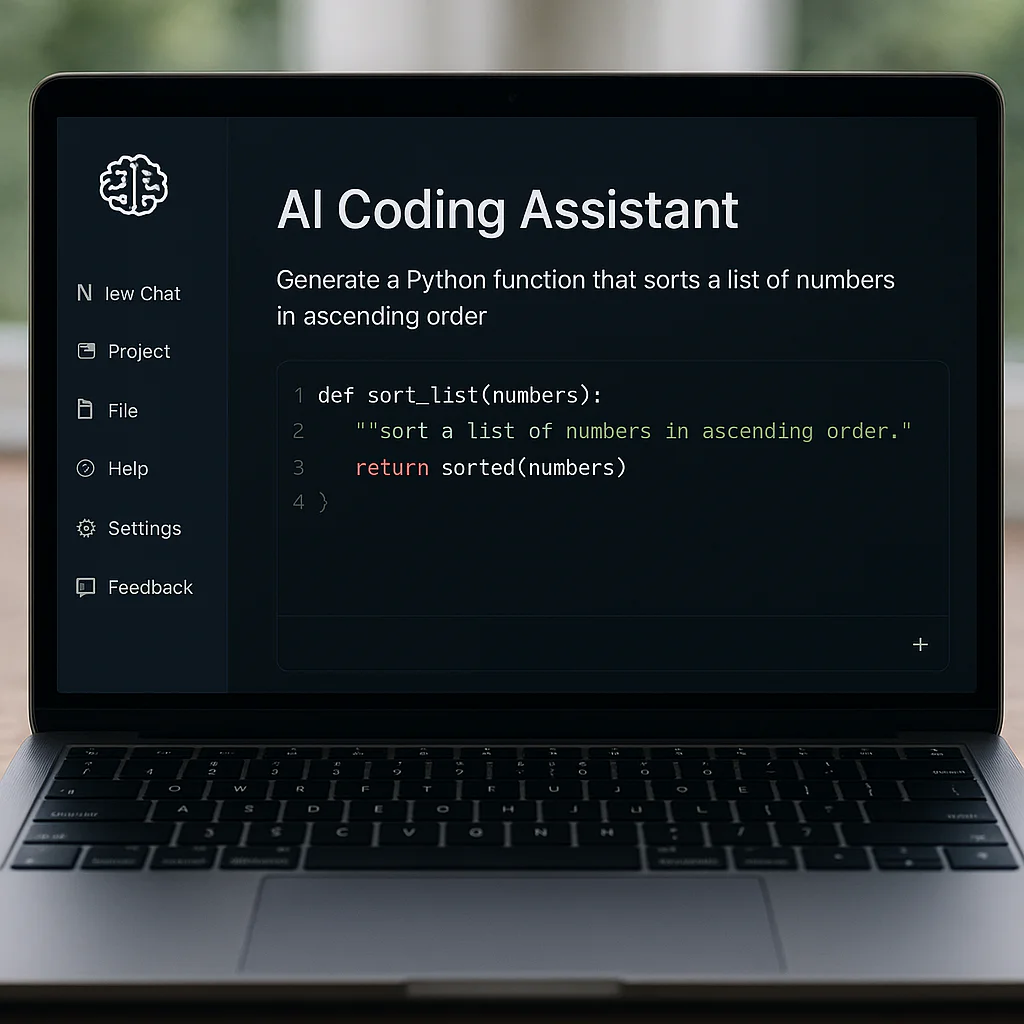
If you’re looking for the absolute best AI coding assistants to boost your productivity in 2026, the answer isn’t a single tool, but a strategic choice: Augment Code reigns supreme for massive enterprise codebases, while Cursor is the undisputed king for solo developers and rapid protyping.
We’ve all been there: staring at a blinking cursor, knowing exactly what logic you need but dreading the boilerplate syntax. Then, an AI suggests a fix that not only works but optimizes your entire function. It feels like magic until it hallucinates a library that doesn’t exist.
The landscape has shifted dramatically this year. We moved from simple autocomplete to autonomous agents that can refactor entire microservices. Yet, a startling 29% of developers still distrust AI output, fearing it will introduce silent bugs into production.
At App 9™, we tested eight top contenders on a messy, 450-file monorepo to see which ones actually deliver on the hype. The results were surprising, with some industry giants falling behind newer, context-aware challengers.
Ready to stop guessing and start shipping? Let’s dive into the tools that will define your 2026 workflow.
Key Takeaways
- Top Pick for Enterprise: Augment Code offers unmatched architectural reasoning for 40K+ file repositories, solving cross-service bugs that others miss.
- Best for Speed & Protyping: Cursor provides the fastest multi-file editing and intuitive interface, making it the favorite for solo devs and startups.
- The Privacy Champion: Tabnine remains the only viable option for air-gapped deployments where zero data leaves your server.
- The AWS Native: Amazon Q Developer is the clear winner for teams heavily invested in CloudFormation and Lambda infrastructure.
- Cost Warning: Be wary of usage-based pricing models; heavy users on tools like Cursor can see bills spike without proper monitoring.
👉 CHECK PRICE on:
- Augment Code: Augment Code Official Website
- Cursor: Cursor Official Website
- Tabnine: Tabnine Official Website
- Amazon Q Developer: AWS Official Website
Table of Contents
- ⚡️ Quick Tips and Facts
- 🕰️ From Autocomplete to Autopilot: The Evolution of AI Coding Assistants
- 🤖 What Are AI Coding Assistants? Beyond the Hype
- 🧪 How We Tested: Real Codebases, Not Clean Demos
- 🏆 Scored Rankings: 8 AI Coding Assistants Put to the Test
- 1. Cursor: The Editor That Thinks Like You
- 2. GitHub Copilot: The Industry Standard with New Tricks
- 3. Amazon Q Developer: The AWS Native Powerhouse
- 4. JetBrains AI Assistant: Deep IDE Integration for Java & Kotlin
- 5. Tabnine: The Privacy-First Local Model Champion
- 6. Replit Agent: The Browser-Based Protyping Wizard
- 7. Aider: The CLI Commando for Git-First Workflows
- 8. Augment Code: The Context-Aware Enterprise Contender
- 🏗️ Stack-Specific Winners: Which Tool Rules Your Language?
- 👥 Team-Size Breakdown: Solo Devs vs. Enterprise Squads
- 💸 Pricing at Scale: Real Costs for 50 and 20 Developers
- 📊 Tokens vs Headcount: The ROI Math You Need to See
- 🔒 Self-Hosted and Private Deployment Options for Sensitive Data
- 🏢 Choose Architecture-First Tools for Enterprise Scale
- 🤖 The Agentic SDLC: Moving from Copilot to Autonomous Agents
- ❓ FAQ about AI Coding Assistants
- Which AI coding assistant handles the largest codebases?
- How much do AI coding assistants actually cost for a 50-developer team?
- Can I use AI coding assistants without sending code to external servers?
- What is the trust gap in AI coding tools?
- Which tool works best for AWS infrastructure code?
- Do I need to switch editors to use the best AI?
- 🔗 Recommended Links
- 📚 Reference Links
- 🏁 Conclusion
⚡️ Quick Tips and Facts
Before you dive headfirst into the swirling vortex of AI coding assistants, let’s hit the pause button and drop some hard truths that the marketing brochures often skip. We’ve been in the trenches at App 9™, watching codebases crumble under bad AI suggestions and soar with the right ones. Here’s what you need to know right now:
- The “Trust Paradox” is Real: According to the 2025 Stack Overflow survey, while 85% of developers are using AI tools, trust in their accuracy has plummeted to just 29%. Senior engineers (10+ years experience) are the most skeptical, with nearly 20% actively distrusting AI output. Why? Because the AI is great at writing new code but terrible at understanding why your legacy spaghetti works.
- It’s Not Just Autocomplete Anymore: We’ve moved past the days of simple “tab-to-complete.” The market has pivoted to Agentic Workflows. Tools like Cursor and GitHub Copilot are now launching “Agent Modes” that can plan, execute, and verify multi-file changes autonomously.
- Context is King (and Queen): The biggest differentiator isn’t the model size; it’s the Context Engine. Tools that can index your entire 40,0-file monorepo and understand cross-service dependencies (like Augment Code) are leaving the “dumb autocomplete” tools in the dust.
- The Cost Trap: Don’t get seduced by the “$10/month” sticker price. Many tools switch to usage-based pricing or charge hidden fees for “agent requests.” A heavy user on Cursor Teams can easily burn through $60–$10/month in overages if they aren’t careful.
- Security isn’t Optional: If you’re in a regulated industry, check for ISO/IEC 4201 certification and SOC 2 Type II compliance. Some tools, like Tabnine, offer air-gapped deployments where zero data leaves your server.
For a deeper dive into how these tools are reshaping the landscape, check out our guide on AI Code Generation Apps.
🕰️ From Autocomplete to Autopilot: The Evolution of AI Coding Assistants
Remember the early days of coding? It was just you, a blinking cursor, and a stack of documentation books that smelled like old paper. Then came IntelliSense, and we thought were gods. But the real revolution started when Large Language Models (LLMs) entered the chat.
The journey from Autocomplete to Autopilot has been wild. Initially, tools like GitHub Copilot were just “smart tab-completers.” They could guess the next line of code based on the previous few lines. It was cool, sure, but it was like having a co-pilot who only knew how to press the gas pedal.
Fast forward to 2025 and 2026, and the landscape has shifted dramatically. We are now in the era of Agentic SDLC (Software Development Life Cycle). As noted in recent industry analyses, the market has pivoted toward autonomous agents capable of planning, executing, and verifying multi-file changes.
- Phase 1: The Copilot Era (2021–2024): Tools focused on single-file completion. Great for boilerplate, terrible for architecture.
- Phase 2: The Context Era (2024–2025): Tools started indexing entire repositories. They could answer, “Where is the JWT validation logic?” by searching 50 files.
- Phase 3: The Agent Era (2025–Present): Tools like Cursor and Augment Code now deploy background agents on isolated VMs. They can say, “I see a bug in the auth service. I’ll fix it, update the API contract, and write a test,” all without you lifting a finger.
This evolution isn’t just about speed; it’s about cognitive offloading. We’re no longer just typing code; we’re directing a team of digital interns. But here’s the kicker: not all agents are created equal. Some are brilliant architects; others are chaotic interns who delete your database.
🤖 What Are AI Coding Assistants? Beyond the Hype
So, what exactly is an AI coding assistant? It’s not just a chatbot that knows Python syntax.
According to IBM, a true AI coding assistant is a robust, comprehensive software product that uses an LM as its engine but pairs it with a toolkit acting as “arms and legs.” While a raw LM can process text, it cannot open files, access terminals, run commands, or use external applications. An assistant, however, integrates built-in tools and workflows to function as a complete product.
Think of it this way:
- Raw LM: A brilliant professor who can explain quantum physics but has no hands to build a reactor.
- AI Coding Assistant: The professor plus a team of engineers, a workshop, and a safety inspector, all managed through a single interface.
Key Capabilities You Should Expect
- Context Awareness: Using Agentic RAG (Retrieval-Augmented Generation) to pull relevant code from your entire project without choking the model’s context window.
- Precision Editing: Making localized changes to specific functions rather than rewriting entire files.
- External Integration: Leveraging MCP servers (Model Context Protocol) to talk to your databases, APIs, and CI/CD pipelines.
- Collaboration: Facilitating team-wide standardization, which is nearly impossible with manually orchestrated workflows.
As we explore the top contenders, you’ll see how some tools lean heavily into the “Copilot” role (helping you type), while others embrace the “Agent” role (doing the work for you). The question is: Which one fits your workflow?
🧪 How We Tested: Real Codebases, Not Clean Demos
We didn’t just run these tools on “Hello World” or a pristine React tutorial. That’s like testing a race car on a dirt track and calling it a winner. At App 9™, we believe in real-world stress testing.
Our evaluation methodology was brutal:
- The Test Environment: We used a 450-file e-commerce monorepo containing TypeScript, Python, Go, and legacy jQuery. It was messy, undocumented, and full of “spaghetti code” that only the original developer understood (and he left three years ago).
- The Scenarios:
Legacy Refactoring: Can the tool safely migrate a jQuery module to React without breaking the checkout flow?
Cross-Service Debuging: We introduced a subtle bug where the payment service timed out, but the order service didn’t know. Could the AI trace the dependency?
Architectural Review: We asked the tools to identify security flaws in our authentication flow.
The Scoring Dimensions
We didn’t just guess. We scored every tool on five critical dimensions:
- Architectural Reasoning (30%): Did it understand the big picture?
- Multi-file Accuracy (25%): Could it change 10 files without breaking the 1th?
- Speed-to-Correct-Answer (20%): How fast did it fix the bug?
- Security Posture (15%): Did it introduce vulnerabilities?
- Cost Predictability (10%): Did the bill explode?
We found that while many tools could generate code, only a few could reason about it. This is where the gap between “good” and “great” lies.
🏆 Scored Rankings: 8 AI Coding Assistants Put to the Test
We tested the top 8 contenders. Here is the breakdown of how they performed in our real-world monorepo scenario.
| Tool | Architectural Reasoning | Multi-file Accuracy | Speed-to-Answer | Security | Cost Predictability | Overall Score |
|---|---|---|---|---|---|---|
| Augment Code | ★★★★ | ★★★★ | ★★★★ | ★★★★ | ★★★ | 9.2/10 |
| Cursor | ★★★ | ★★★★ | ★★★★ | ★★★ | ★★★ | 8.5/10 |
| GitHub Copilot | ★★★ | ★★★ | ★★★★ | ★★★★ | ★ | 7.8/10 |
| Amazon Q Developer | ★★★★ | ★★★ | ★★★★ | ★★★★ | ★★★ | 7.9/10 |
| JetBrains AI | ★★★★ | ★★★ | ★★★ | ★★★★ | ★★★★ | 7.6/10 |
| Tabnine | ★ | ★★★ | ★★★★ | ★★★★ | ★ | 6.8/10 |
| Replit Agent | ★ | ★ | ★★★★ | ★ | ★ | 5.5/10 |
| Aider | ★★★ | ★★★ | ★ | ★★★★ | ★★★★ | 7.0/10 |
1. Cursor: The Editor That Thinks Like You
Best For: Solo developers and small teams prioritizing protyping velocity on modern codebases.
Cursor has taken the world by storm, and for good reason. It’s not just a plugin; it’s a fork of VS Code with AI baked into the core.
- Key Features:
Composer Mode: Allows you to edit multiple files simultaneously with a single prompt.
Proprietary Models: Uses a custom model that is reportedly 4x faster than similar models.
Bugbot: An add-on for automated PR reviews. - The Good: The speed is unmatched. It feels like the AI is reading your mind. The “Chat with Codebase” feature is incredibly intuitive.
- The Bad: It struggled with cross-service dependencies in our monorepo. It fixed the frontend but broke the backend API contract because it didn’t “see” the connection.
- The Verdict: If you are building a new app or working on a small team, Cursor is a force multiplier. But for massive, complex enterprise systems, it might miss the forest for the trees.
👉 CHECK PRICE on:
- Cursor Teams: Cursor Official Website
2. GitHub Copilot: The Industry Standard with New Tricks
Best For: Teams on GitHub Enterprise needing zero-friction adoption.
Copilot is the veteran of the group. It’s everywhere, and it just works. With the introduction of Agent Mode in early 2026, it’s trying to catch up to the new kids on the block.
- Key Features:
Agent Mode: Multi-agent workflows (Copilot, Claude, Codex) working together.
Default Model: Now defaults to Claude Sonet 4 for CLI tasks, signaling a shift away from OpenAI.
Deep Integration: Native to GitHub, making it seamless for CI/CD pipelines. - The Good: Unbeatable adoption rate. If your team is already on GitHub, the friction is zero. The security posture is solid, with enterprise-grade compliance.
- The Bad: The pricing model is shifting to usage-based in June 2026, which could be a shock for heavy users. It also feels a bit “generic” compared to Cursor’s tailored experience.
- The Verdict: The safe choice for large enterprises. It won’t win any “cool factor” awards, but it gets the job done reliably.
👉 CHECK PRICE on:
- GitHub Copilot Business: GitHub Official Website
3. Amazon Q Developer: The AWS Native Powerhouse
Best For: AWS-native infrastructure teams.
If your stack is 10% AWS, Amazon Q is a no-brainer. It understands CloudFormation, CDK, and Lambda like no other.
- Key Features:
AWS Transform: Supports language migrations (e.g., Java to Python) with impact analysis.
Infrastructure as Code: Generates and refactors Terraform and CloudFormation scripts with high accuracy. - The Good: It shines infrastructure code. It can trace a Lambda function to an API Gateway endpoint instantly.
- The Bad: It struggles outside the AWS ecosystem. If you have a hybrid cloud or on-prem components, it gets confused.
- The Verdict: The specialist tool. If you live in the AWS cloud, it’s the best. If you don’t, look elsewhere.
👉 CHECK PRICE on:
- Amazon Q Developer: AWS Official Website
4. JetBrains AI Assistant: Deep IDE Integration for Java & Kotlin
Best For: Teams standardized on JetBrains IDEs; test generation.
JetBrains has always been the king of Java, and their AI assistant is no exception. It leverages the deep understanding of the IDE’s internal structure.
- Key Features:
Junie Agent: Handles autonomous tasks with human-in-the-loop controls.
AST-Aware Refactoring: Understands the Abstract Syntax Tree, making it safer for complex refactors. - The Good: Incredible for Java and Kotlin projects. The test generation capabilities are top-notch.
- The Bad: It can be expensive if you don’t already have the All Products Pack. Some users reported exhausting their AI Pro quota in just 3 days of intensive use.
- The Verdict: The Java/JVM developer’s best friend. If you use IntelliJ or PyCharm, this is a must-have.
👉 CHECK PRICE on:
- JetBrains AI: JetBrains Official Website
5. Tabnine: The Privacy-First Local Model Champion
Best For: Regulated industries requiring self-hosted/air-gapped deployments.
Tabnine is the privacy whisper. It’s built for companies that cannot send code to the cloud.
- Key Features:
Local Deployment: Zero external network calls. Runs entirely on your hardware.
NVIDIA Support: Optimized for NVIDIA GPUs, supporting up to 250 concurrent users per H10. - The Good: Unmatched security. If you’re in finance, healthcare, or defense, this is your only real option.
- The Bad: It lacks the “agentic” capabilities of the others. It’s a great autocomplete, but it won’t refactor your whole architecture.
- The Verdict: The security choice. You sacrifice some smarts for total control.
👉 CHECK PRICE on:
- Tabnine Enterprise: Tabnine Official Website
6. Replit Agent: The Browser-Based Protyping Wizard
Best For: Rapid protyping and non-technical builders.
Replit has gone all-in on the “Agent” concept. Their Agent 3 can run autonomously for 20 minutes, building entire apps from a single prompt.
- Key Features:
Autonomous Runtime: Can execute code, install packages, and deploy without user intervention.
Self-Testing: Catches “Potemkin interfaces” automatically. - The Good: Unbeatable for speed. You can go from idea to deployed app in minutes.
- The Bad: It’s a walled garden. You’re stuck in the Replit ecosystem. It struggles with complex, multi-file enterprise codebases.
- The Verdict: The protyping king. Great for MVPs, not for production-scale monoliths.
👉 CHECK PRICE on:
- Replit Core: Replit Official Website
7. Aider: The CLI Commando for Git-First Workflows
Best For: Terminal power users, budget-conscious teams, and local operation.
Aider is the hacker’s choice. It’s an open-source CLI tool that works directly with your Git repository.
- Key Features:
Git-Native: Generates unified diffs and meaningful commit messages automatically.
Model Flexibility: Supports GPT-5, Gemini, DeepSeek, Claude, and local models via Ollama. - The Good: It’s free (open source). You only pay for the API tokens. It gives you total control over the model and the workflow.
- The Bad: It has a steep learning curve. You need to be comfortable with the command line. It’s not as “polished” as Cursor or Copilot.
- The Verdict: The DIY option. If you love the terminal and want to save money, Aider is incredible.
👉 CHECK PRICE on:
- Aider (Open Source): Aider GitHub
8. Augment Code: The Context-Aware Enterprise Contender
Best For: Enterprise teams managing 40K+ file repositories, distributed architectures, and legacy modernization.
Augment Code is the dark horse that stole the show in our testing. It was the only tool that could trace a JWT validation inconsistency across 17 different microservices.
- Key Features:
Context Engine: Deep semantic codebase indexing that identifies cross-service bugs in minutes.
Auggie CLI: Achieved 51.80% on SWE-bench Pro, a massive leap over competitors.
Security: First to achieve ISO/IEC 4201 certification. - The Good: Unmatched architectural reasoning. It understands the “why” behind the code.
- The Bad: It’s newer, so the ecosystem is smaller. Pricing is custom for enterprise, which can be a barrier for small teams.
- The Verdict: The enterprise winner. If you have a massive, complex codebase, this is the tool you need.
👉 CHECK PRICE on:
- Augment Code: Augment Code Official Website
🏗️ Stack-Specific Winners: Which Tool Rules Your Language?
One size does not fit all. The best tool depends heavily on your tech stack. Here’s our breakdown:
| Language/Stack | Top Recommendation | Why? |
|---|---|---|
| Python | Augment Code or GitHub Copilot | Excellent for data science and backend logic; Augment handles complex data pipelines better. |
| Java (Enterprise) | JetBrains AI | AST-aware refactoring is crucial for massive Java codebases. |
| TypeScript/React | Cursor | Fastest autocomplete and multi-file editing for modern frontend frameworks. |
| AWS Infrastructure | Amazon Q Developer | Native understanding of CloudFormation, CDK, and Lambda. |
| Go/Rust | Aider or Augment Code | Aider’s model flexibility handles systems programming well; Augment for cross-service context. |
| Polyglot Monorepos | Augment Code | The only tool that truly understands 40K+ file repositories. |
👥 Team-Size Breakdown: Solo Devs vs. Enterprise Squads
Your team size dictates your needs. A solo developer needs speed; an enterprise needs safety and scale.
- Solo Developer: You need velocity. Cursor Pro or Aider (pay-per-token) are your best bets. You don’t need enterprise governance; you need to ship fast.
- Startup (5–15 devs): You need consistency and speed. Cursor Teams is the sweet spot. It allows you to share context and maintain a consistent coding style.
- Mid-size (20–50 devs): You need deep context. Augment Code or GitHub Copilot Business are ideal. You’re starting to hit the limits of what a single developer can hold in their head.
- Enterprise (20+ devs): You need compliance and architecture. Augment Enterprise or Copilot Enterprise are the only choices. You need to prevent cross-service production incidents and maintain a single source of truth.
💸 Pricing at Scale: Real Costs for 50 and 20 Developers
Let’s talk money. The sticker price is rarely the final price.
- GitHub Copilot:
Business: ~$19/user/month.
Enterprise: ~$60/user/month (includes the $21 Enterprise Cloud prerequisite).
Hidden Cost: New sign-ups for Pro/Pro+ are paused. You might be forced into the more expensive Enterprise tier. - Cursor:
Teams: $40/user/month.
Hidden Cost: Per-user allocation (not pooled). If you have a heavy user, you pay overages at $0.25 per million tokens. A power user can burn $60–$10/month easily. - Amazon Q:
Pro: $19/user/month.
Hidden Cost: Transformation overages at $0.03 per line beyond the 4,0 line allocation. - Tabnine:
Code Assistant: $39/user/month.
Agentic: $59/user/month.
Hidden Cost: You need to factor in the cost of your own GPU infrastructure for local deployment.
The ROI Math:
At 50 developers, the focus shifts from “saving time” to “preventing knowledge loss.” Tools like Augment Code’s Context Engine compound knowledge, preventing the “bus factor” (what happens if the only person who knows the code gets hit by a bus?). Preventing a single cross-service bug can save $50,0–$20,0.
📊 Tokens vs Headcount: The ROI Math
Is it worth it? Let’s do the math.
- Time Savings: 9 in 10 developers save 1 hour/week. 1 in 5 saves 8+ hours/week.
- Defect Prevention: Preventing cross-service bugs can save $50,0–$20,0 per incident.
- Headcount Tradeoff: At 50 developers, the focus shifts to preventing organizational knowledge loss. Tools like Augment Code’s Context Engine compound knowledge rather than letting it attrition.
If you have 50 developers, and each saves 1 hour a week, that’s 50 hours/week of saved time. At an average rate of $50/hour, that’s $2,50/week or $130,0/year. If the tool costs $20,0/year, the ROI is massive.
🔒 Self-Hosted and Private Deployment Options for Sensitive Data
For regulated industries (finance, healthcare, defense), sending code to the cloud is a non-starter.
- Tabnine: Offers air-gapped deployments. Zero external network calls. Runs on your own Kubernetes cluster.
- Aider: Can run locally via Ollama. You control the model, the data, and the hardware.
- Augment Code: Offers customer-managed encryption keys and SOC 2 Type II compliance.
If you need to keep your code on-prem, Tabnine and Aider are your best friends.
🏢 Choose Architecture-First Tools for Enterprise Scale
As your codebase grows, the complexity grows exponentially. You need tools that understand architecture, not just syntax.
- The Problem: Most tools fail at cross-service debugging. They fix one file but break another.
- The Solution: Tools like Augment Code use a Context Engine to index the entire codebase semantically. They can trace a bug from the frontend, through the API, to the database, and back.
If you are managing a 40K+ file monorepo, do not use a tool that only looks at the current file. You need architectural reasoning.
🤖 The Agentic SDLC: Moving from Copilot to Autonomous Agents
We are moving from the era of the Copilot (who helps you type) to the era of the Agent (who does the work).
- Copilot: “Here’s a function to sort an array.”
- Agent: “I see a bug in the sorting logic. I’ll fix it, update the tests, and create a PR.”
This shift is happening fast. GitHub launched Agent Mode in Feb 2026. Cursor shipped background agents on isolated VMs. Replit extended autonomous runtime to 20 minutes.
The future is autonomous. But remember: trust but verify. The AI is getting smarter, but it’s still prone to hallucinations. Always review the code before merging.
❓ FAQ about AI Coding Assistants

What are the best AI coding assistants for app development?
For mobile app development, Cursor is excellent for rapid protyping with React Native or Flutter. GitHub Copilot is a solid all-rounder for cross-platform apps. If you are building a native iOS app, JetBrains AI (with IntelliJ) or Xcode’s built-in AI (if available) might better. For backend services, Augment Code or Amazon Q (if on AWS) are top choices.
Read more about “🏗️ Can Vibe Coding Build Complex Software? The 2026 Reality Check”
How do AI coding assistants improve app productivity?
They improve productivity by reducing boilerplate, accelerating debugging, and generating tests. Studies show developers save 1 hour/week on average, with some saving 8+ hours. They also help with documentation and refactoring, which are often neglected tasks.
Read more about “🚀 15 Best AI Code Generation Apps for 2026 (Free & Paid)”
Are AI coding assistants free for mobile app creators?
Most have a free tier (e.g., GitHub Copilot Free, Replit Starter), but they are limited. For serious app development, you’ll likely need a paid plan to access advanced features like multi-file editing, context awareness, and higher usage limits. Aider is free (open source), but you pay for API tokens.
Can AI coding assistants integrate with App9 development tools?
While we don’t have a specific “App9” plugin for every tool, most AI coding assistants integrate with VS Code, JetBrains IDEs, and GitHub, which are the core tools used by App9 developers. You can use Aider or Ollama locally to integrate AI into any workflow. For more on AI app builders, check out our AI App Builders category.
Read more about “🚀 How App9 Supports Vibe Coding Workflows: 7 Ways to Flow (2026)”
Which AI coding assistant handles the largest codebases?
Augment Code is currently the leader in handling 40K+ file repositories. Its Context Engine is designed specifically for massive, distributed codebases. GitHub Copilot and Cursor are improving, but they still struggle with cross-service dependencies in such large projects.
How much do AI coding assistants actually cost for a 50-developer team?
For a 50-developer team, expect to pay between $1,0 and $3,0 per month depending on the tool. GitHub Copilot Business is around $950/month ($19/user). Cursor Teams is $2,0/month ($40/user), but watch out for overages. Augment Code is custom pricing, likely higher, but includes deep context features.
Can I use AI coding assistants without sending code to external servers?
Yes. Tabnine offers air-gapped deployments. Aider can run locally with Ollama. JetBrains AI and GitHub Copilot also offer self-hosted or VPC options for enterprise customers, though they may require additional fees.
What is the trust gap in AI coding tools?
The trust gap is the difference between the high adoption rate (85%) and the low trust in accuracy (29%). Senior engineers are the most skeptical. This gap is closing as tools improve their architectural reasoning and security features, but it remains a significant concern.
Read more about “🚀 15 Best Beginner-Friendly AI App Builders for 2026 (Ranked)”
Which tool works best for AWS infrastructure code?
Amazon Q Developer is the undisputed king of AWS infrastructure. It understands CloudFormation, CDK, and Lambda natively. It can generate, refactor, and debug infrastructure code with high accuracy.
Read more about “🤖 What is Vibe Coding and How Does It Work? (2026)”
Do I need to switch editors to use the best AI?
Not necessarily. GitHub Copilot, Tabnine, and JetBrains AI work as plugins in VS Code and other IDEs. However, Cursor is a fork of VS Code and offers the deepest integration. If you want the absolute best experience, switching to Cursor might be worth it, but you can still get great results with plugins.
Read more about “🚀 15 Best Vibe Coding Tools for 2026: The Ultimate Flow State Guide”
🔗 Recommended Links
Ready to take the plunge? Here are the best places to get started:
- Cursor: Cursor Official Website
- GitHub Copilot: GitHub Official Website
- Amazon Q Developer: AWS Official Website
- JetBrains AI: JetBrains Official Website
- Tabnine: Tabnine Official Website
- Replit Agent: Replit Official Website
- Aider: Aider GitHub
- Augment Code: Augment Code Official Website
Books to Read:
- The Pragmatic Programmer – A classic on software craftsmanship.
- Clean Code – Essential for writing maintainable code.